If you get the template, you will indeed be able to change the colors and icons. I recommend getting the .psd (Photoshop) files add-on to edit the elements better. Please note editing requires Photoshop knowledge. I cannot teach how to use Photoshop (or similar software) to edit these UI elements. (Also, If you don't get the add-on, you will still receive the standard .png files.)
Navigation
-
-
Standalone Tebex Templates & themes Websites Pterodactyl Themes Addons Eggs NamelessMC Templates Modules XenForo Themes Addons Invision Community Themes Plugins Translations WHMCS Themes Modules Paymenter Themes Extensions Calagopus Themes Extensions Eggs LeaderOS themes Ghost themes Shopify themes Wix themes Squarespace themes Other webstores CraftingStore templates MineStore themes PayNow templates Other
-
-
-
Install the app
More options
You are using an out of date browser. It may not display this or other websites correctly.
You should upgrade or use an alternative browser.
You should upgrade or use an alternative browser.
BuiltByBit

Witness Visuals
Witness Visuals
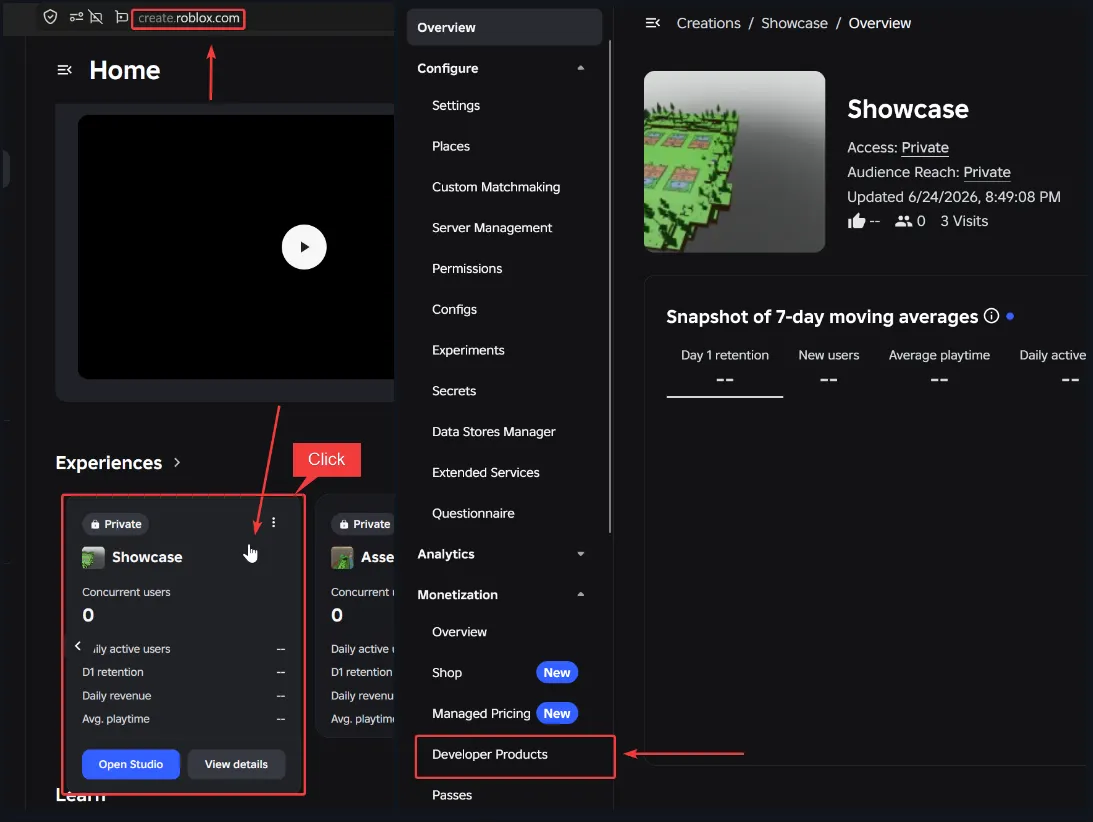
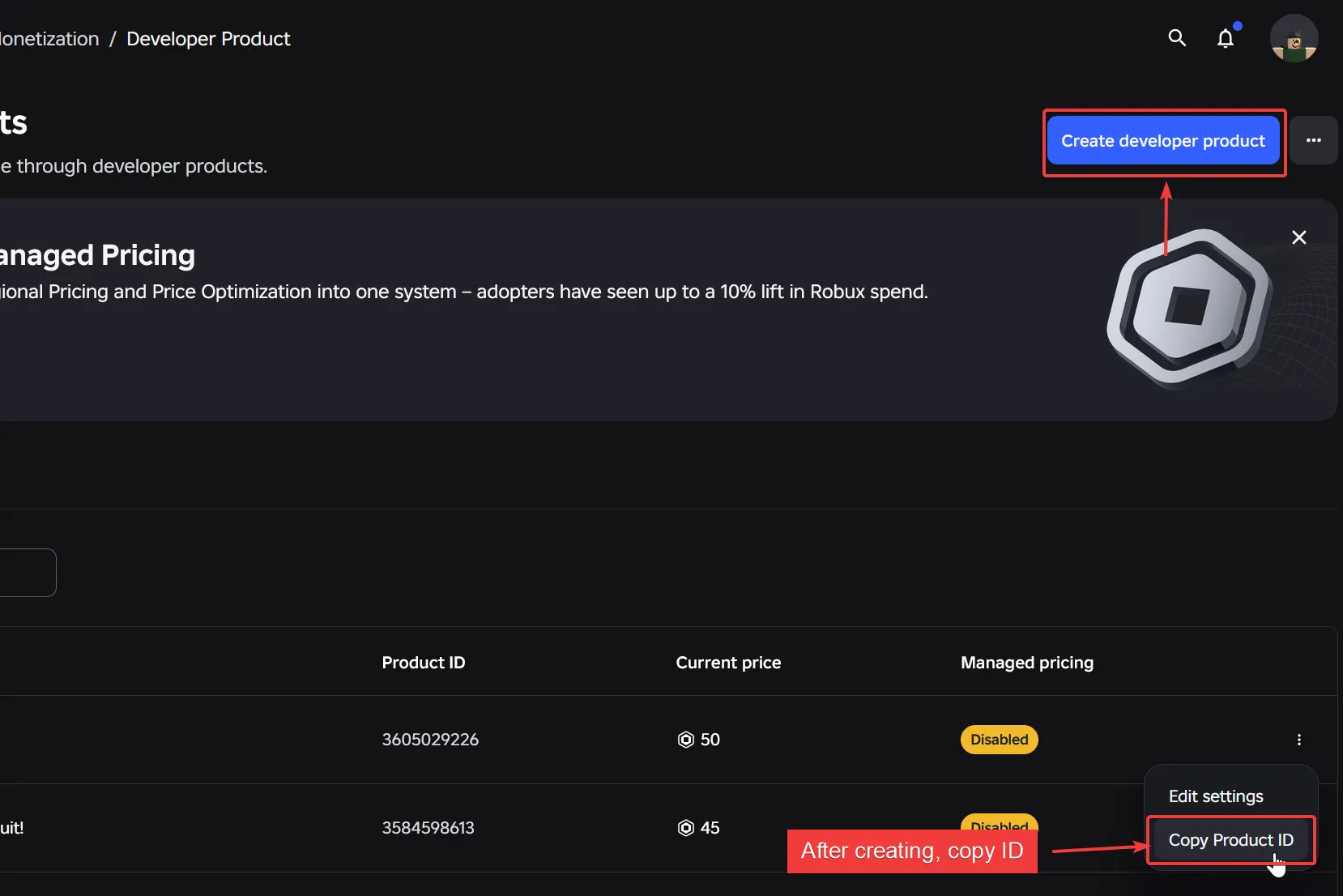
To create developer products, go to create.roblox.com -> Click the experience -> Developer Products -> Create Developer Product -> Copy ID
Witness Visuals
Automatic translations for the Seeds, Garden, and Sell buttons are not available, as they are images with no actual Roblox text on them.
The inventory UI not disappearing will be fixed in the following updates so the inventory gets hidden properly.
The inventory UI not disappearing will be fixed in the following updates so the inventory gets hidden properly.
R
roccoCute
I have a question, or rather a few questions, if that's okay.
How do I add updates to a template after a new update?
Will there be a new store in the new update besides the equipment store and the Game Pass store?
When is the admin update, and what might it include in the admin panel update?
How do I add updates to a template after a new update?
Will there be a new store in the new update besides the equipment store and the Game Pass store?
When is the admin update, and what might it include in the admin panel update?
