Closed.

Status
This thread has been locked.

Sean147299

Premium
Feedback score
9
Posts
34
Reactions
25
Resources
2
Note: Not a plugin request!

Hello,

I was wondering if there is a developer here who can understand how to make particles form around shapes.

I'm needing some help with my current code and I'm willing to pay if someone can understand this as I've gone through many people and yet to find someone who understands it.

Discord: Sean#4543

Preferably need someone who can talk in a call to fully show them the understanding of this.
 
Last edited:

PebbleHost
High performance, consistent uptime and fast support. Minecraft hosting that just works.

thmihnea

Software Engineer
Supreme
Feedback score
9
Posts
90
Reactions
91
Resources
0
Hi! I'll try to explain creating Particles around shapes as best as I can.
Generally, you have to think about Particles as points/dots in R3 (RxRxR). For the better understanding of us, I will not swap the y and z axis like Mojang has done in Minecraft, and we will keep everything mathematically.

First off, how do we get the actual equation of a line in R3?
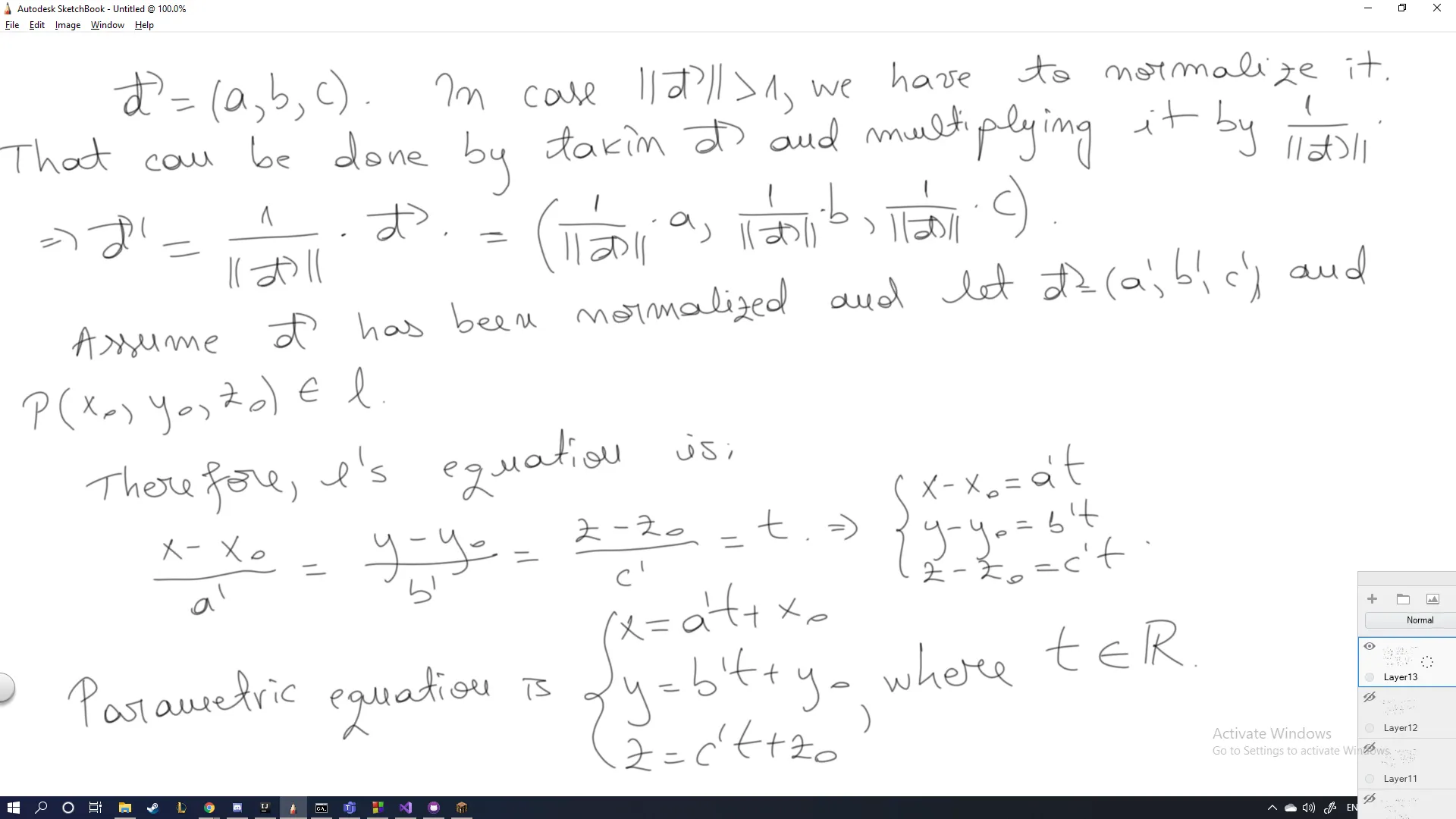
Given two specific points in the plane, you won't actually get a line, but a plane. Before going into specifics, a line in the two-dimensional plane can be defined if we know its slope and a point which passes through the line. Similarly, in three-dimensional space, we can obtain the equation of a line if we know a point that the line passes through as well as the DIRECTION VECTOR of that line.
Assume d = (a, b, c) is the direction vector and the point P(x0, y0, z0) is the point which the line passes through.

27078f1d025ff06fffb9389e48179f4c.png

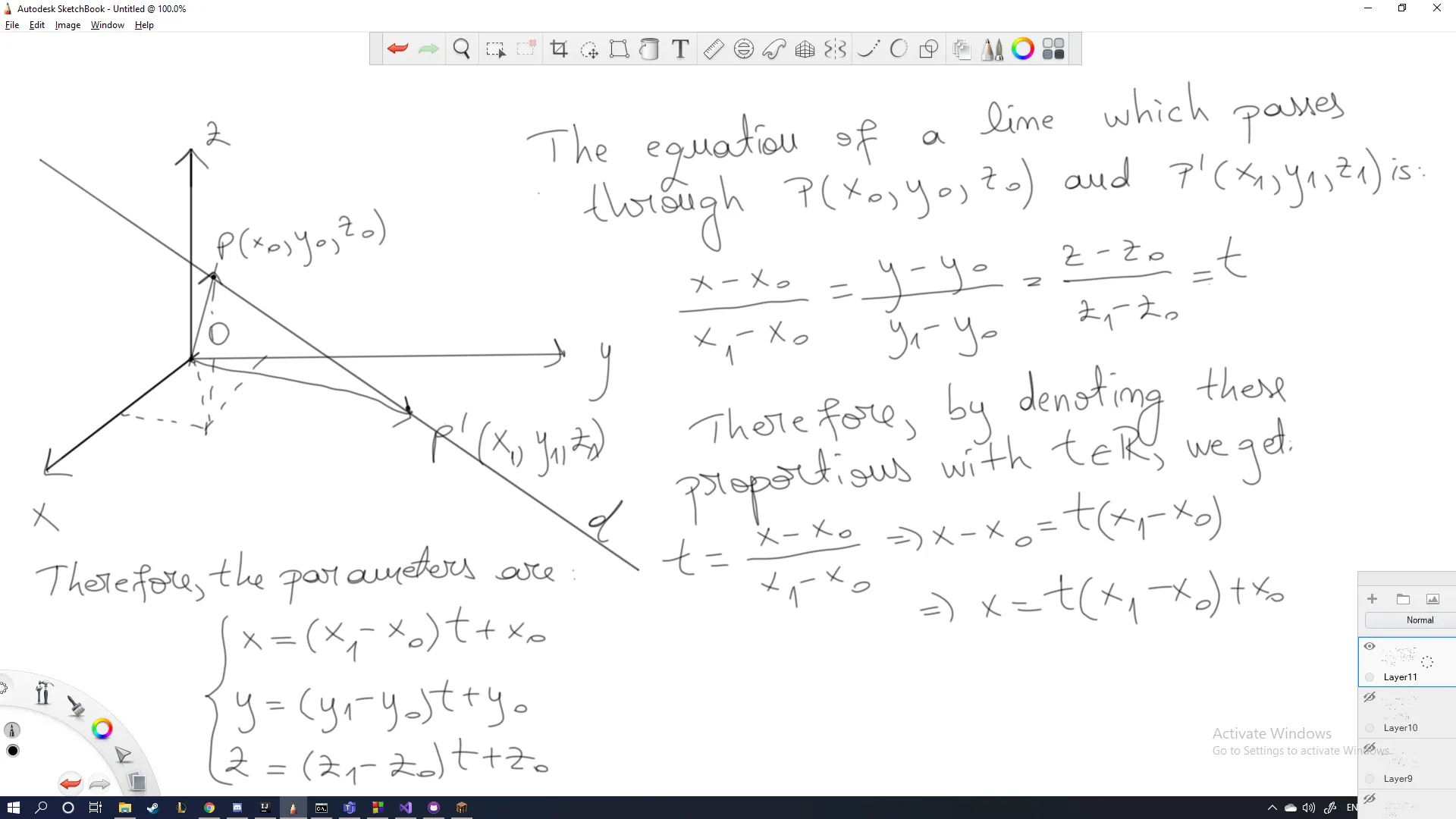
In Minecraft, you will most likely have the two coordinates which you already want to draw a line through, therefore I've also written a page on how to get the line in between two points in three-dimensional space.

277abe485c10b502bfbb9b0cab407261.png

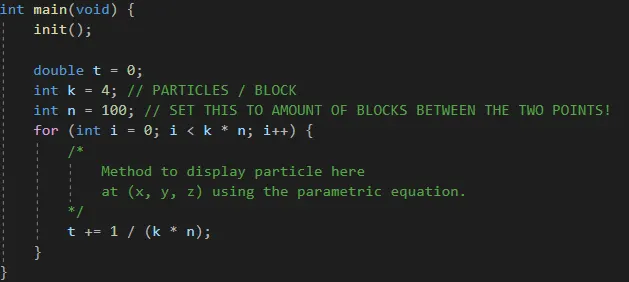
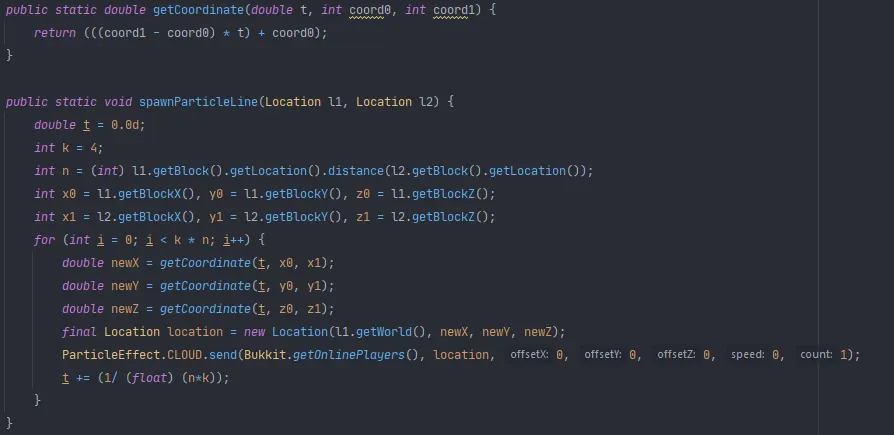
As you can see, when t = 0, your particle is going to have coordinates P(x0, y0, z0), and when t is 1, you get P(x1, y1, z1), therefore we understand that t is in the interval I = [0, 1]. Therefore, if you have 2 points which are n blocks apart, your line can be divided in n equal parts of length 1/n. Each time you pass a block, you increment t by 1/n. If you want k particles per block, each particle is gonna be at distance 1/(nk) of each other. I wrote a quick example in C++ because I had Visual Studio opened:

a7065cd94466b5e4682e8f10914dd09a.png

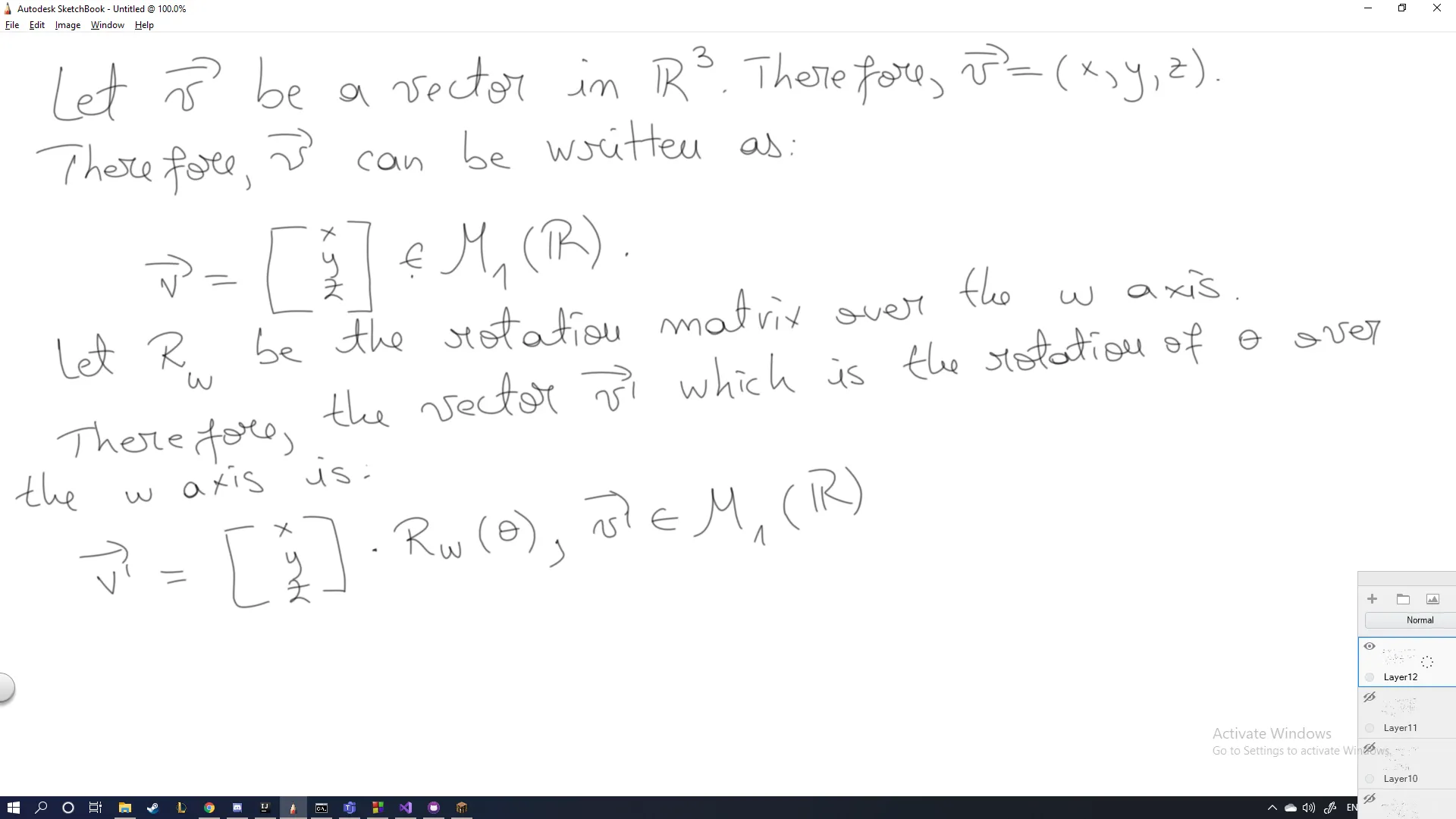
In the end, there's also more complex shapes you can create. If you want to rotate a line, you would have to use a Rotation Matrix over the Oω axis, depending about the amount of dimensions you're computing in. In three-dimensional space we obviously have only 3 dimensions, so you can rotate about the x, y and z axis.

B8oG5FuMxOGwAAAABJRU5ErkJggg.png

af420a605cc0c3b190095f0c08438e12.png

I wrote two quick methods (haven't tested them, but they should work). You can use these for further progressing with what you want to do.

e00673dbb1a7640725b90dab46a21f1f.png

You can store all locations in between you want to spawn the lines in a Map<Location, Location> and just loop over each key, get the value and compute the respective line using the shown methods.
In case you want more complex particles, you would have to look at the equations of those shapes. Everything about Particles is simply maths, there's no way of cutting corners here. This is the only way I think you can differentiate actual developers from skids. There's a post in which I wrote about how to compute a helix, you can check it here: https://www.mc-market.org/threads/647607/#post-4764635

EDIT: I tested out the code above, here is a cube I managed to spawn by storing the coordinates of the tips:

AeA00eW.png

In case you still didn't manage to pull it off, don't hesitate to shoot me a message on Discord @ thmihnea#1337.
See you soon!
 
Last edited:
Status
This thread has been locked.
Top