Wings-Dedup v6.5.0 - Wings 1.12.2 Update
Deduplicated backups that fix themselves.
New: backups recover on their own[/HEADID]
- If a node runs into a backup repo problem, Wings-Dedup now sorts it out and retries by itself.
No more SSHing in to clear a cache or break a lock at 3am.- It handles the usual culprits: stale caches, leftover locks, a missing remote repo, and
corruption, on both the local repo and the offsite one.- Archives don't get "permanently skipped" anymore. They keep retrying and repairing until they
go through.- The repairs are rate-limited, so a rough night doesn't turn into a flood of commands hammering
the node or your storage box.
Improved and fixed
- When a backup does fail, the log now tells you the actual reason instead of a generic exit
code.- Kopia is now level with Borg: local, hybrid, and remote (S3) modes, disaster-recovery restore,
and correct repo stats.- Deduplication and space-saved numbers are accurate.
What it does
- Deduplicated and compressed backups, so you store a lot less.
- Borg or Kopia, your call.
- Local, hybrid (local plus offsite), or remote storage.
- Automatic offsite copy for disaster recovery.
Binaries for AMD64 and ARM64, each with a SHA-256 checksum.
S3 Improvements
What Changed
Improved the stability and reporting accuracy of the storage system in S3 Mode.
Key Points
- Fixed an issue causing backup sizes to display incorrectly.
- Corrected storage usage statistics in the admin panel.
- Added a 7-day safety retention period for backups of deleted servers.
- Fixed an issue where old, unused backups were not being cleaned up correctly.
- Optimized backend response parsing for better reliability.
- Enhanced internal tag handling for more accurate resource tracking.
- Implemented strict age-based logic for maintenance tasks.
Wings v1.12.1 Update
What Changed
Updated wings-dedup to version v1.12.1. This release includes support for Hytale servers by correctly mounting a machine-id file.
Key Points
- Updated base version to v1.12.1
- Added support for mounting /etc/machine-id in containers (required for Hytale)
- Fixed miscellaneous configuration field issues
v1.12 Port Integrity & Standalone Autobackups
What Changed
This update finalizes full support for Pterodactyl v1.12 across both Wings and the Standalone Autobackups system. It addresses critical regressions in core Wings functionality (downloads/cleanup) and introduces a robust, version-aware installer for the panel frontend.
Key Points
- Standalone Autobackups: Now fully compatible with Pterodactyl v1.12.
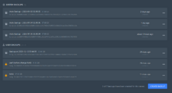
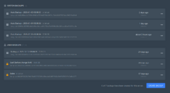
- Frontend Enhancements: "System Backups" and "User Backups" are now completely separated in the list view.
- Smart Limits: The backup limit counter on the frontend now correctly excludes system-automated backups if toggled.
- Universal Installer: The standalone install script now automatically detects your panel version (v1.11 or v1.12) and applies the correct patches.
- Fixed download issues for remote backups and restored server deletion cleanup logic.
- Installer Logic: The standalone install script (install.sh) has been rewritten to be version-aware, patching specific layouts and routes dynamically based on the detected Panel version.
- Frontend Patching: Implemented separation logic in BackupContainer.tsx and limit exclusion in CreateBackupButton.tsx.
- Wings Fixes: Restored borg.DeleteAllServerArchives on server deletion and fixed specific remote download handling in router.go.
- Cache Configuration: Wings continues to use /tmp/borg-local-cache for global consistency.
Changelog: v1.12.0 Compatibility Update
Core System
- Wings Base Updated: The core Wings-Dedup engine has been updated to
v1.12.0. This brings full parity with the latest upstream security patches and performance improvements.
AutoBackups Addon
- Standalone Version: Updated to support Panel
v1.12.x. This includes updated frontend selectors and a refined installation script for native integration.- Blueprint Version: Not updated. Due to Blueprint not yet supporting Panel v1.12, the Blueprint-compatible version of the addon remains on legacy branches. For v1.12 users, we recommend switching to the Standalone version.
Resources & Documentation
- One-line installer updated for seamless v1.11 to v1.12 migrations.
Backup System stability improvements
What Changed
We have improved the stability and reliability of the backup system when dealing with large remote repositories or slow network connections.
Key Points
- Increased timeouts for fetching remote backup statistics to prevent operations from being killed prematurely on slower connections.
- Improved logging for manual maintenance tasks to clearly show when operations are running across your servers.
- Enhanced error handling for self-healing processes to ensure corruption is detected and repaired automatically.
- Increased remote stats refresh timeout from 60s to 5m to prevent
signal: killed.- Updated manual prune logging to include processed server count in completion message.
- Verified robustness of automated repair logic for both local and remote repositories.
Auto Backup v4.1 + Wings v6.3
What Changed
Panel fixes for admin UI issues and new install scripts. Wings gets smarter pruning, better remote sync handling, and instant interface updates.
Bug Fixes
- Fixed: Saving settings on the Prune tab now stays on the Prune tab
- Fixed: Repository Stats tab was failing to load
- Fixed: Remote sync no longer conflicts with local operations
- Fixed: Prune operations that hang now timeout after 2 hours
- Fixed: Backup list failing to show new backups immediately after sync
- Fixed: Newly synced backups showing "0 bytes" or timing out when clicked
Improvements
- Separated System Backups (autobackups) and User made backups in the frontend
- Added an option to count or not count System Backups (autobackups) towards user's backup limit
- Added auto-install script for standalone version - just run install.sh
- Added auto-uninstall script for standalone version
- Prune operations are now fully managed by the Panel schedule (no more conflicts with internal schedules)
- Sync system now intelligently pauses during maintenance to ensure stability
- Prune skips archives that fail 3 times in a row instead of retrying forever
- Simplified documentation
- Tab state persists via URL hash (#config, #prune, #stats)
- Stats loading uses window.location.pathname instead of href parsing
- Per-archive failure counter resets after 24 hours
- Prune operations have 2h hard timeout with context cancellation
- Sync manager explicitly disabled in remote-only mode
- Retention logs include skipped_local, skipped_recent, skipped_parse counters
- DRC cache populates immediately via native worker (no remote fetch needed)
- Disabled internal retention monitor by default (disable_auto_prune: true)
- Implemented maintenance mode to lock sync manager during cleanup
Backup Reconciliation
Local Storage Sync
Local backups are now strictly synchronized with the Panel database. When prune runs, any archive not tracked in the Panel will be automatically deleted. This fixes the long-standing issue where backups deleted via Panel would remain on disk indefinitely.
Remote Retention Policy
Remote repository now follows a 7-day safety net:
- Archives that exist locally are always kept as mirrors
- Archives less than 7 days old are kept regardless of local state
- Archives older than 7 days that don't exist locally are deleted
How It Works
When you click Prune Backups in the addon settings, the Panel sends a list of all valid backup UUIDs to Wings. Wings then compares this list against the local Borg repository and deletes any archive not in the list.
Requirements
- Full reconciliation requires the autobackup addon (sends the backup list)
- Without the addon, only backups for deleted servers are cleaned up
- Prune API now accepts
valid_backupsJSON payload from Panel- Added
panel_urlandpanel_api_tokenconfig options for future standalone integration- Batch deletion uses shared cache directory to minimize I/O overhead
- All delete operations use
ionice -c3for low-priority disk access- 100ms throttle between archive deletions to reduce burst I/O