What is MeetingScheduler for Paymenter?
MeetingScheduler is a professional appointment booking extension for Paymenter that replaces chaotic manual scheduling with a structured, automated system.
Instead of arranging meetings in chat and losing track of availability, you get a dedicated booking flow, clear time management, and full control over your schedule - all directly inside Paymenter.
It delivers a smooth experience for clients and a powerful management panel for admins in one place.
Why It Matters
Manual scheduling wastes time.
Double bookings damage credibility.
Missed updates create confusion inside your team.
MeetingScheduler eliminates all of that.
Clients see real availability.
Slots are safely reserved.
Your team is informed instantly.
Everything stays organized.
How It Works
Clients open your booking calendar, select a date, choose an available time slot, pick a communication method, and confirm the reservation.
Behind the scenes the system:
• Dynamically loads real availability
• Securely validates and reserves selected slots
• Prevents double-booking using transactional locking
• Sends automatic confirmation emails
The process is fast, clean, and fully automated.
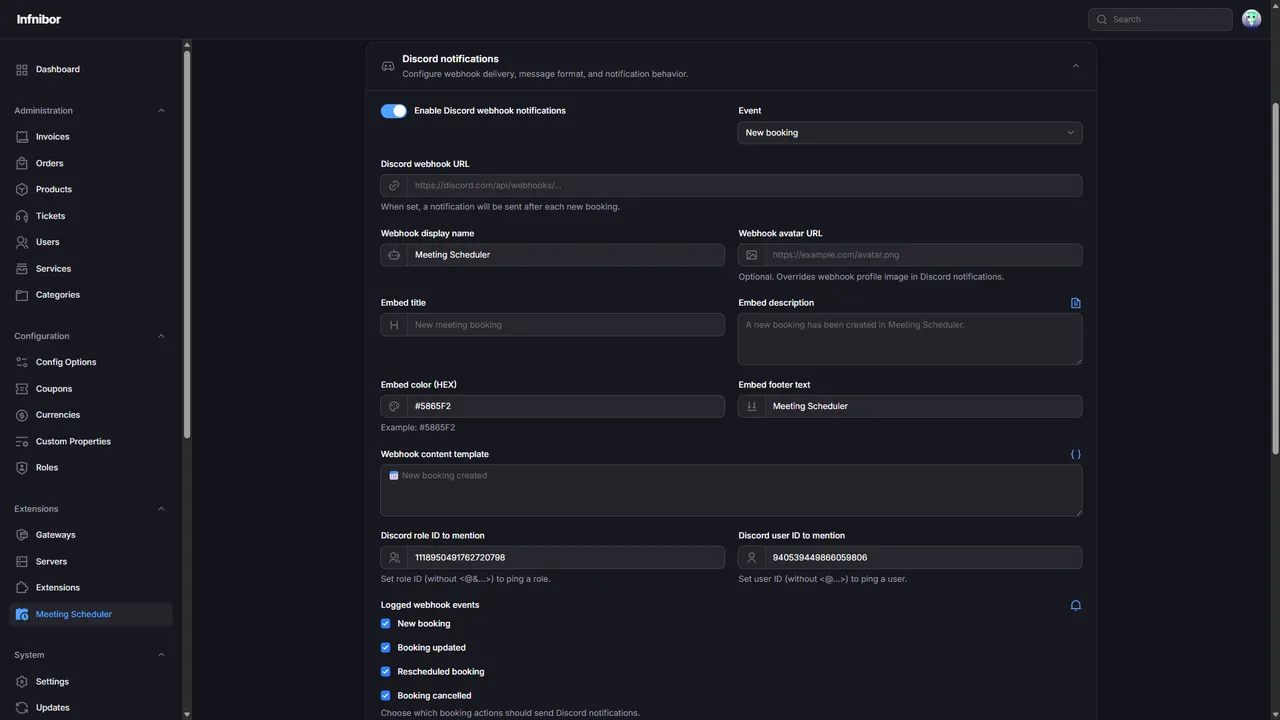
Real-Time Discord Notifications
Stay informed without refreshing panels or checking bookings manually.
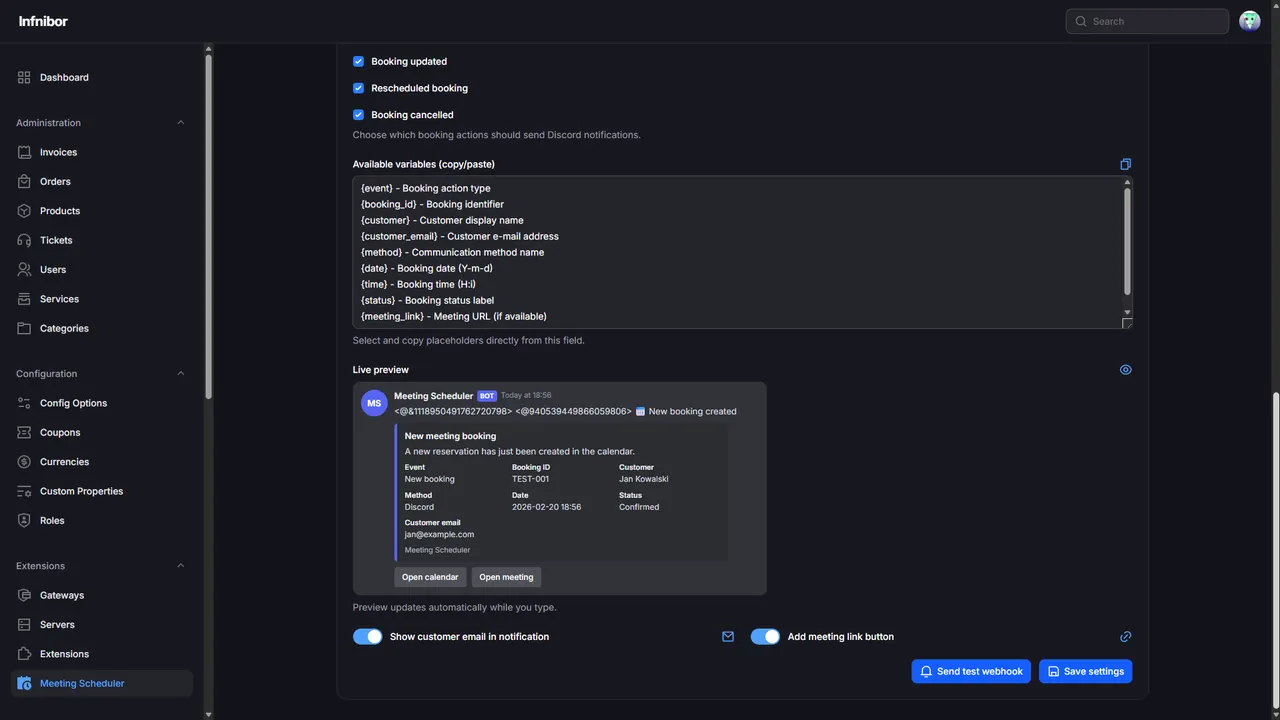
With built-in Discord webhook support, your team receives instant updates about booking activity directly in your Discord server.
New booking.
Booking edited.
Booking cancelled.
You can monitor selected actions or everything related to reservations. Mentions allow you to instantly notify a specific role or team member.
Your Discord becomes a live booking control center.
Main Features
 Client-facing calendar with dynamic slot loading Communication method selection during booking (Google Meet / Discord / Phone) Full admin management for methods, slots, and bookings Dedicated admin calendar overview Automatic booking confirmation emails Built-in Discord webhook notifications with role/user mentions Real-time booking activity tracking Secure transactional protection against double-booking No core Paymenter modifications required
Built for Professionals
• Hosting providers using Paymenter
• Service businesses scheduling client calls
• Teams that need structured meeting management
• Anyone tired of manual scheduling chaos
Example: Before & After
Before: Meetings arranged in chat. Availability unclear. Messages missed.
After: Clients book directly from your calendar. Slots stay organized. Confirmations are automatic. Your team sees updates instantly on Discord.
FAQ
Q: Can I use different communication methods?
A: Yes. You can configure Google Meet, Discord, phone, or any custom method and let clients choose during booking.
Q: Will this modify my Paymenter core files?
A: No. It runs as a standalone extension.
Q: Is Discord required?
A: No. Notifications are optional, but highly recommended for real-time team awareness.
Q: What do I need for confirmation emails?
A: Proper mail configuration inside Paymenter.
Upgrade Your Booking Flow
Stop managing meetings manually.
Start running them like a system.
MeetingScheduler for Paymenter gives you structure, automation, and instant team visibility - without complexity.
More Questions?
Open a support ticket on Discord: https://dc.fnetic.pl


