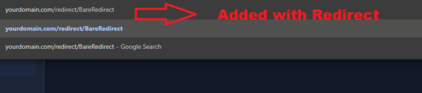
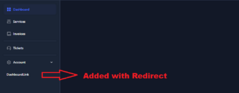
After months of struggling to fix the bug where icons gave a 500 error on the dashboard I have finally fixed it!
Added parent and child links in navbar
If you get a DB error run this:
php artisan migrate:status --path=extensions/Others/Redirect/database/migrations/
php artisan migrate --path=extensions/Others/Redirect/database/migrations/2025_09_17_211636_create_ext_redirect_links_table.php --pretend
php artisan migrate --path=extensions/Others/Redirect/database/migrations/2025_09_21_120000_add_parent_support_to_redirect_links.php
Redirect Extension v1.2 – Full Update Notes
We are excited to announce version 1.2 of the Redirect extension! This release brings a host of new features, improvements, and fixes:
New URL / Prefix Types:
serve: Serve a local file, Blade view, or remote resource inline (HTML, JSON, PDF, images, etc.).
Example: serve:index.blade.php
download: Serve a file for download. Modes: direct (immediate download) or indirect (user clicks first).
Example: download:direct:file.pdf
code: Display a code file with syntax highlighting.
Example: code:https://example.com/file.php
countdown: Redirect after a configurable number of seconds.
Example: countdown:5:https://example.com/
random: Redirect randomly to one of multiple URLs.
Example: random:https://a.com,https://b.com,https://c.com
flash: Show a temporary message before redirecting (default 3 seconds).
Example: flash:https://example.com/
choice: Display buttons for multiple destinations for user selection.
Example: choice:https://a.com:https://b.com
http(s):// Direct redirect to an external URL.
Example: https://example.com/
internal: Redirect internally within the app.
Example: /dashboard
Placement / Location Types:
nav: Appears in main navigation bar.
dashboard: Appears in dashboard navigation.
account-dropdown: Appears in user account dropdown menu.
none: Hidden; accessible only via direct redirect URL.
Enhancements & Bug Fixes:
Improved handling of remote resources in serve: type.
Enhanced syntax highlighting for code: type.
Fixed indirect download handling in download: type.
Added support for multiple choice redirects with choice: type.
Countdown and flash redirects now fully functional and customizable.
Summary:
This update makes redirects more flexible, interactive, and user-friendly. Version 1.2 ensures that all redirect types are fully supported, placement options are clear, and content is delivered safely and efficiently.
1. Dashboard & Profile Integration
- Links can now be added directly to the Dashboard or Account Dropdown/Profile menus.
- Locations supported: nav, dashboard, account-dropdown, none (bare redirect only).
2. Bare Redirects
- Links set to none are registered as routes but do not appear in any menu, allowing hidden or direct-access pages.
3. Optional Views
- Extension now supports Blade views for rendering custom pages, widgets, or link lists.
- Views are namespaced under redirect:: and can be overridden by the main application.
4. Improved Slug Management
- Automatic slug generation ensures unique routes for each link.
- Duplicate names are appended with incremental numbers to avoid conflicts.