ShutterBug
A survival-friendly photography, map art, and collection system for Minecraft servers
Async rendered photos | Vanilla clients | Multi-tile map art | Albums and photo quests | Configurable progression

Real in-game scenes, rendered into Minecraft map photos.
Read the full ShutterBug wiki
A survival-friendly photography, map art, and collection system for Minecraft servers
Async rendered photos | Vanilla clients | Multi-tile map art | Albums and photo quests | Configurable progression
Real in-game scenes, rendered into Minecraft map photos.
Read the full ShutterBug wiki
What is ShutterBug?
ShutterBug adds a real photography loop to Minecraft. Players craft a camera, frame a scene, tune camera settings, and turn the shot into a map item they can carry, trade, hang in item frames, or use to complete photo albums.
It is built for survival servers, SMPs, RPG worlds, towns, events, and exploration-focused communities. The goal is simple: give players another reason to travel, look closely at builds, notice rare moments, and make memories inside the world.
Think Pokemon Snap inside Minecraft, but made for live servers.
Why server owners use it
- Vanilla client friendly: players do not need client mods, resource packs, or external downloads.
- Async rendering pipeline: photo rendering is designed to run away from the main server tick instead of freezing gameplay.
- Real gameplay loop: cameras, settings, photo sizes, filters, albums, quests, exports, and progression.
- Built-in collections: 9 default album collections with 75 photo subjects.
- Permission ready: gate advanced render profiles, commands, admin tools, and premium-style features.
- Configurable: recipes, paper costs, language, guide links, camera settings, collections, and permissions can be adjusted for your server.
The camera
Players can use the ShutterBug camera as a normal survival item. Point it at the world, preview the framing, then take a photo. The result becomes Minecraft map art.
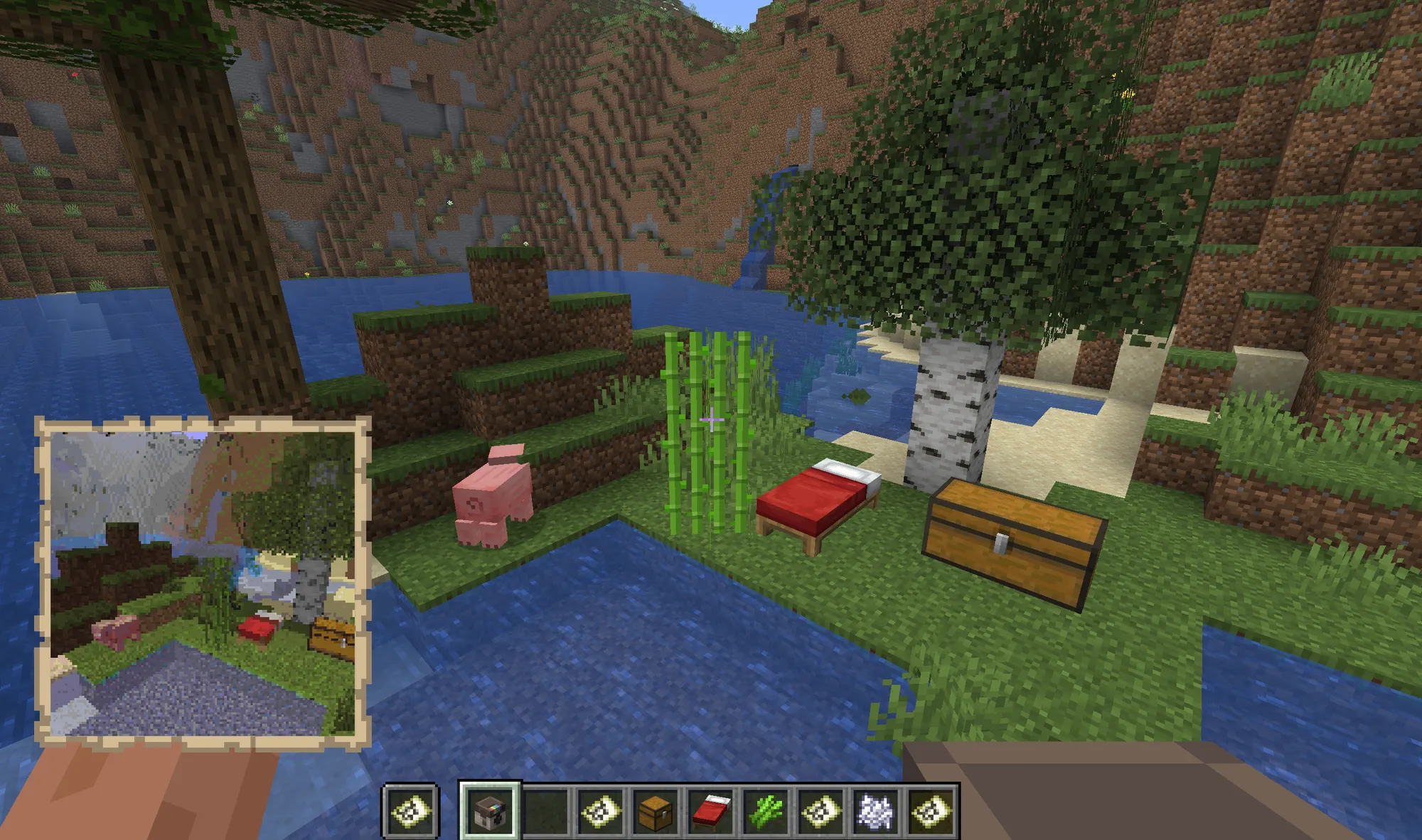
- Left-click: show the viewfinder and framing overlay.
- Right-click: open the camera settings menu.
- Sneak + right-click: take a photo.
- Sneak + left-click: take a selfie.
Camera settings players actually understand
Players can tune the next shot from an in-game menu. The settings are per-player, so one player's camera changes do not affect everyone else.
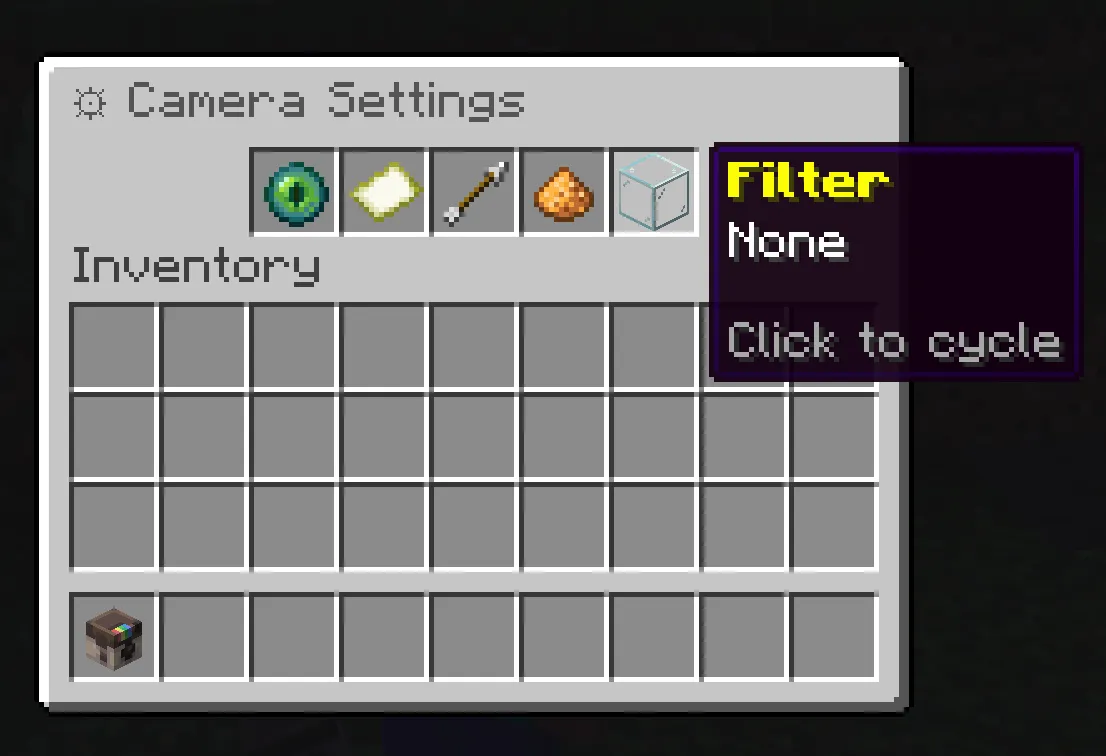
- Render profile: choose practical fast shots or high-end showcase renders.
- Photo size: create 1x1, 2x2, 3x3, or wide multi-map photos.
- FOV: zoom in for portraits or widen the frame for builds and landscapes.
- Exposure: brighten dark caves or protect bright outdoor shots.
- Filters: apply color treatments before shooting.
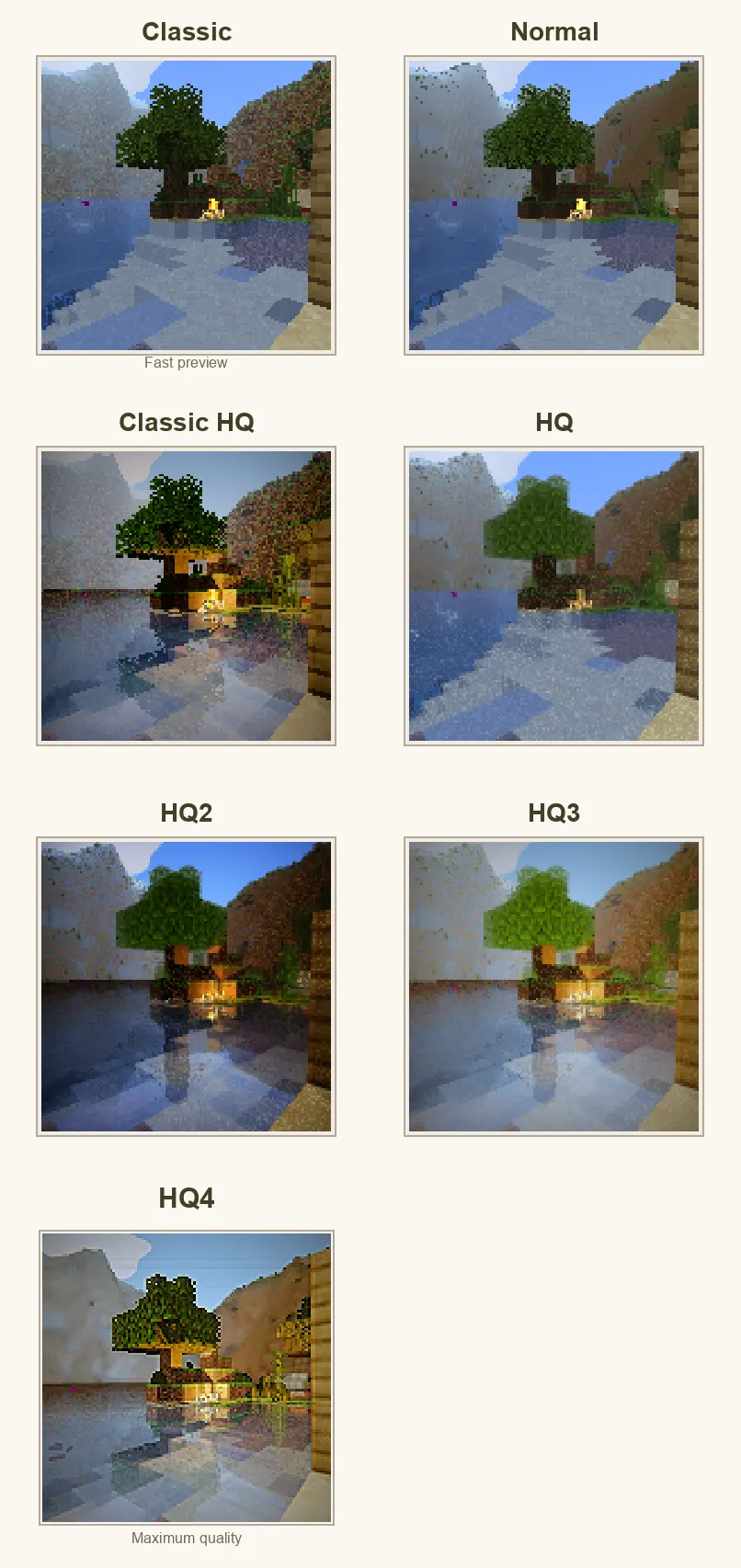
Render profiles from simple map-style photos to high-end showcase renders.
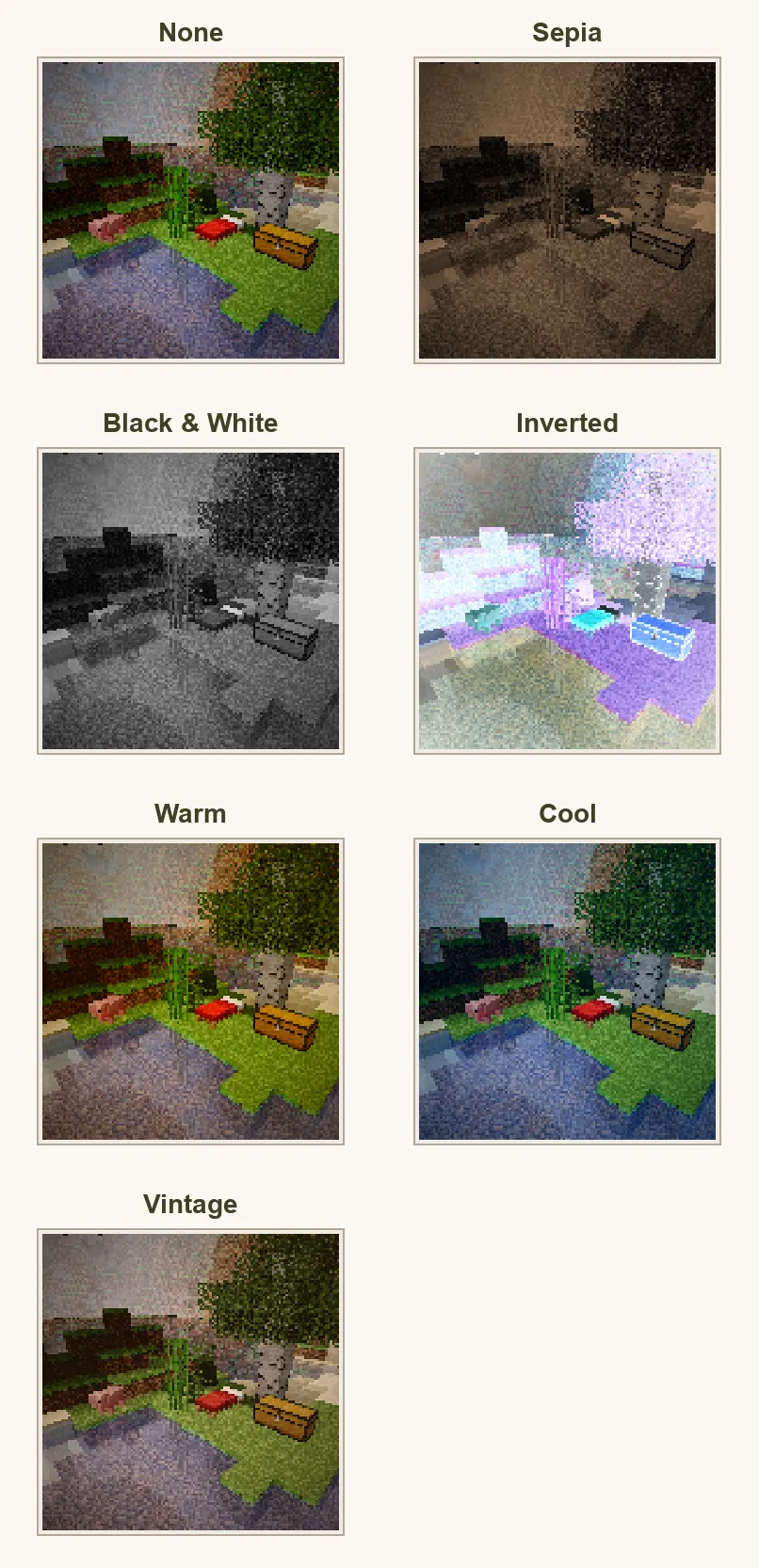
Built-in filters: none, sepia, black and white, inverted, warm, cool, and vintage.
Multi-tile wall photos
ShutterBug is not limited to single-map snapshots. Players can create larger photos for bases, galleries, towns, museums, and server showcases.
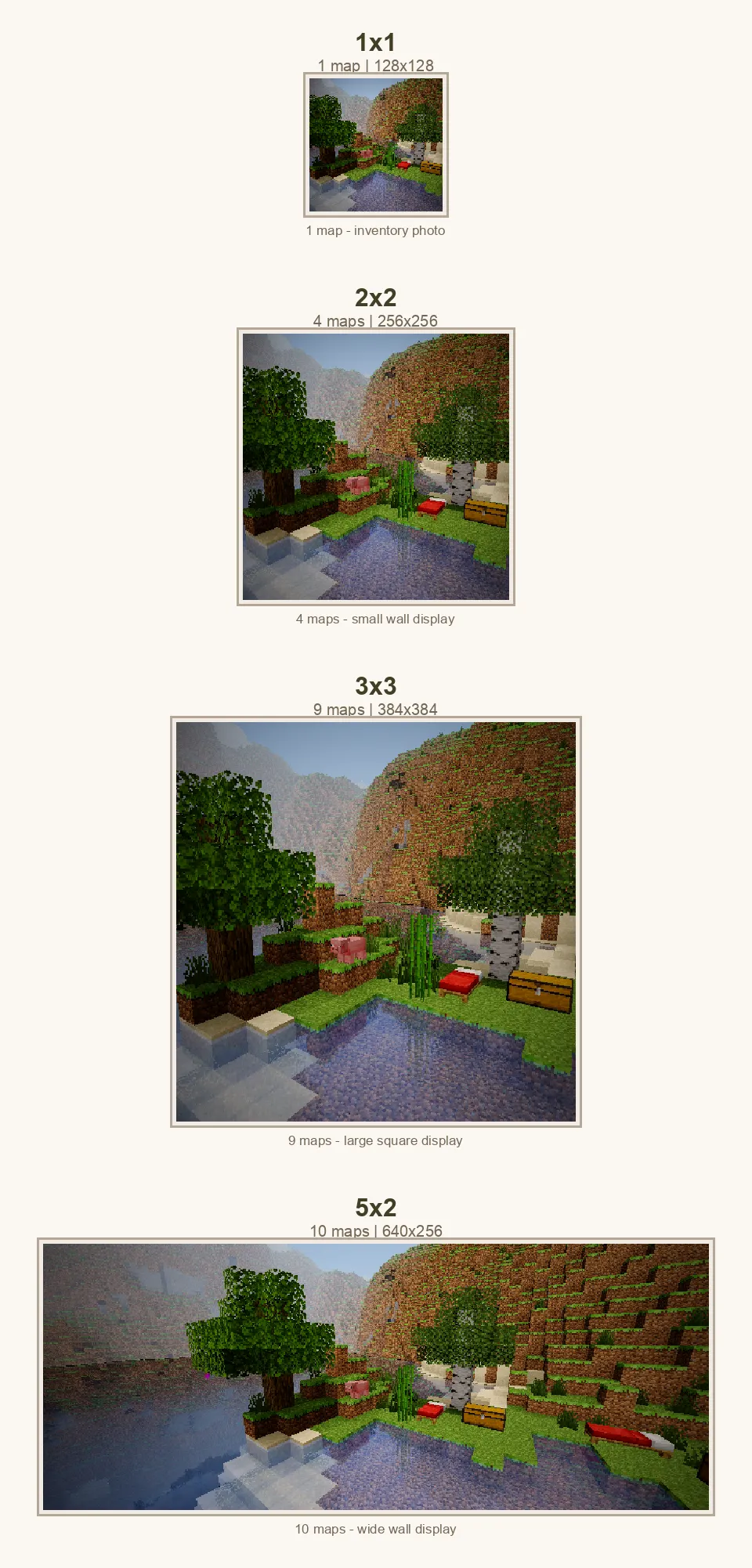
When a player places a multi-tile photo into item frames, ShutterBug can fill the matching nearby frames instead of forcing the player to manually place every single map.

Large photos can become real in-world displays.
Selfies, mobs, players, and moments
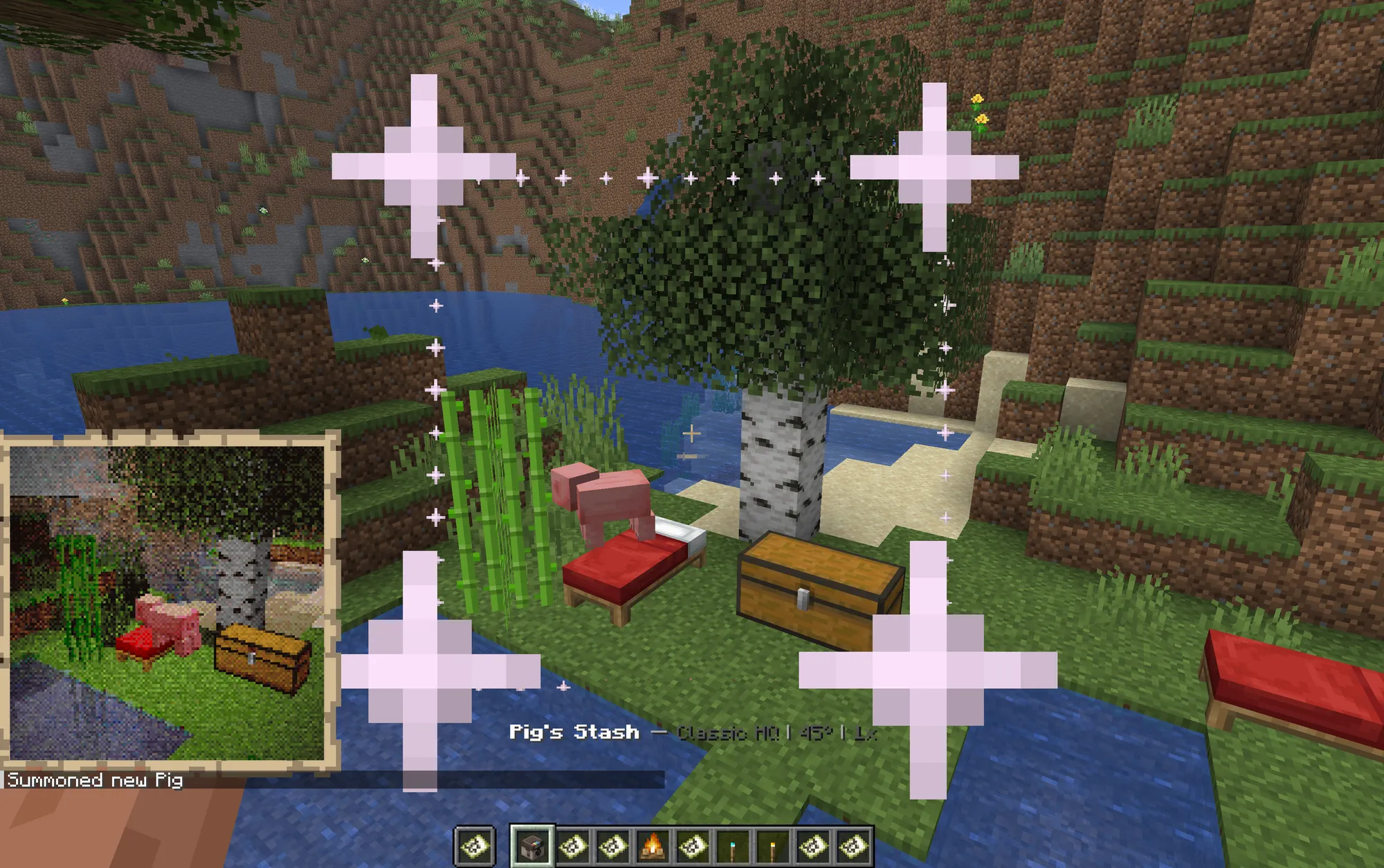
Selfie mode lets players become part of the photo. ShutterBug can render players, skins, armor, held items, and nearby entities into the final shot.

This makes it useful for player portraits, party photos, staff events, server museums, town records, contests, roleplay scenes, and simple memories players actually want to keep.
Photo albums and collection quests
Albums turn photography into progression. A player can hold an album, switch between collections, see missing subjects, and complete themed photo goals.
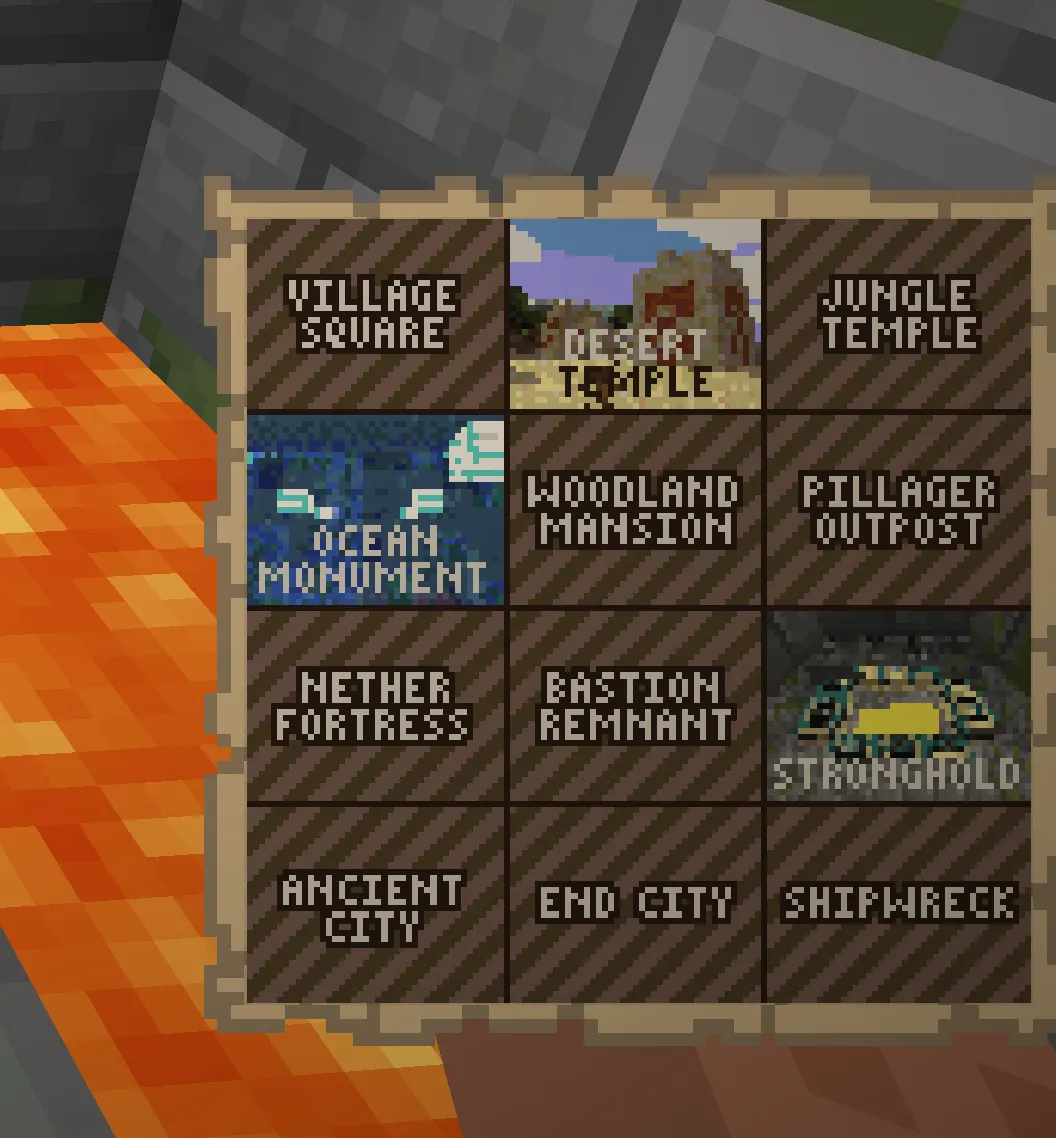
- Progress tracking: albums show captured subjects, missing subjects, and collection progress.
- Collage maps: completed photos appear directly in the album image.
- Clear hints: each subject tells players what they need to photograph.
- PNG export: album images can be exported for websites, wikis, or social posts.
- Configurable collections: server owners can edit or replace the default collection set.
Postcards - landscapes, biomes, caves, oceans, Nether forests, and the End.
Wildlife Documentary - wolves, bees, turtles, axolotls, golems, traders, foxes, striders, and parrots.
Architectural Digest - villages, temples, monuments, mansions, outposts, fortresses, bastions, strongholds, Ancient Cities, End Cities, and shipwrecks.
Tricky Situations - dangerous or timed shots like TNT, charged creepers, wardens, Wither spawning, falling anvils, and raid captains.
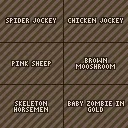
Rare Encounters - spider jockeys, chicken jockeys, pink sheep, brown mooshrooms, skeleton horsemen, invisible mobs, and more.
Extreme Selfies - fire, low health, underwater, free fall, above the clouds, Wither effect, and Darkness effect.
Social Butterfly - portraits, duo selfies, group photos, fashion shots, and lunch breaks.
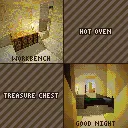
Home Sweet Home - crafting tables, furnaces, chests, and beds.
Undead Mobs - zombies, skeletons, phantoms, drowned, husks, strays, wither skeletons, zombified piglins, and zoglins.
Wildlife Documentary - wolves, bees, turtles, axolotls, golems, traders, foxes, striders, and parrots.
Architectural Digest - villages, temples, monuments, mansions, outposts, fortresses, bastions, strongholds, Ancient Cities, End Cities, and shipwrecks.
Tricky Situations - dangerous or timed shots like TNT, charged creepers, wardens, Wither spawning, falling anvils, and raid captains.
Rare Encounters - spider jockeys, chicken jockeys, pink sheep, brown mooshrooms, skeleton horsemen, invisible mobs, and more.
Extreme Selfies - fire, low health, underwater, free fall, above the clouds, Wither effect, and Darkness effect.
Social Butterfly - portraits, duo selfies, group photos, fashion shots, and lunch breaks.
Home Sweet Home - crafting tables, furnaces, chests, and beds.
Undead Mobs - zombies, skeletons, phantoms, drowned, husks, strays, wither skeletons, zombified piglins, and zoglins.
PNG exports and documentation-ready assets
ShutterBug can export photos and album images as PNG files, which makes it much easier to use player photography outside the server.
- Use exported photos in Discord announcements.
- Add album images to your server wiki.
- Run photo contests with real submitted images.
- Archive builds, towns, events, and player moments.
- Share completed album collages as progression trophies.

Commands and permissions
Common player commands
- /sb - take a photo with current settings.
- /sb help - show personalized help.
- /sb settings - open the camera settings menu.
- /sb album - get or manage an album, depending on server config.
- /sb album export - export album PNG images.
Useful admin commands
- /sb give - give a camera.
- /sb reload - reload config and language files.
- /sb album status - inspect album progress.
- /sb album reset - reset album progress.
Permission examples
- shutterbug.use - take photos and use the camera.
- shutterbug.give - use camera give commands.
- shutterbug.cinematic - access advanced render profiles.
- shutterbug.reload - reload plugin configuration.
Requirements
- Minecraft server: Spigot or Paper 1.21+
- Java: Java 21
- Client setup: vanilla clients, no client mod required
- Dependencies: no required external plugin dependencies
Documentation and support
The full wiki includes setup, player usage, camera settings, albums, admin configuration, permissions, and screenshot guidance.
Open the ShutterBug wiki
Join the support Discord
Give players a reason to explore.
ShutterBug turns landscapes, builds, mobs, friends, rare events, and quiet survival moments into photos worth keeping.


