 sOneHub
 Premium Complete Lobby Core for Minecraft Servers
1.20 - 1.26.x | Fully Configurable | Premium Hub Experience
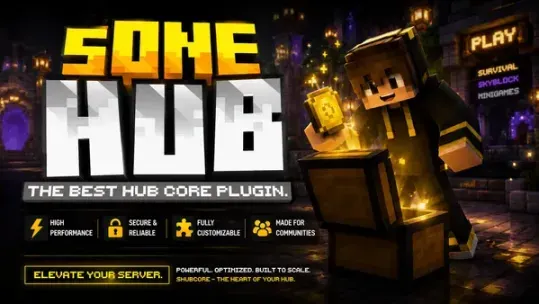

 WHAT IS sOneHub?
WHAT IS sOneHub?sOneHub is a premium and complete lobby core created to give your Minecraft network a professional, clean and interactive hub experience.
From hotbar items, menus, cosmetics, tags, chat colors, scoreboard, tablist, lobby protection and proxy server selector actions — everything is modular, configurable and built for serious Minecraft servers.
 THE PERFECT PLUGIN FOR YOUR LOBBY
THE PERFECT PLUGIN FOR YOUR LOBBYClean. Powerful. Modular. Premium.
sOneHub was made for server owners who want a complete lobby solution without installing dozens of separate plugins.
- Professional lobby core for Minecraft networks.
- Easy setup with editable YAML files.
- Modular systems that can be enabled or disabled.
- Multi-language support with English and Spanish included.
- PlaceholderAPI support for menus, scoreboard, tablist and messages.
- Premium license system created to protect your purchase.
 MAIN FEATURES
MAIN FEATURES Fully Configurable Lobby System
- Set your lobby spawn with /setlobby.
- Teleport players using /lobby.
- Customize join, quit and welcome messages.
- Create a professional first impression for your players.
 Custom Hotbar Join Items
- Custom names, lore, slots and actions.
- Supports custom PLAYER_HEAD textures.
- Open menus, execute commands, send messages or connect players to other servers.
 Advanced Menu System
- Editable menus from YAML files.
- Custom items, categories, actions and placeholders.
- Supports server selector menus with proxy actions.
- Dynamic and clean menu structure.
Cosmetics System
- Trails, auras, halos, wings, rain effects, balloons and hats.
- 28 default cosmetics included.
- Cosmetics can be free, coin-based or permission-based.
- Configurable active cosmetic limits by rank.
 Join Effects
- Particles, sounds, fireworks, lightning, titles and commands.
- 25 default join effects included.
- Fully editable from configuration files.
🏷 Tags, Prefixes & Chat Colors
- Normal tags, country flag tags and custom prefixes.
- 20 default chat colors included.
- 21 default tags included.
- Selected tags can appear in chat, nametags and placeholders.
 Coins System
- Players can earn or receive coins.
- Coins can be used to unlock cosmetics, tags, effects and chat colors.
- Admin commands included for giving, taking and setting coins.
 Scoreboard & Tablist
- Fully customizable scoreboard.
- Fully customizable tablist.
- Supports PlaceholderAPI and internal sOneHub placeholders.
- Perfect for displaying player info, rank, coins, server stats and more.
🛡 Lobby Protection
- AntiBuild — prevent block placing, breaking and interactions.
- AntiPvP — disable player combat in the lobby.
- AntiRaid — block bad words, command spam, chat spam, caps abuse and join flooding.
- Bypass permissions available for staff.
 MAIN COMMANDS
MAIN COMMANDSSome commands require administrator permissions.
- /shub help — Shows the full command help menu.
- /shub reload — Reloads configs, menus, data files, scoreboard, tablist and join items.
- /shub module list — Shows all available modules and their status.
- /shub module <module> on/off — Enables or disables a module.
- /setlobby — Saves the lobby spawn location.
- /lobby — Teleports the player to the lobby.
- /settings — Opens the main settings menu.
- /joineffects — Opens the join effects menu.
- /cosmetics — Opens the cosmetics menu.
- /colors — Opens the chat colors menu.
- /tags — Opens the tags menu.
- /coins — Shows your coin balance.
- /antibuild on/off/status — Controls lobby build protection.
- /antipvp on/off/status — Controls PvP protection.
- /antiraid on/off/status/reload/words — Controls anti-raid protection.
 POWERFUL ACTION SYSTEM
POWERFUL ACTION SYSTEMsOneHub includes a flexible action system for menus and join items.
- open:<menu> — Opens another menu.
- close — Closes the inventory.
- player-command:<command> — Makes the player execute a command.
- console-command:<command> — Executes a command from console.
- message:<text> — Sends a message to the player.
- broadcast:<text> — Broadcasts a message.
- language:<en/es> — Changes player language.
- joineffect:<id> — Selects a join effect.
- cosmetic:<id> — Toggles a cosmetic.
- color:<id> — Selects a chat color.
- tag:<id> — Selects a tag.
- proxy:<server> — Sends the player to another server using BungeeCord.
 DeluxeHub-Style Actions Supported
- [MENU] serverselector
- [COMMAND] spawn
- [CONSOLE] give %player% diamond 1
- [MESSAGE] Welcome!
- [BROADCAST] A player joined the lobby!
- [CLOSE]
 PLACEHOLDERAPI SUPPORT
PLACEHOLDERAPI SUPPORTsOneHub includes internal placeholders and also supports external PlaceholderAPI placeholders.
- %sonehub_prefix% — Selected tag or custom prefix.
- %sonehub_tag% — Selected tag.
- %sonehub_color% — Selected chat color.
- %sonehub_chatcolor% — Selected chat color.
- %sonehub_coins% — Player coins.
- %sonehub_rank% — Player rank.
🗂 EASY CONFIGURATION
- config.yml — Main modules, lobby, scoreboard, tablist, chat, protections and join items.
- SystemMenus/ — All menus separated into editable files.
- data/cosmetics.yml — Add or edit cosmetics.
- data/effects.yml — Add or edit join effects.
- data/colors.yml — Add or edit chat colors.
- data/tags.yml — Add or edit tags and custom prefix settings.
- languages/en.yml and languages/es.yml — Fully editable messages.
- users/<uuid>.yml — Player data stored safely in YAML.
 QUICK SETUP
QUICK SETUP- Purchase and download the plugin.
- Place the plugin file inside your server’s /plugins folder.
- Start your server once to generate all configuration files.
- Open config.yml and paste your license key under license.activation-key.
- Run /setlobby where you want your lobby spawn.
- Edit config.yml, SystemMenus/ and data/ files as you like.
- Run /shub reload to reload the plugin configuration.
- Join our Discord if you need support, license help or buyer verification.
- Your professional lobby is ready!
 PREMIUM LICENSE SYSTEM
PREMIUM LICENSE SYSTEMsOneHub includes a private premium license system created to protect the plugin from leaks, unauthorized copies and invalid usage.
After purchasing the plugin, every buyer receives a unique license key.
The buyer only needs to place the license key inside the plugin configuration.
Code:
license:
  enabled: true
activation-key: 'PUT-YOUR-LICENSE-KEY-HERE'- Unique license key for every verified buyer.
- Private license verification handled securely by our system.
- No public API URL or secret key is exposed in the user config.
- Buyer verification is managed through our Discord support system.
- License status checks help prevent leaks and unauthorized usage.
- Suspended, expired or invalid licenses will not be allowed to use the plugin.
IMPORTANT NOTES
IMPORTANT NOTES- sOneHub is a paid premium plugin.
- A valid license key is required to use the plugin.
- Each license is connected to a verified buyer.
- PlaceholderAPI is optional, but recommended for placeholders.
- Proxy/server selector actions require BungeeCord, Waterfall or a compatible proxy setup.
- No database is required. Player data is saved in YAML files.
- Most systems can be disabled if you only want to use specific features.
- Do not redistribute, leak, resell or share the plugin without permission.
- If your license has issues, join our Discord for support and verification.
 SUPPORT
SUPPORTNeed help, found a bug, want to suggest a feature or need license support?
Join our Discord Support Server
Spect Studios | Crafting premium experiences for your Minecraft server.


