Introduction
Hello everyone,
Long time no see? I'm most commonly known as being the Chief Systems Engineer/Chief Technical Officer at PebbleHost. I do not work there anymore, and have broadened my career beyond minecraft. With that being said, I see that there's a lot of people who still require assistance with basic provisioning of servers. Particularly, with nginx, php-fpm, pterodactyl, mail servers, firewall configurations, ect... As a result, I've decided to work on a script that is designed to be a AIO solution to these problems.
This will be provided free-of-charge to everyone and posted on github once completed.
Important Update:
Due to the complex nature of the script, I'll be migrating the script from bash to python entirely. The direction that the script is wanting to go will not be reasonable to carry out such a large script with exclusively bash. However, the script will remain open source. Please bare with me while the rewriting process is completed.
Note: Only CentOS 8 will be available upon release.
Warning:
Long time no see? I'm most commonly known as being the Chief Systems Engineer/Chief Technical Officer at PebbleHost. I do not work there anymore, and have broadened my career beyond minecraft. With that being said, I see that there's a lot of people who still require assistance with basic provisioning of servers. Particularly, with nginx, php-fpm, pterodactyl, mail servers, firewall configurations, ect... As a result, I've decided to work on a script that is designed to be a AIO solution to these problems.
This will be provided free-of-charge to everyone and posted on github once completed.
Important Update:
Due to the complex nature of the script, I'll be migrating the script from bash to python entirely. The direction that the script is wanting to go will not be reasonable to carry out such a large script with exclusively bash. However, the script will remain open source. Please bare with me while the rewriting process is completed.
Note: Only CentOS 8 will be available upon release.
Warning:
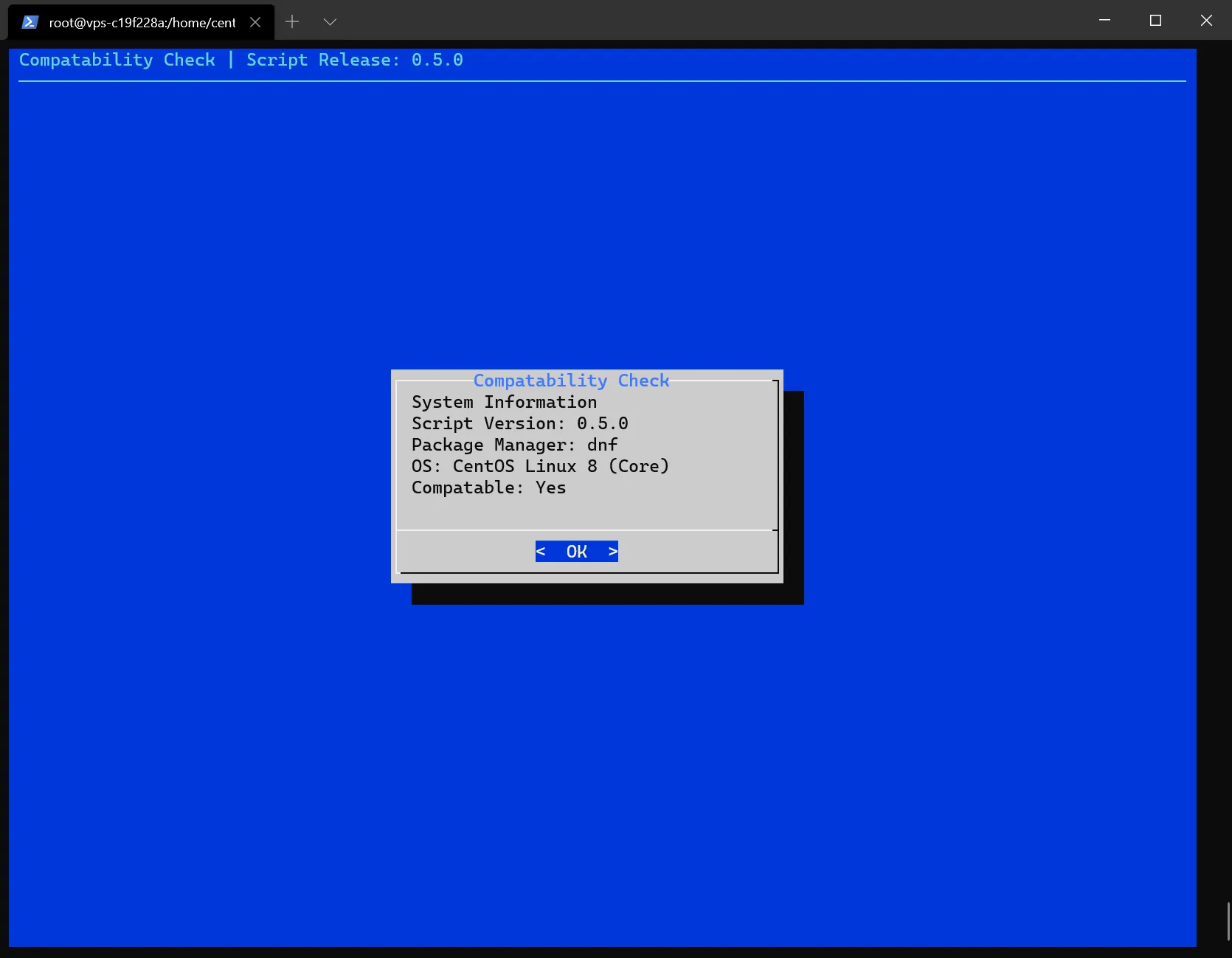
This script is not a replacement for typical system administration management, and should only be used for initial provisioning of your server. It serves as a easy-to-use interface to make the installation and configuration process as painless as possible, along with bringing proper security practices to light and in a way that's easily obtainable without having to have the understanding of the working of the script. While this script can be used on pre-existing servers, it is recommended to not use the automated installer as it WILL overwrite existing installations.
Paid support can be found here.
To be clear, any problems and updates to the script will be provided free of charge.
To be clear, any problems and updates to the script will be provided free of charge.
Requirements:
- Server running one of the supported distros, which include
- CentOS 7
- CentOS 8
- Debian 8
- Debian 10
- Ubuntu 18.04 LTS
- Ubuntu 20.04 LTS.
- A working internet connection
- Functional DNS resolution.
- Approximately 10-30 minutes, depending on system specs.
- Disk Space is variable depending on what you wish to install.
- Server running one of the supported distros, which include
- CentOS 7
- CentOS 8
- Debian 8
- Debian 10
- Ubuntu 18.04 LTS
- Ubuntu 20.04 LTS.
- A working internet connection
- Functional DNS resolution.
- Approximately 10-30 minutes, depending on system specs.
- Disk Space is variable depending on what you wish to install.
Recommendations:
- At least a 1280x720 (720p) terminal window, or terminal size of 132x43
- SSD/NVMe server to accelerate installation processes; script was not tests on HDDs
- A separate terminal tab/window to switch to during installation for other tasks, if needed
- A reboot post-installation/provisioning wouldn't hurt, but is not required.
Features:
Not all features available on release. AOR = Available on Release
- At least a 1280x720 (720p) terminal window, or terminal size of 132x43
- SSD/NVMe server to accelerate installation processes; script was not tests on HDDs
- A separate terminal tab/window to switch to during installation for other tasks, if needed
- A reboot post-installation/provisioning wouldn't hurt, but is not required.
Features:
Not all features available on release. AOR = Available on Release
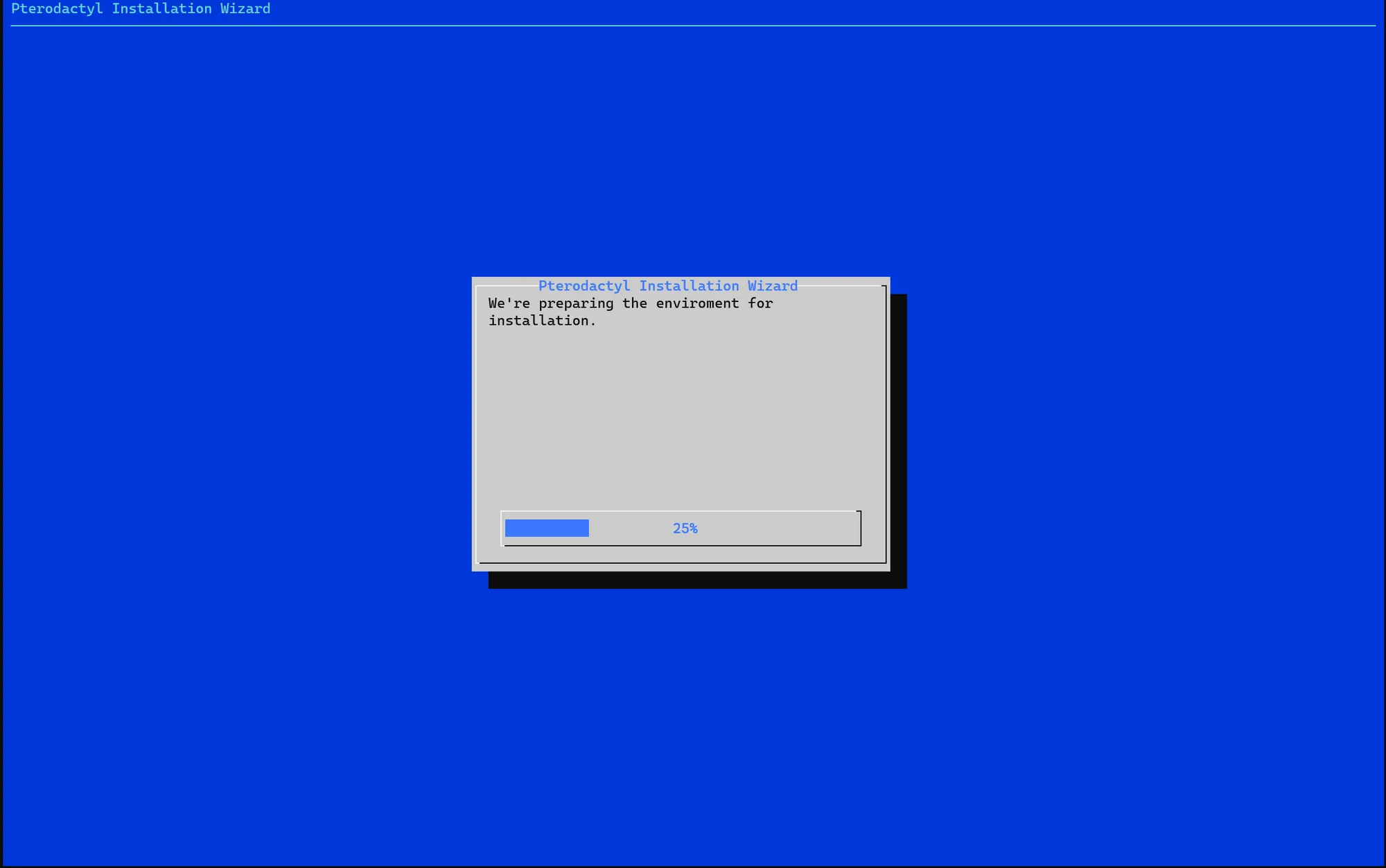

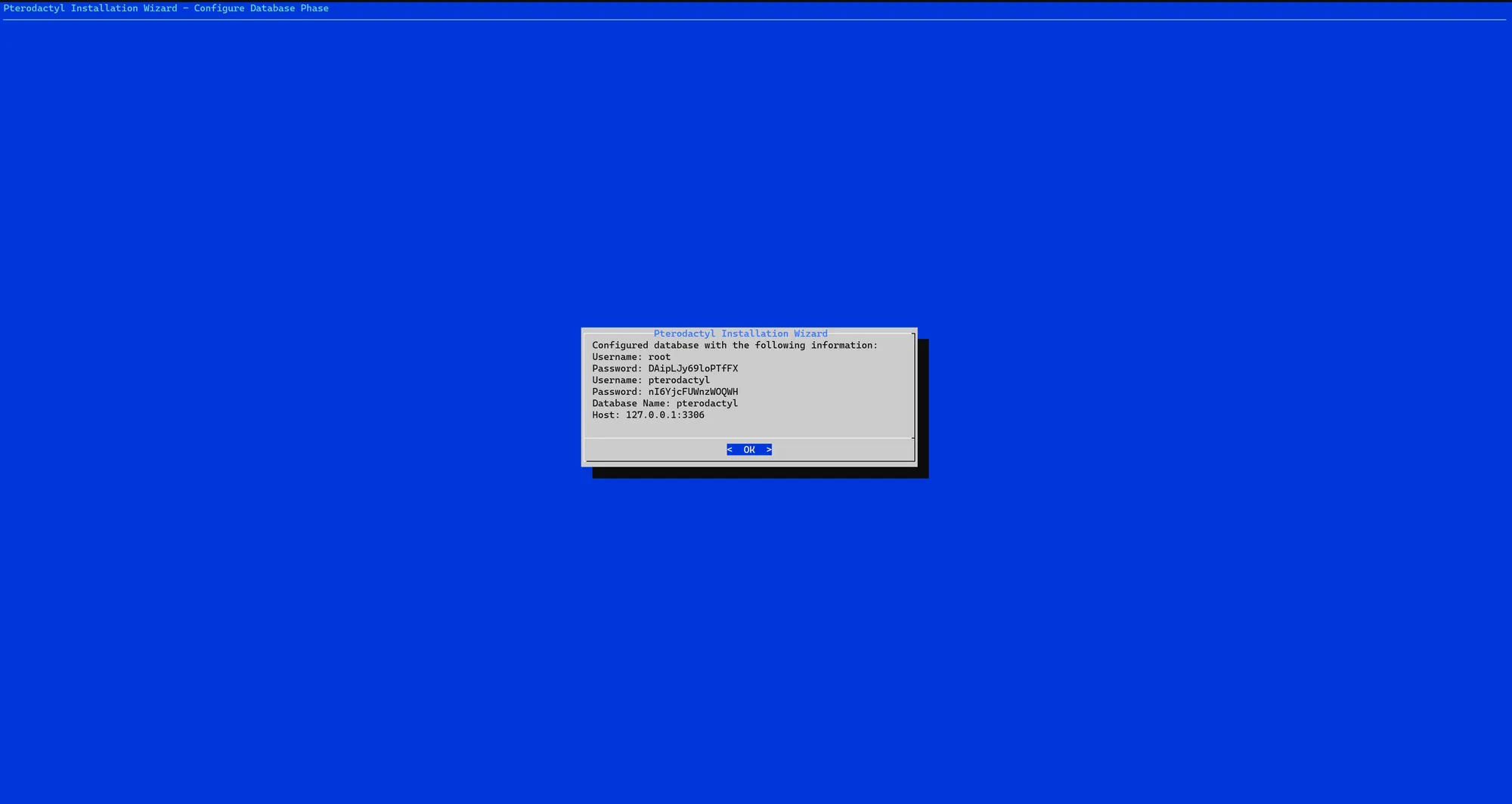
- User-friendly windows-like installation process - Completed, AOR
- Robust logging capabilities, presented to the user in a easy-to-read fashion - WIP, AOR
- Multi-distro support - WIP, AOR w/limitations
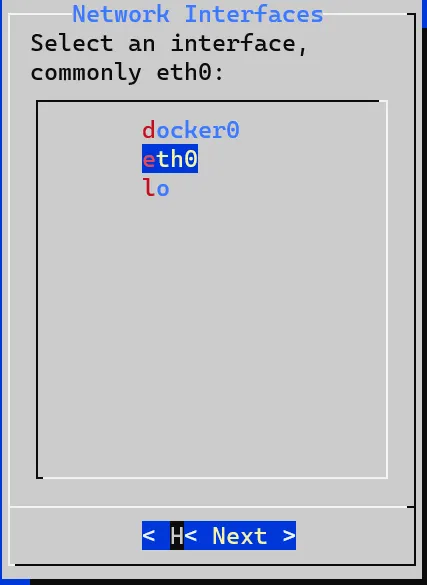
- Interface Selection menu to select which interface you would like the installation to take place - Completed, AOR
- Automatic error detection and abort if fatal error is detected. - WIP, AOR
- Automatic NGINX Configuration Wizard - Completed, AOR
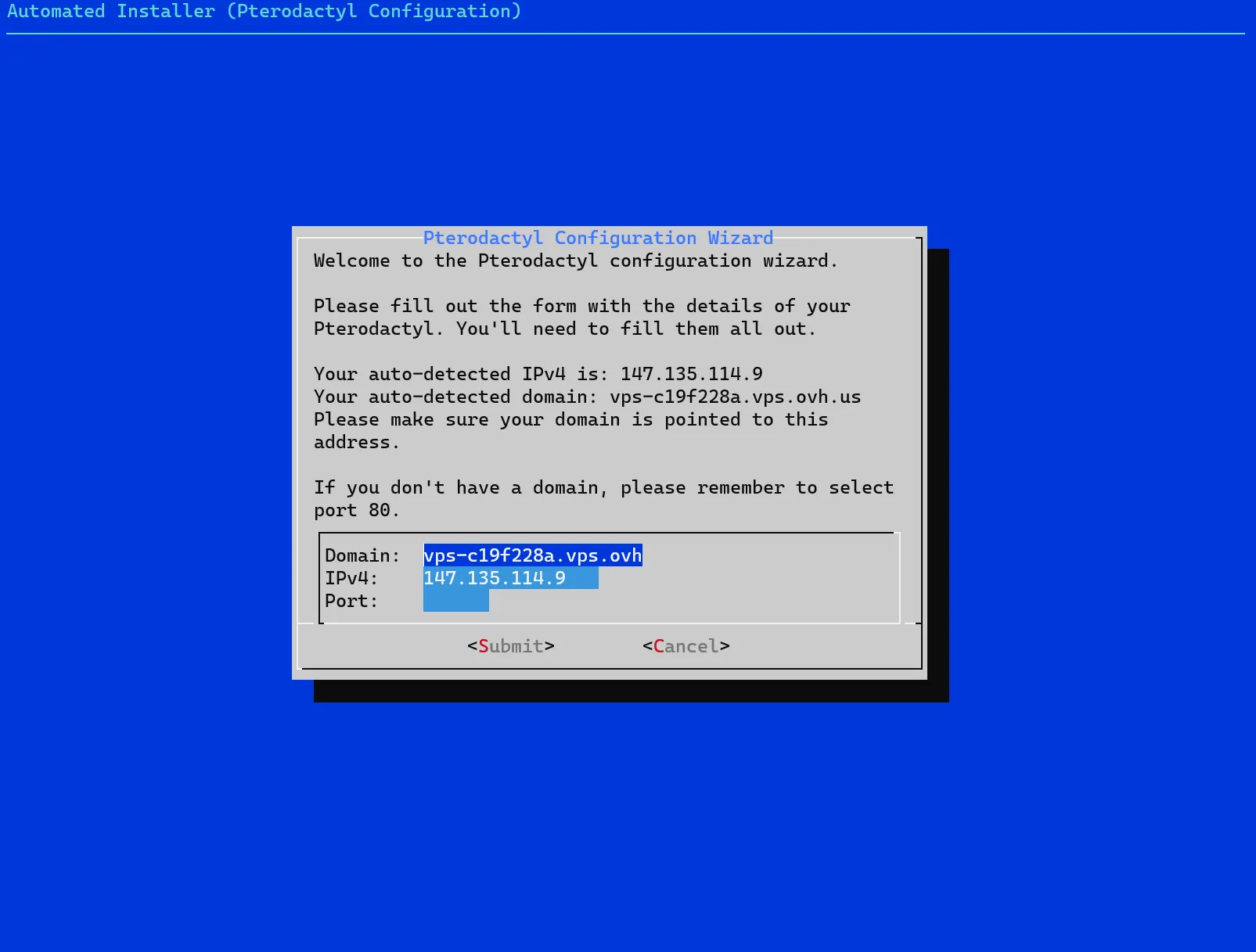
- Automatic Pterodactyl Installation Wizard - WIP, AOR
- Automatic Installation Wizards for commonly installed programs/software, including but not limited to; docker, mariadb, multicraft, tcadmin, wireguard VPN, OpenVPN - WIP, AOR with limitations
- Automatic Installation of intuitive docker containers like: poste.io, mailcow, and others - WIP, AOR
- Automatic firewall configuration with IPSet rules, and general server hardening for common attack vectors like SSH brute force - Completed, AOR
- Free list of known compremised, or otherwise bad reputation IP addresses automatically blocked on a software-level, comprising of over 3,500,000 IP addresses. - PP (Postponed)
- Selection to only permit proxied connections to connect to the server via any port of your choosing, for instances like cloudflare spectrum, or other 3rd party services - WIP
- Automatic detection of last connected IP address, allow this address by default on firewall to port 22/tcp - Completed, AOR
- Intelligent & Feature Packed Log Scanner & Notifier to scan common log files like dmesg/messages, nginx, mariadb/mysql, docker, and several others - and notify you of potential issues according to these logs via email. - PP (Postponed)
- Standard Cleaning protocols like periodically by cleaning /tmp, and keeps the system tidy of needless files - WIP, AOR
- Automatically set permissions for maximum security in a multi-user setup - WIP, AOR
- Wizard to create users with different user profiles ranging from Standard Access (chroot jail to their directory, with only SFTP access) to Escalated Access with full sudo access - WIP, AOR
- Implicit ACL rules to aid in security hardening, with full wizard configuration process - WIP, AOR
- Intelligent automatic repair tool to attempt automatic repairs for common problems, with logging of all commands and methodologies used to achieve fix. If these fail, present the user with the output of all commands and the commands ran, and attempt to revert changes - Not Started
- Automatic backup script & Automatic update script - Not Started
- Common System Administrator tools installation for quality of life, such as nload, dstat, htop, asn, and others, including custom scripts - Completed, AOR w/limitations
- Intuitive UI to configure firewall rules with robust capabilities like filtering based on IP address or destination address to a specific port - WIP, AOR
Documentation (WIP)

All information is logged within /var/log/manager.log. You will be able to find exit statuses here presented in a easy-to-read fashion with timestamps. Below are known error status, what they mean, and what a possible fix is. Your logs will look something like this:

Each function will return either one, or several exit statuses. Each section of a function will return it's own exit status. This is to aid in adding the most verbose logging, without having to sift through the logs with grep. Additionally, for an ease of use of grep, if needed, a date and time stamp are added for precise viewing at relative ease, and will show when each function is initialized, and where each subfunction is initialized, to know exactly where the problem occurred. Each exit status is classed with different levels.
Green - Level 0 - OK, normal
Yellow-Green - Level 1 - OK, modifications needed
Yellow - Level 2 - Normal Operation, but cannot continue
Orange - Level 3 - Non-fatal error, but should be investigated
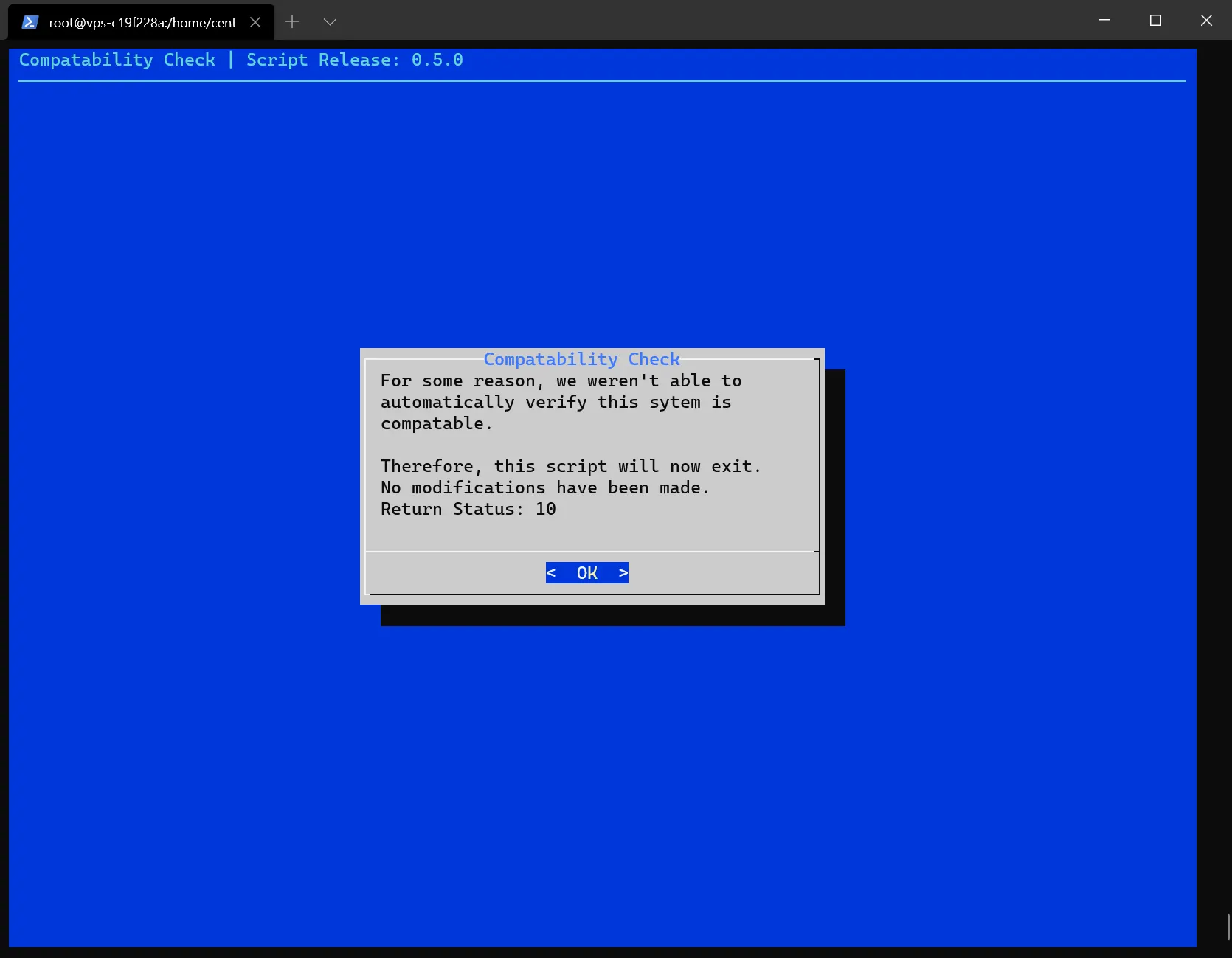
Red - Level 4 - Fatal error, script aborted. Refer to documentation
Purple - Level 5 - Fatal error. Unknown error. Systems Admin needed.
Green - Level 0 - OK, normal
Yellow-Green - Level 1 - OK, modifications needed
Yellow - Level 2 - Normal Operation, but cannot continue
Orange - Level 3 - Non-fatal error, but should be investigated
Red - Level 4 - Fatal error, script aborted. Refer to documentation
Purple - Level 5 - Fatal error. Unknown error. Systems Admin needed.
Exit Status: 0 - Successful. This is no reason for concern.
Exit Status: 2 - Successful. Modifications Required. This is used solely for script logic while installing on CentOS 7.
Exit Status: 4 - The script has detected it ran before and cannot be ran again. You should read the information given within ~/manager.info for more information.
Exit Status: 22 - A function failed a self-check. This can happen if not all the packages needed were installed, or a service failed to start.
Exit Status: 10 - A package manager could not be found, or was not known. This error occurs when the distro you are using the script on is not supported or known.
Exit Status: 255 - An unknown error has occurred and will require an investigation with an experienced system administrator.
Exit Status: 2 - Successful. Modifications Required. This is used solely for script logic while installing on CentOS 7.
Exit Status: 4 - The script has detected it ran before and cannot be ran again. You should read the information given within ~/manager.info for more information.
Exit Status: 22 - A function failed a self-check. This can happen if not all the packages needed were installed, or a service failed to start.
Exit Status: 10 - A package manager could not be found, or was not known. This error occurs when the distro you are using the script on is not supported or known.
Exit Status: 255 - An unknown error has occurred and will require an investigation with an experienced system administrator.
Error handling will look something like this:


Additional Information
Due to the nature of this script, it will be very large and will take awhile to develop fully. Beta testing may be available, however this will only be strictly recommended for development servers. For full release, you can use this script in regular deployments.
Current Version: 0.7.3
Change Log 0.7.0 -> 0.7.3
- [+] Added a function systemUpdate to call anywhere in script for dynamic system updating for streamlining
- [+] Added adjustable variables if desired by user in dedicated section of script, or on runtime
- [+] Dynamically generated passwords with 16 characters where passwords are required
- [+] MariaDB/MySQL installation is now it's own function
- [+] Updated system requirements on thread for users to lookover
- [-] Removed distro specific commands
- [?] Begin work on documentation on gitlab project
- [-] Removed mailcow support on CentOS 8 due to compatability issues
AUTOMATIC REPAIR TOOL
Version 0.0.1
Version 0.0.1
- [+] Added user confirmation with information below
The automatic repair tool is a separate script from the manager script that provisions your server and installs the above software, automatically, with minimal to no input from the user, presented in a easy-to-use, intuitive GUI.
This script attempts to automatically repair any problems detected on your server by using log files and extrapolating from the information given through the log files, and of commands ran using advanced methodologies and attempt to emulate a problem-solving critical-thinking thinking pattern. It is worth noting that the script WILL modify low-level configurations, and while these configurations WILL be backed up before any modifications are made, as a result of these modifications, it is possible that the script can potentially break some things. If this is detected by the script, all changes will be reverted automatically and you will be presented with an overview of what the script did with the full logs. There is no GUI for this program. Not all problems will be detected, and not all problems may be fixed using this script.
This script attempts to automatically repair any problems detected on your server by using log files and extrapolating from the information given through the log files, and of commands ran using advanced methodologies and attempt to emulate a problem-solving critical-thinking thinking pattern. It is worth noting that the script WILL modify low-level configurations, and while these configurations WILL be backed up before any modifications are made, as a result of these modifications, it is possible that the script can potentially break some things. If this is detected by the script, all changes will be reverted automatically and you will be presented with an overview of what the script did with the full logs. There is no GUI for this program. Not all problems will be detected, and not all problems may be fixed using this script.
Last edited: