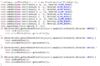
I've been working on a big plugin to try and get back into plugin development, and I've run into a problem.
Goal: the goal is to create a preview for my build system I've been working on. I want to use slimeblocks to create a "preview" for the player building only. The way this system works was inspired slightly by Fortnite's build system. For those unfamiliar with the game, in Fortnite when you enter build mode you have a few options to choose from, and when you have an option selected you see a semi-transparent preview of what you are about to build so you can accurately place your build. Then when you click whatever your build key is (I believe its your fire key) materials are taken from your inventory and you place the building. I want to achieve this using slime blocks. The player building should be able to see the slimeblocks, but no other players should. Any suggestions on ways to accomplish this?
I have the paper set up, Ive got it so that when the player left clicks with the paper they place the build, when they right click, they change the type of build. I just need the preview to work.
I know I need to get the players location, and make the blocks location based on that, but I cant remember how to even move one block, let alone 9 lol.
Goal: the goal is to create a preview for my build system I've been working on. I want to use slimeblocks to create a "preview" for the player building only. The way this system works was inspired slightly by Fortnite's build system. For those unfamiliar with the game, in Fortnite when you enter build mode you have a few options to choose from, and when you have an option selected you see a semi-transparent preview of what you are about to build so you can accurately place your build. Then when you click whatever your build key is (I believe its your fire key) materials are taken from your inventory and you place the building. I want to achieve this using slime blocks. The player building should be able to see the slimeblocks, but no other players should. Any suggestions on ways to accomplish this?
I have the paper set up, Ive got it so that when the player left clicks with the paper they place the build, when they right click, they change the type of build. I just need the preview to work.
I know I need to get the players location, and make the blocks location based on that, but I cant remember how to even move one block, let alone 9 lol.