Discord Staff Impersonation (custom status scam)

Status
This thread has been locked.

Shonne

Stop global warming, I look bad in shorts.
Banned
Feedback score
25
Posts
448
Reactions
129
Resources
0
So recently I've been seeing more and more users with the "Discord Staff" status under their name, it is situated right under their name exactly where "playing" status would be (e.g. "playing CS:GO".
I'm pretty sure this is a new feature to Discord, and after googling it and researching it, I found that Discord added a custom status feature that only a certain percentage of people have it. (A bit like when screenshare was introduced.) This status can be changed to anything you want and can include emojis.

So essentially some people are abusing this, there are people going around Discord with the "Discord Staff" status under their name, trying to convince people to hand them their accounts, money, nitro codes etc.

I just wanted to share this with you guys and to perhaps warn you about it.

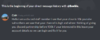
I attached some examples of people attempting to scam my friends with the "Discord Staff" status on.
jonestown idiot.png
Coin idiot.png


And not to mention CoinIsHOt is literally apart of this LMAOO


Attachments

  • jonestown idiot.png
    jonestown idiot.png
    71.5 KB · Views: 137
  • Coin idiot.png
    Coin idiot.png
    44.4 KB · Views: 135
Banned forever. Reason: Admitting to Compromising User Accounts (https://www.mc-market.org/tickets/5982)
PebbleHost
High performance, consistent uptime and fast support. Minecraft hosting that just works.

0lts

Feedback score
-1
Posts
57
Reactions
11
Resources
0
So recently I've been seeing more and more users with the "Discord Staff" status under their name, it is situated right under their name exactly where "playing" status would be (e.g. "playing CS:GO".
I'm pretty sure this is a new feature to Discord, and after googling it and researching it, I found that Discord added a custom status feature that only a certain percentage of people have it. (A bit like when screenshare was introduced.) This status can be changed to anything you want and can include emojis.

So essentially some people are abusing this, there are people going around Discord with the "Discord Staff" status under their name, trying to convince people to hand them their accounts, money, nitro codes etc.

I just wanted to share this with you guys and to perhaps warn you about it.

I attached some examples of people attempting to scam my friends with the "Discord Staff" status on.
View attachment 280650 View attachment 280651


And not to mention CoinIsHOt is literally apart of this LMAOO
okay. they aren't discord staff if they don't have the staff badge
 

dawn

Visit my website @ www.d4wn.com
Supreme
Feedback score
46
Posts
1,554
Reactions
1,989
Resources
0
There’s a command line you can insert through the console of Discord on the web client through F12 and in the main client on Windows through another command I forget, but it gives you a custom online status, besides that, there’s also ways to get Custom Rich Presences through creating an application on Discord and doing some bamboozling.

Don’t trust anyone who contacts you claiming to be a Discord staff unless they have the badge, and even if they do, cross-verify it through the official Discord email. Discord Support will not contact you through Discord unless you have a pre-existing conversation, you create a conversation or if they want to tell you something.

Additional: The way they did it was through switching their game to Google Chrome and changing Google Chromes name in the Activity section of Discord to Discord Staff with that Unicode Emoji and the beginning of it.
 

Shonne

Stop global warming, I look bad in shorts.
Banned
Feedback score
25
Posts
448
Reactions
129
Resources
0
There’s a command line you can insert through the console of Discord on the web client through F12 and in the main client on Windows through another command I forget, but it gives you a custom online status, besides that, there’s also ways to get Custom Rich Presences through creating an application on Discord and doing some bamboozling.

Don’t trust anyone who contacts you claiming to be a Discord staff unless they have the badge, and even if they do, cross-verify it through the official Discord email. Discord Support will not contact you through Discord unless you have a pre-existing conversation, you create a conversation or if they want to tell you something.

Additional: The way they did it was through switching their game to Google Chrome and changing Google Chromes name in the Activity section of Discord to Discord Staff with that Unicode Emoji and the beginning of it.

yea just needed to share it, some people can be quite convincing.
 
Banned forever. Reason: Admitting to Compromising User Accounts (https://www.mc-market.org/tickets/5982)

Violet

anime
Supreme
Feedback score
252
Posts
2,098
Reactions
1,817
Resources
0
This is literally retarded discord has been banning/disable peoples accounts cause of this. Look here you clowns this is from discord.
YYZQdDy.png
 

Ally

gσ∂∂єѕѕ σƒ мαтнѕ αη∂ мєℓσηѕ χσ
Supreme
Feedback score
37
Posts
2,042
Reactions
2,194
Resources
0
Discord released the update today, you won't be banned unless you break the rules with it as normal.
 
Status
This thread has been locked.
Top