

My Router is very different to what seems to be all other routers on the market, is there any network whiz's out there that could help me port forward? I've already had someone try but he couldn't figure it out...
Navigation
-
-
Standalone Tebex Templates & themes Websites Pterodactyl Themes Addons Eggs NamelessMC Templates Modules XenForo Themes Addons Invision Community Themes Plugins Translations WHMCS Themes Modules Paymenter Themes Extensions Calagopus Themes Extensions Eggs LeaderOS themes Ghost themes Shopify themes Wix themes Squarespace themes Other webstores CraftingStore templates MineStore themes PayNow templates Other
-
-
-
Install the app
More options
You are using an out of date browser. It may not display this or other websites correctly.
You should upgrade or use an alternative browser.
You should upgrade or use an alternative browser.
Help Port-Forwarding
- Thread starter Leon
- Start date
- Status
- This thread has been locked.

PebbleHost
High performance, consistent uptime and fast support. Minecraft hosting that just works.
I can help you at a bit of a price
$1


Do you know the make/model of the router?My Router is very different to what seems to be all other routers on the market, is there any network whiz's out there that could help me port forward? I've already had someone try but he couldn't figure it out...
https://www.netcommwireless.com/product/advanced-vdsladsl-wireless-ac1200-gigabit-gatewayDo you know the make/model of the router?
From looking at the user manual, it looks like you need to go to Services > Firewall and there should be a port forwarding section somewhere there.
Attachments
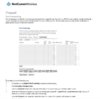

From looking at the user manual, it looks like you need to go to Services > Firewall and there should be a port forwarding section somewhere there.
I'm here, however, I'm not sure what to put in the inputs to port forward minecraft!

Show me what you see and I'll tell you what to put in.I'm here, however, I'm not sure what to put in the inputs to port forward minecraft!
Also can you do the following:
For Microsoft Windows:
Open Command Prompt and enter the following command: ipconfig
Screenshot the result and attach it here.
For Apple Macintosh
Open Terminal and enter the following command: ifconfig
Screenshot the result and attach it here.
This will give me the information I need to give you all of your answers.
- Status
- This thread has been locked.
