
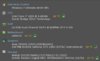
today I upgraded from a gtx 750ti to a gtx 1050, and I literally see no difference in performance. I don't know what to do because I have a friend with the same gpu but he gets way more fps but I don't see any difference after upgrading. Below is a screenshot of my specs

Navigation
-
-
Standalone Tebex Templates & themes Websites Pterodactyl Themes Addons Eggs NamelessMC Templates Modules XenForo Themes Addons Invision Community Themes Plugins Translations WHMCS Themes Modules Paymenter Themes Extensions Calagopus Themes Extensions Eggs LeaderOS themes Ghost themes Shopify themes Wix themes Squarespace themes Other webstores CraftingStore templates MineStore themes PayNow templates Other
-
-
-
Install the app
More options
You are using an out of date browser. It may not display this or other websites correctly.
You should upgrade or use an alternative browser.
You should upgrade or use an alternative browser.
Help with graphics card
- Thread starter you
- Start date
- Status
- This thread has been locked.

PebbleHost
High performance, consistent uptime and fast support. Minecraft hosting that just works.

He has the 1050, but 4gb ram instead of 2 like mineDoes he have a 1050 with more ram than yours?[DOUBLEPOST=1511561893][/DOUBLEPOST]Or even the 1050 ti?
I'm talking about minecraft right now, haven't tested any other games. Once I got my 1080p monitor, I used to be able to record in f11 in about 140-180fps, and it's still the same even once I upgraded this gpu.[DOUBLEPOST=1511563021][/DOUBLEPOST]The ram shouldn't matter in this situation because I'm not even using close to the full 2gb anywaysWhat games are you playing? These could be more CPU bound games.

Try applying more RAM towards Minecraft. The CPU that you had before should've been perfectly fine.today I upgraded from a gtx 750ti to a gtx 1050, and I literally see no difference in performance. I don't know what to do because I have a friend with the same gpu but he gets way more fps but I don't see any difference after upgrading. Below is a screenshot of my specsView attachment 94968
I already have 4gb dedicated to minecraft and its only usually using under 800mb of that.Try applying more RAM towards Minecraft. The CPU that you had before should've been perfectly fine.
How?Make sure your games are using that gpu, some games don't automatically detect new gpus
I don't think any of this would be causing the issue to be honest[DOUBLEPOST=1511578939][/DOUBLEPOST]Can anyone help me out? Also, CypherMc how to I make sure my games are running with my gtx 1050?The RAM Speeds could be your Bottleneck, DDR4 Over 2000MHz works best.
Or change the O.S to windows 10.
Last edited:


Run NVidia GeForce (free program from the Nvidia website) and it will auto-update your drivers to the latest drivers. If you don't have the latest updates it could possibly cause issues, also make sure your monitor is plugged directly into your graphics card and not the motherboard. I know these sound like simple things but it's worth a check 
- Status
- This thread has been locked.
