How to compile/decompile src?

Status
This thread has been locked.
PebbleHost
High performance, consistent uptime and fast support. Minecraft hosting that just works.

Eric

Software Engineer
Supreme
Feedback score
14
Posts
1,760
Reactions
1,648
Resources
1
Is it maven? Gradle?

Give information boy
 

NA

I do stuffs ¯\_°□°_/¯
Supreme
Feedback score
13
Posts
204
Reactions
88
Resources
0
  1. If its maven with Intellij (It will have a pom.xml in the directory)> Right click on the project in Intellij and click maven > clea > install, and then it will build into your folder in a directory called target.
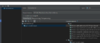
  2. If its building with Intellij artifact building (no pom.xml in the directory) > click project structure > artifacts > click the plus button > jar, then hit empty >
    upload_2018-10-17_6-25-41.png
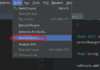
    do that sort of the same like eclipse > click apply and ok then hit
    upload_2018-10-17_6-27-1.png
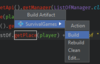
    then a little window will pop up and hit
    upload_2018-10-17_6-29-40.png
    and it will be in an directory called jars, or out.
  3. If its eclipse go to the project workspace > right click the project hit export > Find JAR File and click it (It will be under the Java Section Folder) > then do this http://prntscr.com/l71qaa > and wallah. If you have ANY error please let me know.

 

Attachments

  • upload_2018-10-17_6-25-41.png
    upload_2018-10-17_6-25-41.png
    42.3 KB · Views: 109
  • upload_2018-10-17_6-27-1.png
    upload_2018-10-17_6-27-1.png
    24.9 KB · Views: 112
  • upload_2018-10-17_6-29-40.png
    upload_2018-10-17_6-29-40.png
    13.1 KB · Views: 109

StefanJesiz

Feedback score
0
Posts
228
Reactions
57
Resources
0
  1. If its maven with Intellij (It will have a pom.xml in the directory)> Right click on the project in Intellij and click maven > clea > install, and then it will build into your folder in a directory called target.
  2. If its building with Intellij artifact building (no pom.xml in the directory) > click project structure > artifacts > click the plus button > jar, then hit empty > View attachment 159394 do that sort of the same like eclipse > click apply and ok then hit View attachment 159395 then a little window will pop up and hit View attachment 159396 and it will be in an directory called jars, or out.
  3. If its eclipse go to the project workspace > right click the project hit export > Find JAR File and click it (It will be under the Java Section Folder) > then do this http://prntscr.com/l71qaa > and wallah. If you have ANY error please let me know.

Thanks.
 
Status
This thread has been locked.
Top