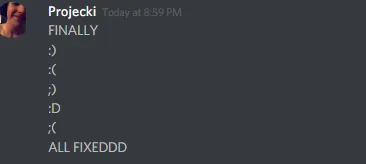
How to disable discord from automatically changing your :) to an emoji

Status
This thread has been locked.

Projecki

Supreme
Feedback score
54
Posts
1,327
Reactions
1,231
Resources
0
9f1817d06340ec1155dc5308eda47a41.png


Click the gear icon (User Settings)
Click Text & Images
Disable "Automatically convert emoticons in your messages to emoji"

And... done! Wow, very simple. I knew the discord emojis always bothered me, who knew it was this easy to fix?

I didn't and maybe you didn't too.

 
PebbleHost
High performance, consistent uptime and fast support. Minecraft hosting that just works.

HatefulMoron

Feedback score
0
Posts
29
Reactions
14
Resources
0
You can escape the characters for any emote,

\:\)
\:thinking\:

Same thing goes for formatting,

\*No formatting\*

The escaping slash won't be shown.
 
Last edited:

MTG

Supreme
Feedback score
78
Posts
2,455
Reactions
2,600
Resources
0
i was looking on how to turn it on :joy:
 

Choo

Supreme
Feedback score
69
Posts
2,972
Reactions
4,749
Resources
0
Also for me, if you type the emoji on your phone, it doesnt change it
 

Cal

you invest in the divinity of the masterpiece
Supreme
Feedback score
62
Posts
1,439
Reactions
1,857
Resources
0
Is it just me that doesn't understand why you want to turn this off?
 

n0tzach

discord: n0tzach
Supreme
Feedback score
72
Posts
4,414
Reactions
3,018
Resources
6
Finally, I spent forever trying to figure that out, I swear I turned that setting off but turns out I missed it.
 
Status
This thread has been locked.
Top
