

Step 1:
Download EasyRP from the link below:
https://github.com/Pizzabelly/EasyRP/releases
Step 2:
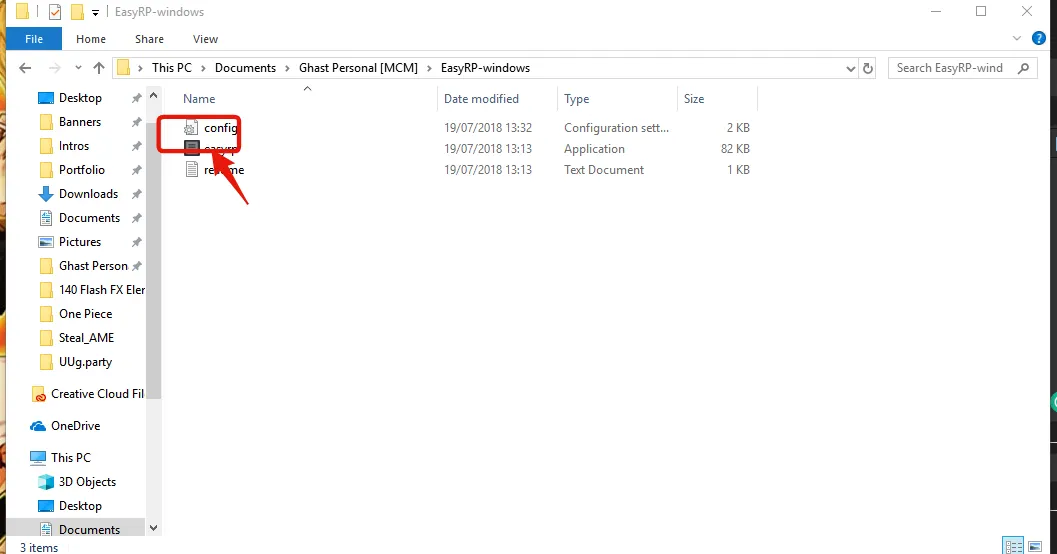
Open the config with an editor:
Step 3:
Go to:
https://discordapp.com/developers/applications/me
Step 4:
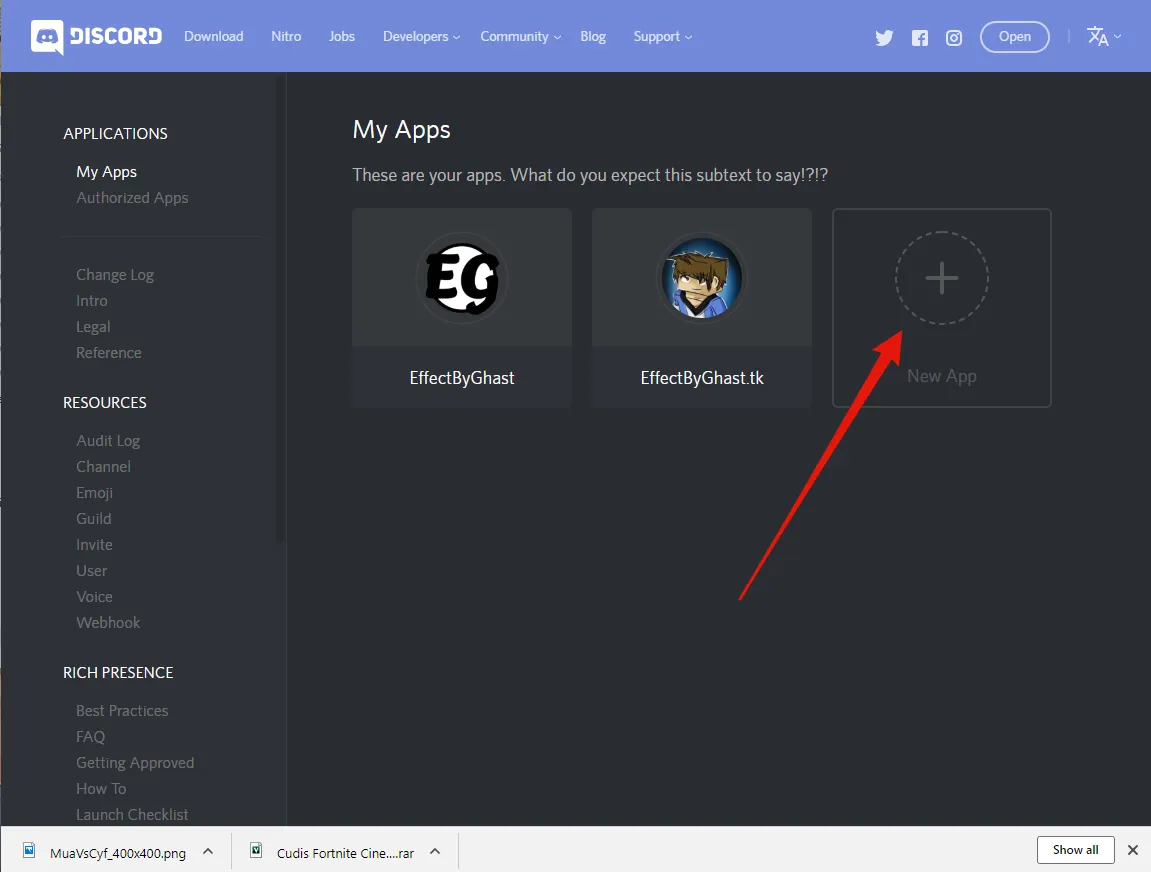
Add a new application:
Step 5:
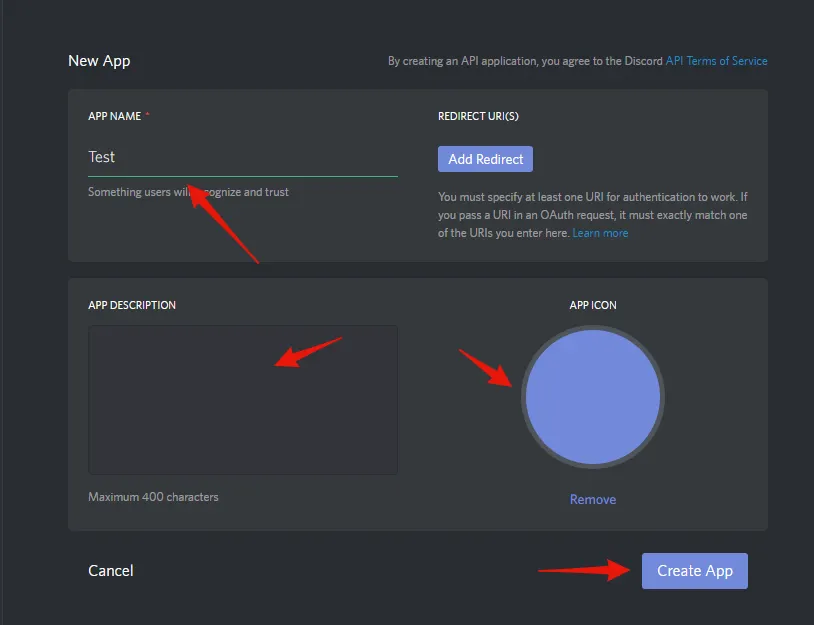
Customize the app:
Step 6:
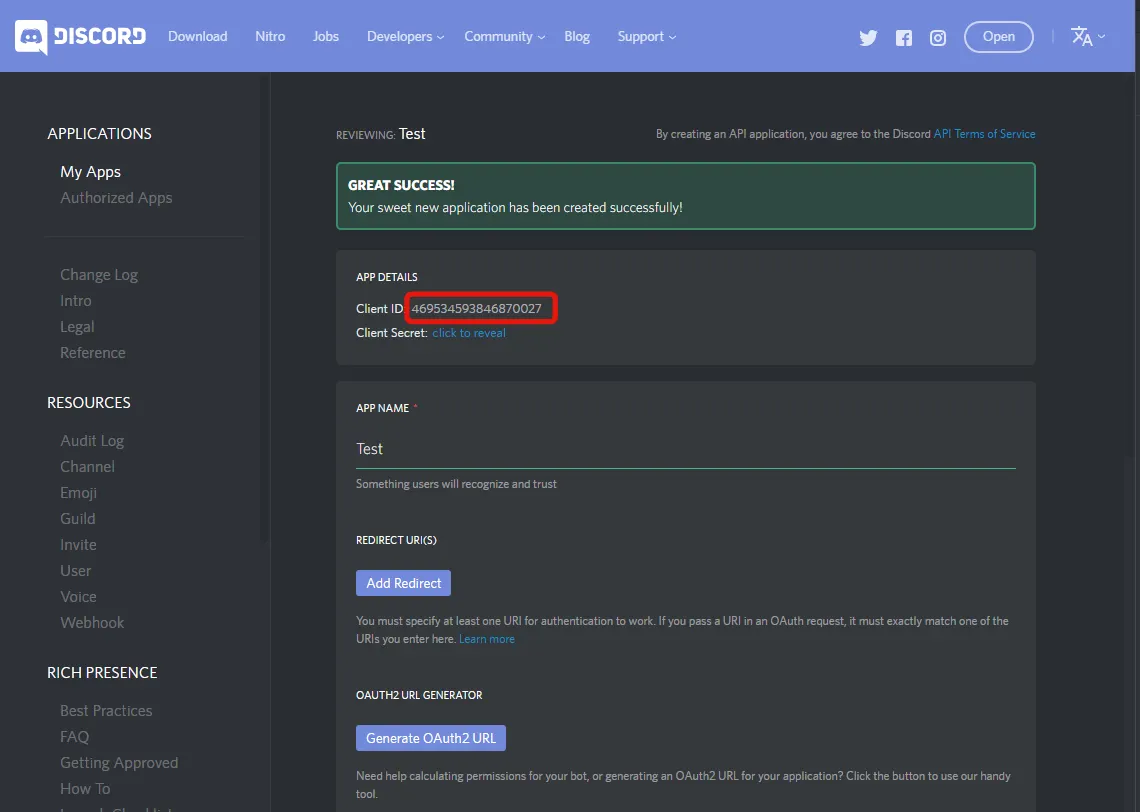
Copy the client id:
Step 7:
Add rich presence:
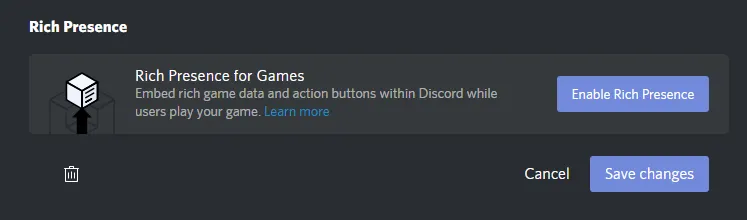
Step 8:
Add your images for rich presence:
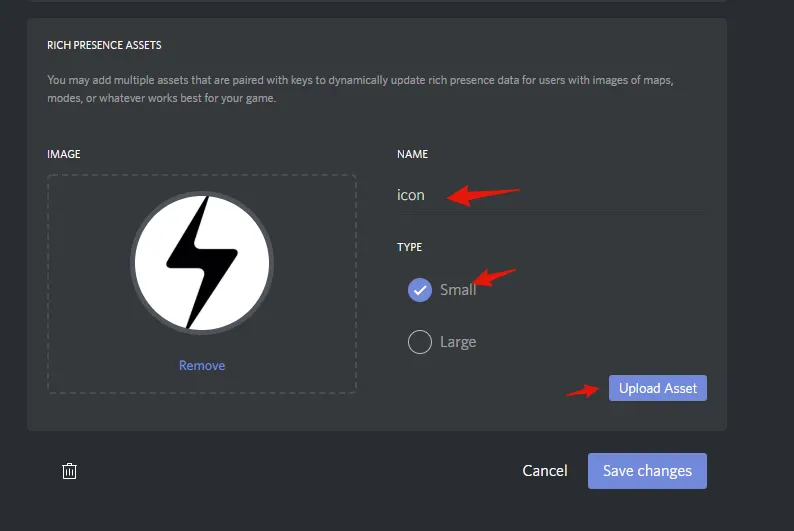
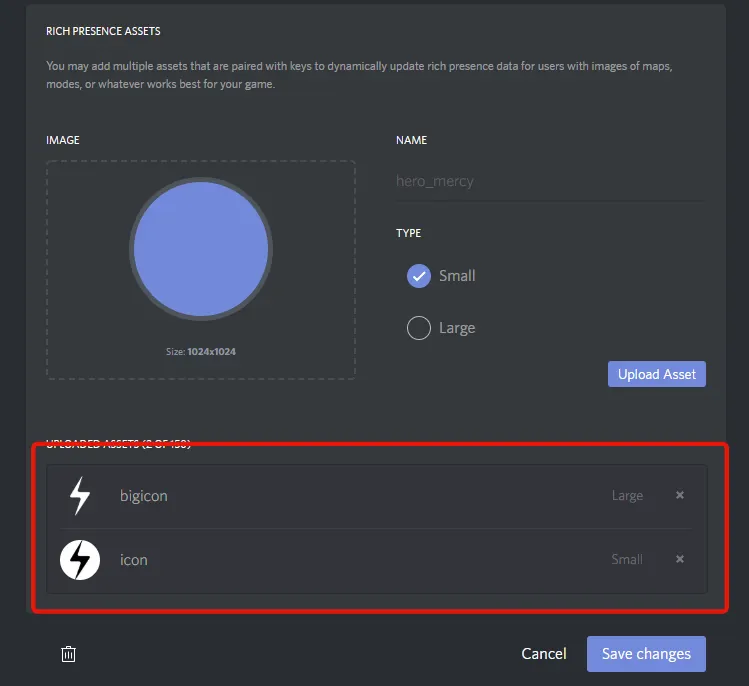
Step 9:
Edit the config:
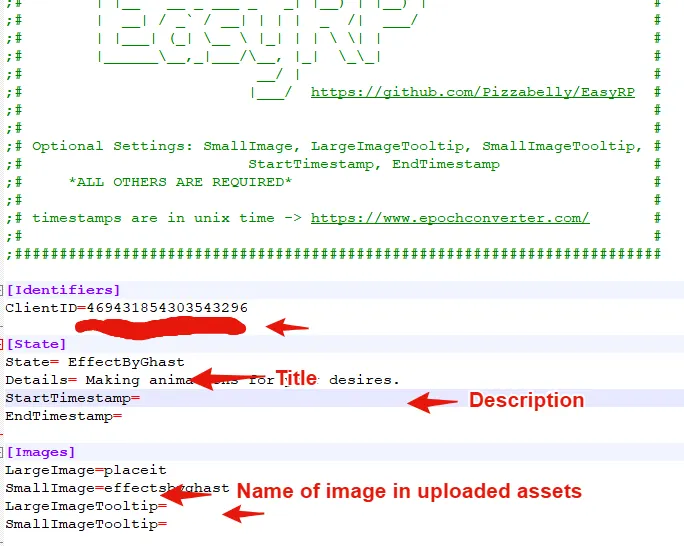
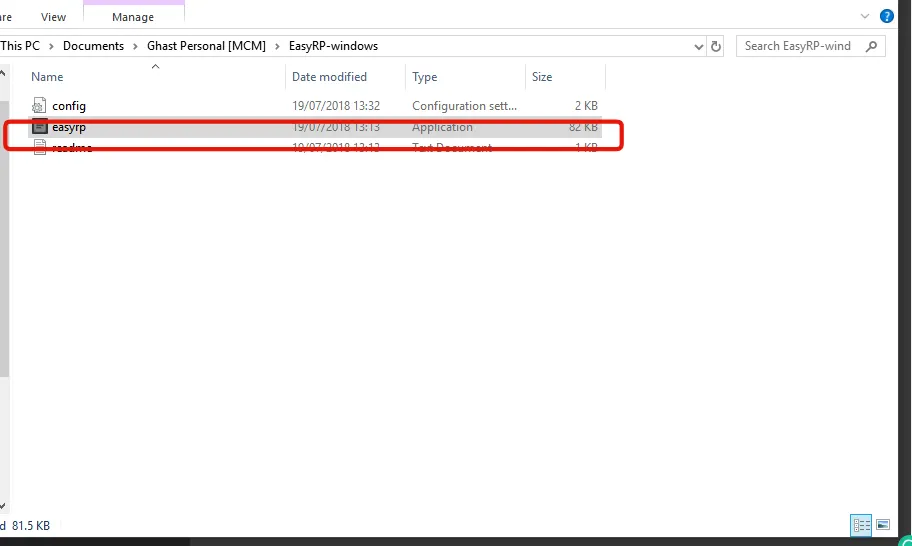
Step 10:
Run EasyRP:
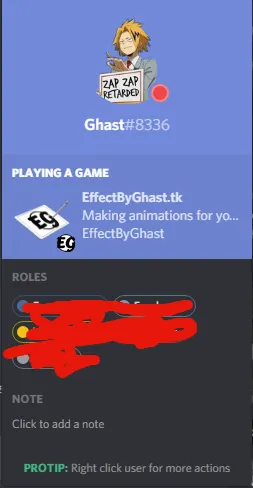
TADA! Now you've got this cool looking rich presence:
Download EasyRP from the link below:
https://github.com/Pizzabelly/EasyRP/releases
Step 2:
Open the config with an editor:
Step 3:
Go to:
https://discordapp.com/developers/applications/me
Step 4:
Add a new application:
Step 5:
Customize the app:
Step 6:
Copy the client id:
Step 7:
Add rich presence:
Step 8:
Add your images for rich presence:
Step 9:
Edit the config:
Step 10:
Run EasyRP:
TADA! Now you've got this cool looking rich presence:



