Hey recently just bought a server but plugins are src because it was custom created. Could any help make this to a usable file. Willing to pay like 0.70 cents lol.
Here’s a pic of it helps
Here’s a pic of it helps
Last edited:

Shit ton of plugins, plus they’re al customly made, don’t feel safe letting you have access to them. Preferable just want to be shown how or something.put them on a private github and send me them, i'll do it for free
do they include a pom.xml file?Shit ton of plugins, plus they’re al customly made, don’t feel safe letting you have access to them. Preferable just want to be shown how or something.
To be honest I’m not sure, does this helpdo they include a pom.xml file?
To be honest I’m not sure, does this help
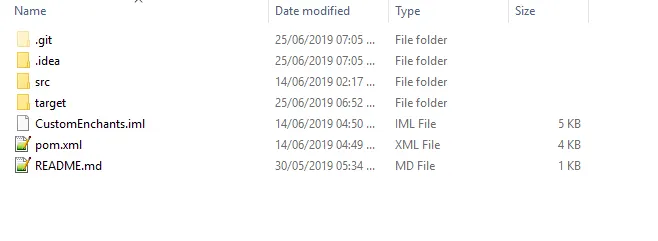
show me the folder that has the src folder inside of it.
like this.
if it contains the pom.xml, you need to compile it using maven, which should be quite easy
download intelij (or eclipse, but use intelij) > place the project inside your projects folder > open it inside intelij
Thanks for the help, it’s quite late here so I’ll just do it tomorrow, if it ends up working I’ll pay you the 70 cents lol[DOUBLEPOST=1561445223][/DOUBLEPOST]download intelij (or eclipse, but use intelij) > place the project inside your projects folder > open it inside intelij
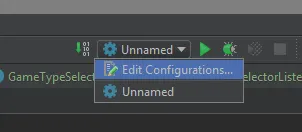
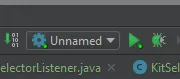
> go to the top right, edit configuration
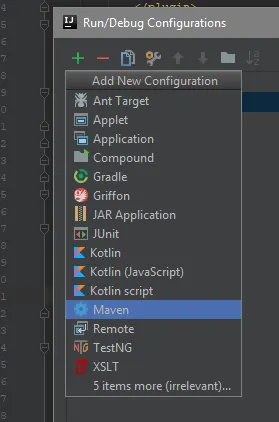
> add new maven config
> in command line, type 'clean package', > apply, ok. > exit this window > click green arrow in top right with the new config now made >
I'm guessing it's probably not going to be that simple, and you might have some compiling errors.
Decided to do it anyways not tired what do I do, all I see is the screendownload intelij (or eclipse, but use intelij) > place the project inside your projects folder > open it inside intelij
> go to the top right, edit configuration
> add new maven config
> in command line, type 'clean package', > apply, ok. > exit this window > click green arrow in top right with the new config now made >
I'm guessing it's probably not going to be that simple, and you might have some compiling errors.

add me Tabbin#3874 no point spamming the threadThanks for the help, it’s quite late here so I’ll just do it tomorrow, if it ends up working I’ll pay you the 70 cents lol[DOUBLEPOST=1561445223][/DOUBLEPOST]
Decided to do it anyways not tired what do I do, all I see is the screen View attachment 236806View attachment 236806
Easy for people who know how to do itso ez