Modded private server keeps crashing help

Status
This thread has been locked.

supernick125

Feedback score
0
Posts
10
Reactions
5
Resources
0
WARNING LONG POST AHEAD
I have split it into different sections to make it easier to read

INTRO


Hello, My name is Nick (IGN: supernick125) and I am currently hosting a private realm of mianite modded server that my friends and I play on frequently. Up until this past weekend, the server has run without much difficulty besides a few instances of lag and a couple hard crashes. Now, whenever I start the server and go onto it, I can take a few steps, maybe destroy a block only to have it crash every single time :(.

SPECS

I am running the modpack on a 64 bit Lenovo Laptop with 8 GB of RAM

This is the processor:

Intel(R) Core(TM) i7-3430QM CPU @ 2.40GHz
2.40 GHz

I have 3.5 GBs allocated to the actual Technic launcher and I downloaded the server from the realm of mianite website without changing the batch file at all

Here is the batch file just in case it is important:

java -Xmx3G -Xms2G -XX:MaxPermSize=256M -jar server.jar nogui
pause

LOG

If it is necessary, I can probably find a way to send a log of one of the crashes, just tell me if I need to.

IMPORTANT: One thing I see a lot is a message saying something along the lines of:
Did the system time change or is the server overloaded? Behind ___ ms, skipping ___ ticks

Whenever this happens the server lags a lot.

CONCLUSION

This modpack is a perfect combination of all the best 1.7.10 mods that my friends and I love, and we hope that someone can help us fix our server. Please put a comment on this thread if you have any ideas or advice on how to fix this and I will try to respond when I see it.

Thank you so much,
Nick

 
PebbleHost
High performance, consistent uptime and fast support. Minecraft hosting that just works.

Renovix

Oldie
Supreme
Feedback score
1
Posts
1,293
Reactions
1,155
Resources
0
I was trying to help him previous to this, I redirected him to MCM - the mod's official forum staff didn't help him.
 

Christopher

Floating around
Supreme
Feedback score
8
Posts
2,048
Reactions
1,120
Resources
0
Try allocating more memory, your world (on the server) might just be bigger then when you started.

Try:
java -Xmx3G -Xms2G -XX:MaxPermSize=2000M -jar server.jar nogui
pause

(Thats 2GB)
 

supernick125

Feedback score
0
Posts
10
Reactions
5
Resources
0
Try allocating more memory, your world (on the server) might just be bigger then when you started.

Try:
java -Xmx3G -Xms2G -XX:MaxPermSize=2000M -jar server.jar nogui
pause

(Thats 2GB)
Ok I will try that later today, thanks for the advice, I didn't know the MaxPermSize was the memory allocated, instead I have tried changing the Xmx and Xms.

I will post with the results some time after 4, thanks again.
 

Christopher

Floating around
Supreme
Feedback score
8
Posts
2,048
Reactions
1,120
Resources
0
Ok I will try that later today, thanks for the advice, I didn't know the MaxPermSize was the memory allocated, instead I have tried changing the Xmx and Xms.

I will post with the results some time after 4, thanks again.
NP
 

supernick125

Feedback score
0
Posts
10
Reactions
5
Resources
0
o shit 1v1 me dat boi fan boi
O shit boi their is only room for one boi on dis thread[DOUBLEPOST=1465335987][/DOUBLEPOST]
Try allocating more memory, your world (on the server) might just be bigger then when you started.

Try:
java -Xmx3G -Xms2G -XX:MaxPermSize=2000M -jar server.jar nogui
pause

(Thats 2GB)

Ok, so I tried to change the batch file and the same thing is happening, the server keeps crashing. One thing that I noticed after running the server and then doing a little researching into java is that because the version I am using is after 8.0, it doesn't use -XX:MaxPermSize anymore. Is there anything else I could try to fix it or am I screwed?

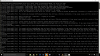
Here is a screenshot, if you look at the top, you see that it says that support was removed in 8.0, what should I do now?

Screenshot (5).png
 

Attachments

  • Screenshot (5).png
    Screenshot (5).png
    181.9 KB · Views: 64
Last edited:

Christopher

Floating around
Supreme
Feedback score
8
Posts
2,048
Reactions
1,120
Resources
0
Looks like it is something to do with "MCVersion" is that one of your Mods?

Can we have a full mod list please.
 

supernick125

Feedback score
0
Posts
10
Reactions
5
Resources
0
Looks like it is something to do with "MCVersion" is that one of your Mods?

Can we have a full mod list please.

I don't think that MCVersion is a mod in the pack I am using, it could be refering to the version of Minecraft we are using possibly? We are using 1.7.10 with a ton of mods from the realm of mianite modpack.

Here are a few links about the pack I am using.

I downloaded the server file from the official website: http://mianite.us/

The only thing I changed about the server is that I deleted Galacticraft Core Galacticraft Planets and MicDoodle Core (Related to Galacticraft). I deleted these three mods because the server wouldn't run with them when I first started it.

Just so you know, the server has worked before, its not like it has never worked, it just stopped recently.

Here is the technicpack page for the modpack listing the mods: http://www.technicpack.net/modpack/realm-of-mianite.579505

The mods are also listed on the main website that I linked above.

Let me know if you have any more ideas.

Thanks again,

Nick
 

Christopher

Floating around
Supreme
Feedback score
8
Posts
2,048
Reactions
1,120
Resources
0

supernick125

Feedback score
0
Posts
10
Reactions
5
Resources
0
Yes.[DOUBLEPOST=1465429381][/DOUBLEPOST]
Split it up and post it all

Ok here it is:
I split it into different pastes and they are listed below

Paste 1:

Paste 2:

Paste 3:

Paste 4:

Paste 5:

Paste 6: http://pastebin.com/xxgqeveR

Paste 7: http://pastebin.com/uip9hWLT

These 7 pastes are in the order I copied them, so 1 is the beginning of the log and 7 is the end. I tried to keep mods together when it booted them up so they didn't get cut off in between pastes.

Let me know what I should try and good luck.

Thanks,

Nick
 

supernick125

Feedback score
0
Posts
10
Reactions
5
Resources
0
Ok here it is:
I split it into different pastes and they are listed below

Paste 1:

Paste 2:

Paste 3:

Paste 4:

Paste 5:

Paste 6: http://pastebin.com/xxgqeveR

Paste 7: http://pastebin.com/uip9hWLT

These 7 pastes are in the order I copied them, so 1 is the beginning of the log and 7 is the end. I tried to keep mods together when it booted them up so they didn't get cut off in between pastes.

Let me know what I should try and good luck.

Thanks,

Nick


WOAH thats cool that they were put into the actual post I thought they would just be links!
 

Christopher

Floating around
Supreme
Feedback score
8
Posts
2,048
Reactions
1,120
Resources
0
Ok take out your mod folder and save somewhere. Then go to mc launcher, and delete any 1.7 profiles you have (provided you don't have any world saves in them). Then go to /minecraft/versions and delete any folder with 1.7.10 in the name. Go back to mc launcher, make a new profile, select as game version 1.7.10 and run it once. Launcher will redownload the files. Shut it down and get 1.7.10 forge again. Reinstall. Edit your profile to use forge patched 1.7.10 game version. Run it once to create the mod folder. Then put mods back. If you have legacyjavafixer in the mod folder, you can take it out as it'll be latest forge versions anyway.
 

supernick125

Feedback score
0
Posts
10
Reactions
5
Resources
0
Ok take out your mod folder and save somewhere. Then go to mc launcher, and delete any 1.7 profiles you have (provided you don't have any world saves in them). Then go to /minecraft/versions and delete any folder with 1.7.10 in the name. Go back to mc launcher, make a new profile, select as game version 1.7.10 and run it once. Launcher will redownload the files. Shut it down and get 1.7.10 forge again. Reinstall. Edit your profile to use forge patched 1.7.10 game version. Run it once to create the mod folder. Then put mods back. If you have legacyjavafixer in the mod folder, you can take it out as it'll be latest forge versions anyway.

Sorry I haven't responded to this detailed post, I was away for the week. Now that I am back and have read over your response I have a few questions.

1: I am using the technic launcher for my clientside mods and running the realm of mianite modpack (website - http://mianite.us/)

2: I am not sure if you are speaking about the server mod folder or my personal mod folder? Once I know which you speak of I will test it out and tell you what happened (fingers crossed).

3: This isn't a question, but I just wanted to say thanks again for helping me out, my friends and I really appreciate it.

Thanks again,

Nick
 

Christopher

Floating around
Supreme
Feedback score
8
Posts
2,048
Reactions
1,120
Resources
0
Sorry I haven't responded to this detailed post, I was away for the week. Now that I am back and have read over your response I have a few questions.

1: I am using the technic launcher for my clientside mods and running the realm of mianite modpack (website - http://mianite.us/)

2: I am not sure if you are speaking about the server mod folder or my personal mod folder? Once I know which you speak of I will test it out and tell you what happened (fingers crossed).

3: This isn't a question, but I just wanted to say thanks again for helping me out, my friends and I really appreciate it.

Thanks again,

Nick
1. Does not matter if it is tekkit or not. Delete the mod pack.

2. If you are using a mod pack this does not apply.

3. Np
 

supernick125

Feedback score
0
Posts
10
Reactions
5
Resources
0
1. Does not matter if it is tekkit or not. Delete the mod pack.

2. If you are using a mod pack this does not apply.

3. Np

So I deleted my client side modpack and everything that had to do with 1.7.10, and the server still crashes when I join.

When I joined the server after deleting and reinstalling the modpack, it loaded for a long time and then said "timed out".

One thing I noticed is that my CPU spikes very high when I am joining into the server, and my memory use is above 80% when both the server and my client are running. (I saw these two things through task manager on windows)

EDIT: I tried to join again right after I wrote this post without changing anything and this time I was able to join the server. The only problem was that it was EXTREMELY laggy and crashed shortly after with another "timed out" message.

Reply with any other ideas when you see this, sorry it took me so long to reply from the last one.

Thanks,

Nick
 
Status
This thread has been locked.
Top