

Just gonna get straight to the point...
If you're trying to change your Epic Games/Fortnite display name and it's taken just follow these steps:
Step 1: Search (preferably on Google) "Greek alphabet"
—

—
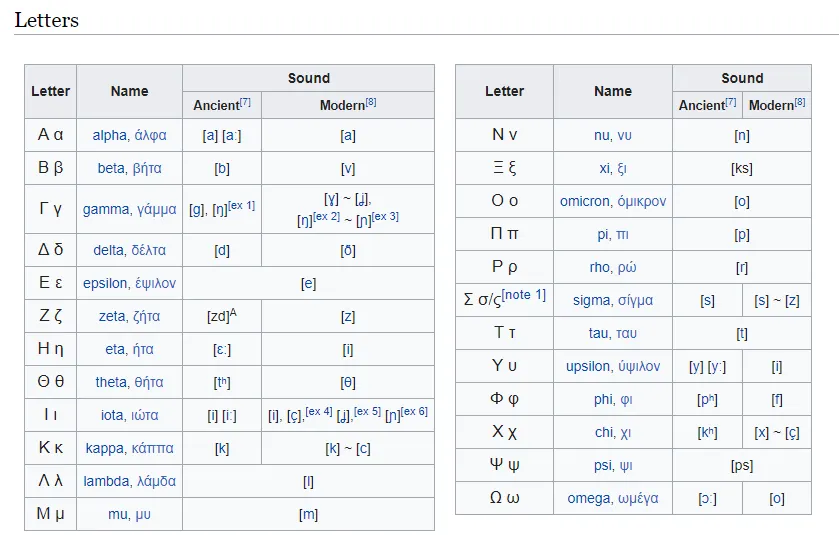
Step 2: Scroll down until you find the "Letters section"
—
—
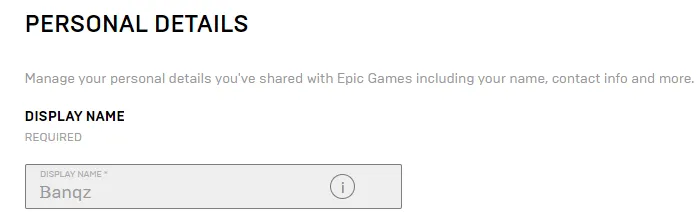
Step 3: (This only works if a Greek letter is identical to the first letter of your desired username) Copy the Greek letter that is most identical to the first letter of your desired username. Example of my username below.
—
—
NOTES: If you find another way around this if there is no identical Greek letter please let me know. Also, again, ONLY WORKS FOR PC USERS! YOUR NEW DISPLAY NAME WILL NOT SHOW UP ON YOUR CONSOLE!
If you're trying to change your Epic Games/Fortnite display name and it's taken just follow these steps:
Step 1: Search (preferably on Google) "Greek alphabet"
—
—
Step 2: Scroll down until you find the "Letters section"
—
—
Step 3: (This only works if a Greek letter is identical to the first letter of your desired username) Copy the Greek letter that is most identical to the first letter of your desired username. Example of my username below.
—
—
NOTES: If you find another way around this if there is no identical Greek letter please let me know. Also, again, ONLY WORKS FOR PC USERS! YOUR NEW DISPLAY NAME WILL NOT SHOW UP ON YOUR CONSOLE!
Banned forever. Reason: Ban Evading (HomelessBoi)



