php script

Status
This thread has been locked.

Annabella

QUIT - SERIOUS HEALTH ISSUES AND WELL YEAH :/
Banned
Feedback score
17
Posts
229
Reactions
116
Resources
0
so im learning php and kinda confused on this.

how would I make it so for example:
mypatience: 81.4% (random number)
but it auto updates without needing to refresh and doesn't make a new line

 
PebbleHost
High performance, consistent uptime and fast support. Minecraft hosting that just works.

Tom Croft

Tom Croft - Web Developer
Premium
Feedback score
5
Posts
103
Reactions
64
Resources
0
If you're wanting to make changes to a page dynamically without a refresh, you'll need Javascript to do this. You could either generate the random number in JS to keep it simple or use an AJAX request to asynchronously retrieve data from a PHP script.
 

Annabella

QUIT - SERIOUS HEALTH ISSUES AND WELL YEAH :/
Banned
Feedback score
17
Posts
229
Reactions
116
Resources
0
If you're wanting to make changes to a page dynamically without a refresh, you'll need Javascript to do this. You could either generate the random number in JS to keep it simple or use an AJAX request to asynchronously retrieve data from a PHP script.
oh okay thanks
 
Banned forever. Reason: Leaking user resources

croissant222

Feedback score
0
Posts
439
Reactions
151
Resources
0
If you're wanting to make changes to a page dynamically without a refresh, you'll need Javascript to do this. You could either generate the random number in JS to keep it simple or use an AJAX request to asynchronously retrieve data from a PHP script.
you do not need javascript but its harder without javascript
 

Tom Croft

Tom Croft - Web Developer
Premium
Feedback score
5
Posts
103
Reactions
64
Resources
0
you do not need javascript but its harder without javascript

To make an asynchronous request like the OP requested, you would need JS to actually trigger and run the request, what alternative would you suggest?
 

croissant222

Feedback score
0
Posts
439
Reactions
151
Resources
0
To make an asynchronous request like the OP requested, you would need JS to actually trigger and run the request, what alternative would you suggest?
u can just stream html/css to it, when you get a new number send css that makes the previous html with the previous number invisible then send the new number's html
 

Xenons

Web Designer & Developer
Premium
Feedback score
3
Posts
305
Reactions
151
Resources
0
"you'll need Javascript to do this"
yes this obviously is not a good idea but you dont NEED javascript to do it
Actually thats wrong

You NEED javascript if you want to do it with php

Php is a code that runs on first page load and cant run past that
Now depending on how the OP gets said number (eg. if it's from a database)
in order to keep on periodically getting the new value of it you would have to either constantly refresh the page or include some javascript
 

croissant222

Feedback score
0
Posts
439
Reactions
151
Resources
0
Actually thats wrong

You NEED javascript if you want to do it with php

Php is a code that runs on first page load and cant run past that
Now depending on how the OP gets said number (eg. if it's from a database)
in order to keep on periodically getting the new value of it you would have to either constantly refresh the page or include some javascript
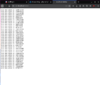
upload_2020-4-6_15-45-59.png

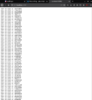
upload_2020-4-6_15-46-17.png

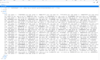
upload_2020-4-6_15-46-49.png
[DOUBLEPOST=1586202438][/DOUBLEPOST]explain that then "web developer", i streaming random values from backend to front end no js
 

Attachments

  • upload_2020-4-6_15-45-59.png
    upload_2020-4-6_15-45-59.png
    119.7 KB · Views: 116
  • upload_2020-4-6_15-46-17.png
    upload_2020-4-6_15-46-17.png
    183.9 KB · Views: 114
  • upload_2020-4-6_15-46-49.png
    upload_2020-4-6_15-46-49.png
    190.4 KB · Views: 117

tomo54321

Premium
Feedback score
3
Posts
45
Reactions
13
Resources
0
Out of pure curiousity, could you share your code with us.
I would assume it's something like this (It's in HTML instead of plain text as shown in the screenshots):
PHP:
<?php
    for($i=1; $i<=10; $i++){
        sleep(1);
        $rand_int = rand(99,999);
        echo"your new value is {$rand_int}<br/ >";
        ob_flush();
        flush();
    }
 

Xenons

Web Designer & Developer
Premium
Feedback score
3
Posts
305
Reactions
151
Resources
0

croissant222

Feedback score
0
Posts
439
Reactions
151
Resources
0
Main point = it's a completely random number
I highly doubt the op would want a random number for "mypatience" since it would be quite pointless then so I presume it would be taken from something like a database :)
"Main point = it's a completely random number"
lollmao literally clueless, the main point is u can stream values from the backend to the front end, you can easily get the value from a db, api or whatever
 

Jack

Retired Moderator
Supreme
Feedback score
11
Posts
1,210
Reactions
1,462
Resources
0
I would assume it's something like this (It's in HTML instead of plain text as shown in the screenshots):
PHP:
<?php
    for($i=1; $i<=10; $i++){
        sleep(1);
        $rand_int = rand(99,999);
        echo"your new value is {$rand_int}<br/ >";
        ob_flush();
        flush();
    }
pretty much

The only time you should ever do something like this is if you have other synchronous calls within PHP (i.e. querying a database) and you want to output some data immediately. There aren't many good use cases I can think of off the top of my head for doing something like this.
This won't even work in all browsers. Definitely not Internet Explorer.

The way the browser/client and webserver work is that the browser sends a request and waits for a response from the webserver.
This solution essentially makes the response takes 10 seconds.
This code is effectively the same as
Code:
<?php
    for($i=1; $i<=10; $i++){
        $rand_int = rand(99, 999);
        echo "your new value is {$rand_int}<br>";
    }
    sleep(10);
The only difference is that it's pushing data out every 1 second, rather than at the end of the response.
Some browsers (as I mentioned, Internet Explorer) won't render any of the data from the response until it is finished.

Additionally, this doesn't solve OP's problem to begin with.
OP asked for
but it auto updates without needing to refresh and doesn't make a new line

The output buffer is only that. A buffer. You cannot modify the existing DOM with PHP, nor with using this message. Data from the buffer will only be appended. So you won't be able to 'update' the value.
As others mentioned, you can do this easily with Javascript. I've used JQuery in this example just to simplify things a little further.
PHP:
<?php
    // getValue.php

    $value = 84.5; // get the value however you want.. read from file, from database, session, etc
    echo $value;
?>

HTML:
...
<p>
    mypatience: <span id="myValue"></span>
</p>
...
<script src="//ajax.googleapis.com/ajax/libs/jquery/3.4.1/jquery.min.js"></script>
...
<script>
    var $value;

    $(function(){
        $value = $("#myValue");

        // Call updateValue() on page load
        updateValue();

        // Calls updateValue() every 5 seconds
        setInterval(updateValue, 5000);
    });

    function updateValue(){
        $.ajax({
            url: "getValue.php",
            method: "GET",
            success: function(resp){
                $value.text(resp);
            }
        });
    }
</script>
...
[DOUBLEPOST=1586288890][/DOUBLEPOST]
The only time you should ever do something like this
More info on why you should not do this..
By default, most web servers will have execution time limits. Typically 30 seconds before the response times out.
If you try and run this without disabling the execution limit, you'll receive an error after 30 seconds (or whatever the limit is set to).

Additionally, depending on your web server, it may not handle other requests until it has finished processing previous requests.
By keeping this response open, clients may not be able to connect to other pages on your site (similar to how some DDoS attacks work, but you're basically designing your site to do it naturally..).
Again, depends on the setup of your server.

Finally, just look at it from the client/browser's point of view:
liHvW6m.png

It's even worse than long polling because at least with polling you're designing for how the system is supposed to be used.

In my example JavaScript above, an AJAX request is used because that's what is easiest/most straight foward here, but the best solution would be to use websockets (may require additional setup depending on your web server).
 
Last edited:

croissant222

Feedback score
0
Posts
439
Reactions
151
Resources
0
The only time you should ever do something like this is if you have other synchronous calls within PHP (i.e. querying a database) and you want to output some data immediately. There aren't many good use cases I can think of off the top of my head for doing something like this.
This won't even work in all browsers. Definitely not Internet Explorer.

The way the browser/client and webserver work is that the browser sends a request and waits for a response from the webserver.
This solution essentially makes the response takes 10 seconds.
This code is effectively the same as
Code:
<?php
    for($i=1; $i<=10; $i++){
        $rand_int = rand(99, 999);
        echo "your new value is {$rand_int}<br>";
    }
    sleep(10);
The only difference is that it's pushing data out every 1 second, rather than at the end of the response.
Some browsers (as I mentioned, Internet Explorer) won't render any of the data from the response until it is finished.

Additionally, this doesn't solve OP's problem to begin with.
OP asked for


The output buffer is only that. A buffer. You cannot modify the existing DOM with PHP, nor with using this message. Data from the buffer will only be appended. So you won't be able to 'update' the value.
As others mentioned, you can do this easily with Javascript. I've used JQuery in this example just to simplify things a little further.
[PHP=getValue.php]
<?php
$value = 84.5; // get the value however you want.. read from file, from database, session, etc
echo $value;
?>
[/PHP]

[HTML=index.html]
...
<p>
mypatience: <span id="myValue"></span>
</p>
...
<script src="//ajax.googleapis.com/ajax/libs/jquery/3.4.1/jquery.min.js"></script>
...
<script>
var $value;

$(function(){
$value = $("#myValue");

// Call updateValue() on page load
updateValue();

// Calls updateValue() every 5 seconds
setInterval(updateValue, 5000);
});

function updateValue(){
$.ajax({
url: "getValue.php",
method: "GET",
success: function(resp){
$value.text(resp);
}
});
}
</script>
...
[/HTML][DOUBLEPOST=1586288890][/DOUBLEPOST]
More info on why you should not do this..
By default, most web servers will have execution time limits. Typically 30 seconds before the response times out.
If you try and run this without disabling the execution limit, you'll receive an error after 30 seconds (or whatever the limit is set to).

Additionally, depending on your web server, it may not handle other requests until it has finished processing previous requests.
By keeping this response open, clients may not be able to connect to other pages on your site (similar to how some DDoS attacks work, but you're basically designing your site to do it naturally..).
Again, depends on the setup of your server.

Finally, just look at it from the client/browser's point of view:
liHvW6m.png

It's even worse than polling because at least with polling you're designing for how the system is supposed to be used.

In my example JavaScript above, an AJAX request is used because that's what is easiest/most straight foward here, but the best solution would be to use websockets (may require additional setup depending on your web server).
ok strawman i literally said its not good i just wanted to prove its possible, but anyway

>Some browsers (as I mentioned, Internet Explorer) won't render any of the data from the response until it is finished.
shit browser, idc about IE it works in chromium/firefox

>>The only time you should ever do something like this
>More info on why you should not do this..
^^^u literally said there is one time u should do it then refute ur own argument, literally strawman

>If you try and run this without disabling the execution limit, you'll receive an error after 30 seconds (or whatever the limit is set to).
how is this a reason you should not do it? if you dont know how to configure your web server thats not in anyway the problem of this

>Additionally, depending on your web server, it may not handle other requests until it has finished processing previous requests.
then its a shit web server that can probably be taken down with a slow loris attack or something simillar, or you dont know how to configure it

>Finally, just look at it from the client/browser's point of view:
idk what ur trying to show with this
 

Jack

Retired Moderator
Supreme
Feedback score
11
Posts
1,210
Reactions
1,462
Resources
0
ok strawman i literally said its not good i just wanted to prove its possible
You still haven't proved it's possible without JS.
Let's assume there is some actual content below "mypatience: 81.4%"
Show us something working, without any JS.
 
Status
This thread has been locked.
Top