Navigation
-
-
Standalone Tebex Templates & themes Websites Pterodactyl Themes Addons Eggs NamelessMC Templates Modules XenForo Themes Addons Invision Community Themes Plugins Translations WHMCS Themes Modules Paymenter Themes Extensions Calagopus Themes Extensions Eggs LeaderOS themes Ghost themes Shopify themes Wix themes Squarespace themes Other webstores CraftingStore templates MineStore themes PayNow templates Other
-
-
-
Install the app
More options
You are using an out of date browser. It may not display this or other websites correctly.
You should upgrade or use an alternative browser.
You should upgrade or use an alternative browser.
Posting a resource
- Thread starter JustDoom
- Start date
- Status
- This thread has been locked.


PebbleHost
High performance, consistent uptime and fast support. Minecraft hosting that just works.

cant I put some up for free without them?Hello, there is a requirement of Premium or Supreme to sell resource's for money.
Here is where you can donae if you would like too. https://www.mc-market.org/account/upgrades


You can post free resources, if you want to post premium ones you need to upgrade your account.cant I put some up for free without them?
i
cant post free ones for some reasonYou can post free resources, if you want to post premium ones you need to upgrade your account.
Post a screenshot of what it shows you.i
cant post free ones for some reason
just doesnt let me press savePost a screenshot of what it shows you.
Attachments
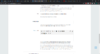
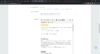
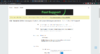
nothing, just doesn't do anythingWhat does it do when you're trying to press save?

Try creating the resource again via a different windows/session and pressing save.nothing, just doesn't do anything
i tried Microsoft edge, doesn't work.Try creating the resource again via a different windows/session and pressing save.
Hmm okay, try creating a support ticket and see if they can help, I’m unsure to why it won’t let you save or post the resource.i tried Microsoft edge, doesn't work.
okHmm okay, try creating a support ticket and see if they can help, I’m unsure to why it won’t let you save or post the resource.


Found the solution on my own (which I've submitted as a support ticket):
Be on the (free) Add Resource page. Using your browser's inspection tool (for Chrome, right-click page -> Inspect), click inside the HTML window and hit CTRL+F. Type "xfa_rmmp_paypal" and take note of the following code:
Double-click the word "required" and hit Delete. Close the inspection window and the Save button should now be working. You may enter your resource information before or after doing this, but if you refresh or preview the page you'll need to redo these steps.
Note for the kiddies: you're not hacking. This is a client-side fix which isn't going to break anything. You're welcome.
Be on the (free) Add Resource page. Using your browser's inspection tool (for Chrome, right-click page -> Inspect), click inside the HTML window and hit CTRL+F. Type "xfa_rmmp_paypal" and take note of the following code:
HTML:
<input type="email" name="xfa_rmmp_paypal" value id="xfa_rmmp_paypal" class="textCtrl" placeholder="Paypal address" required>Double-click the word "required" and hit Delete. Close the inspection window and the Save button should now be working. You may enter your resource information before or after doing this, but if you refresh or preview the page you'll need to redo these steps.
Note for the kiddies: you're not hacking. This is a client-side fix which isn't going to break anything. You're welcome.

thx a lotFound the solution on my own (which I've submitted as a support ticket):
Be on the (free) Add Resource page. Using your browser's inspection tool (for Chrome, right-click page -> Inspect), click inside the HTML window and hit CTRL+F. Type "xfa_rmmp_paypal" and take note of the following code:
HTML:<input type="email" name="xfa_rmmp_paypal" value id="xfa_rmmp_paypal" class="textCtrl" placeholder="Paypal address" required>
Double-click the word "required" and hit Delete. Close the inspection window and the Save button should now be working. You may enter your resource information before or after doing this, but if you refresh or preview the page you'll need to redo these steps.
Note for the kiddies: you're not hacking. This is a client-side fix which isn't going to break anything. You're welcome.
- Status
- This thread has been locked.
