Rate

Status
This thread has been locked.

Bailey

Snorlax
Premium
Feedback score
4
Posts
684
Reactions
244
Resources
1
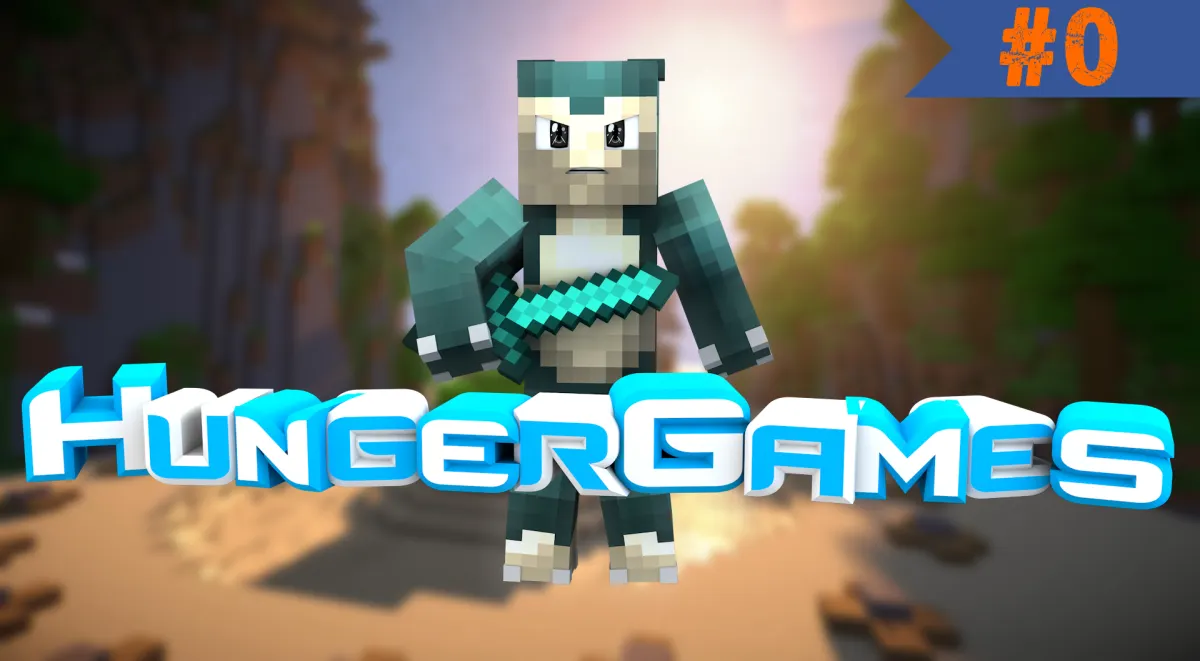
My first thumbnail.

18ce1c43a9249d785b7795a960dcb1ac.png

Rate out of 1/10. Also if you have any tips on how to make it better please reply.
 
Last edited:

PebbleHost
High performance, consistent uptime and fast support. Minecraft hosting that just works.

Krislyn

⠀⠀#AvocadoBasketLivesMatter
Supreme
Feedback score
0
Posts
496
Reactions
207
Resources
0
I reallyy like the eyes. :eek:
Enlarge the render, so you can see the render better when you add it as a thumbnail. Play around with the vertical spacing so the letters don't cut in to each other.
Add effects to the render/text/thumbnail in general. Add color corrections to make everything 'blend' together a bit better. Maybe try rendering the text on two different lines. Add a layer style to the episode number, so it isn't just a solid color.
I rate this a 5/10, pretty good for a first :p
 

Bailey

Snorlax
Premium
Feedback score
4
Posts
684
Reactions
244
Resources
1
I reallyy like the eyes. :eek:
Enlarge the render, so you can see the render better when you add it as a thumbnail. Play around with the vertical spacing so the letters don't cut in to each other.
Add effects to the render/text/thumbnail in general. Add color corrections to make everything 'blend' together a bit better. Maybe try rendering the text on two different lines. Add a layer style to the episode number, so it isn't just a solid color.
I rate this a 5/10, pretty good for a first :p
I don't own photoshop atm so I can't do that much stuff with the "layer style". Thanks for the tips I will keep trying since I want to make a big Graphics shop :p.
 

Krislyn

⠀⠀#AvocadoBasketLivesMatter
Supreme
Feedback score
0
Posts
496
Reactions
207
Resources
0

Heated

Graphic Designer
Supreme
Feedback score
6
Posts
473
Reactions
193
Resources
0
I reallyy like the eyes. :eek:
Enlarge the render, so you can see the render better when you add it as a thumbnail. Play around with the vertical spacing so the letters don't cut in to each other.
Add effects to the render/text/thumbnail in general. Add color corrections to make everything 'blend' together a bit better. Maybe try rendering the text on two different lines. Add a layer style to the episode number, so it isn't just a solid color.
I rate this a 5/10, pretty good for a first :p
NeroGraphics Winter edit for the eyes. <3
 

LZO9K

Friendly Reptile
Supreme
Feedback score
2
Posts
781
Reactions
275
Resources
0
It looks good.. I want to start learning to make graphics. Tried it in Grade 6, took me a entire week to start on scratch and photoshop but completely lost that memory.. it was like 2 years ago. :p
 
Status
This thread has been locked.
Top
