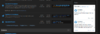
Twitter Bar is white in dark mode.

Status

Anish

Developer
Supreme
Feedback score
9
Posts
364
Reactions
176
Resources
0
When you're a dark theme user, your eyes are adjusted to the dark theme. Your browsing the site normally like a regular user, and then bam, this Giant White Block that COMPLETLY defeats the purpose of the dark mode in that section.

Ok let's be real, it's not THAT bad it's just fairly annoying seeing this white block in the middle of darkness.


upload_2020-2-6_19-59-8.png
 
Type
Suggestion
Status
Implemented

Attachments

  • upload_2020-2-6_19-59-8.png
    upload_2020-2-6_19-59-8.png
    129.8 KB · Views: 133
PebbleHost
High performance, consistent uptime and fast support. Minecraft hosting that just works.

Justis

Community Member
Management
Feedback score
61
Posts
2,117
Reactions
2,414
Resources
0
The text could be made a little lighter, like a lighter grey
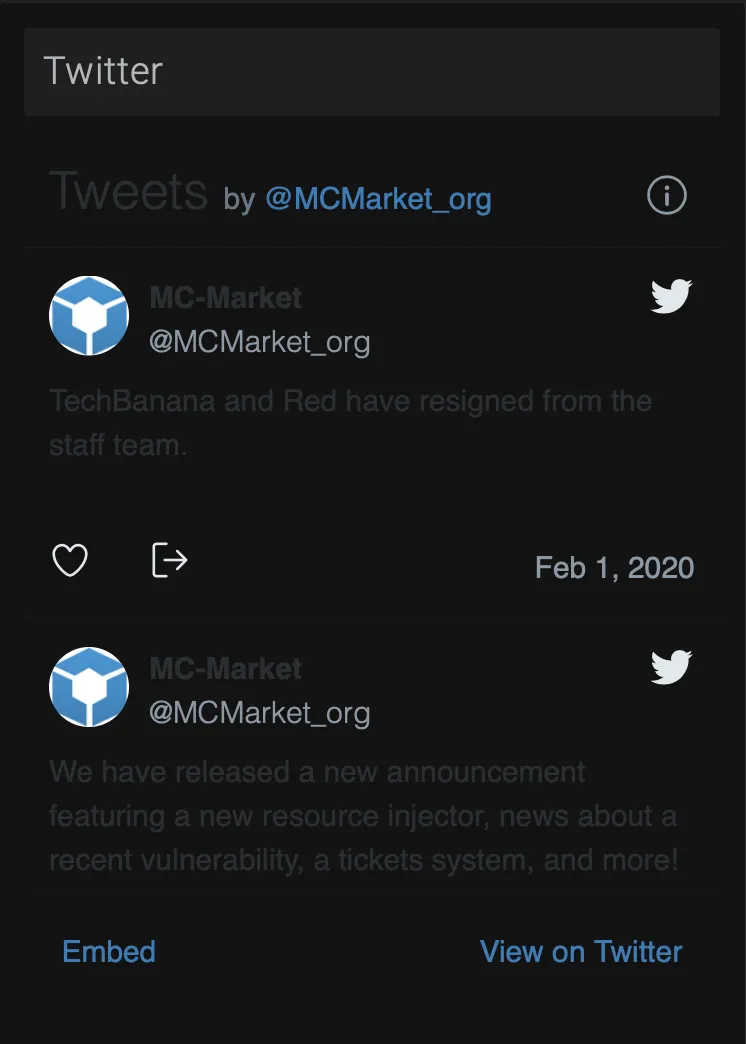
The text is auto-generated by twitter’s embed, the css they’re using is external, so I can’t edit it. Not sure how I would go about making the text lighter as a result, but I can make the background darker so that it contrasts better.
How’s this:
47882bb80d3197639dcccaa803feab04.png
 

Areeb

Supreme
Feedback score
41
Posts
1,251
Reactions
442
Resources
0
The text is auto-generated by twitter’s embed, the css they’re using is external, so I can’t edit it. Not sure how I would go about making the text lighter as a result, but I can make the background darker so that it contrasts better.
How’s this:
47882bb80d3197639dcccaa803feab04.png
Much better
 

Anish

Developer
Supreme
Feedback score
9
Posts
364
Reactions
176
Resources
0
The text is auto-generated by twitter’s embed, the css they’re using is external, so I can’t edit it. Not sure how I would go about making the text lighter as a result, but I can make the background darker so that it contrasts better.
How’s this:
47882bb80d3197639dcccaa803feab04.png
Not to be picky but you should change the text color, and make the logo a square/change the background to black.
And you can just add style tags or add your own class to the element and change it to background-color:black and whatnot.
 

Geek

Mom of BBB
Support
Feedback score
11
Posts
898
Reactions
267
Resources
1
Not to be picky but you should change the text color, and make the logo a square/change the background to black.
And you can just add style tags or add your own class to the element and change it to background-color:black and whatnot.
Did you actually read what you quoted Justis on?
 

Anish

Developer
Supreme
Feedback score
9
Posts
364
Reactions
176
Resources
0
Did you actually read what you quoted Justis on?
I'm aware, but if he can't make the text lighter, then that makes the whole thing useless as its really hard to read the twitter embed when it has a dark background and grey text.
 

Geek

Mom of BBB
Support
Feedback score
11
Posts
898
Reactions
267
Resources
1
The text is auto-generated by twitter’s embed, the css they’re using is external, so I can’t edit it. Not sure how I would go about making the text lighter as a result, but I can make the background darker so that it contrasts better.
How’s this:
47882bb80d3197639dcccaa803feab04.png
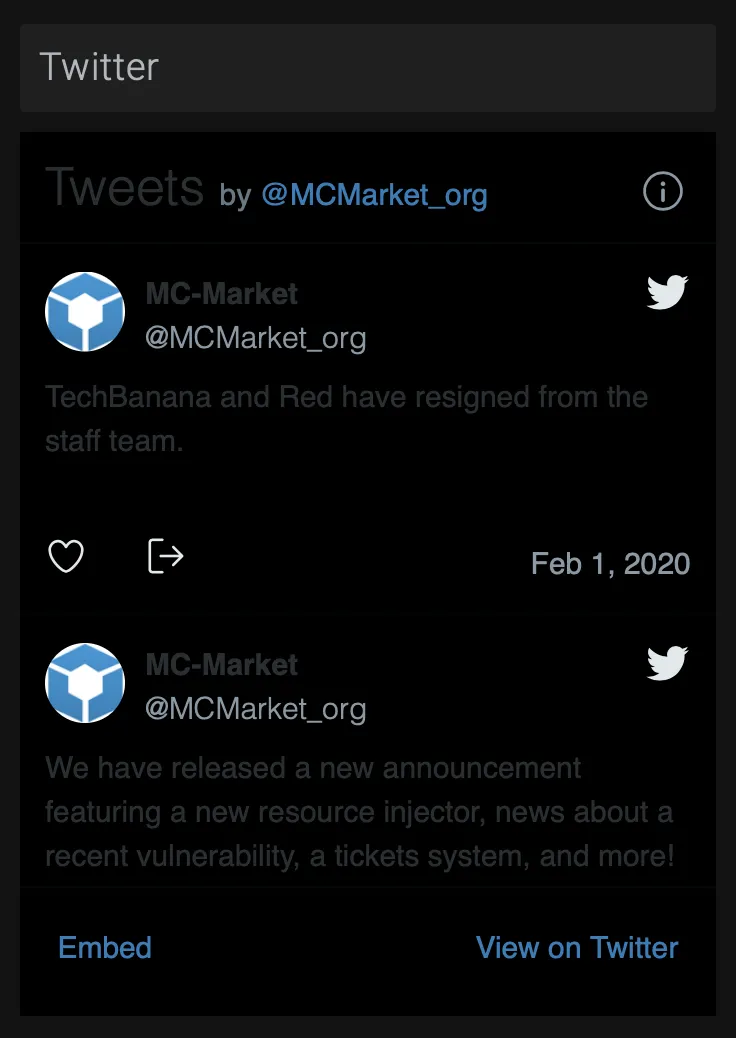
Looking on their embed site, you could do something like this after checking if the user is on the dark theme. Should just be a simple script really.
HTML:
<a class="twitter-timeline" data-theme="dark" href="https://twitter.com/MCMarket_org?ref_src=twsrc%5Etfw">Tweets by MCMarket_org</a> <script async src="https://platform.twitter.com/widgets.js" charset="utf-8"></script>
and would produce
ho2le.png


I'm aware, but if he can't make the text lighter, then that makes the whole thing useless as its really hard to read the twitter embed when it has a dark background and grey text.
Just use the website or the app like any normal person then?
 

Anish

Developer
Supreme
Feedback score
9
Posts
364
Reactions
176
Resources
0
Looking on their embed site, you could do something like this after checking if the user is on the dark theme. Should just be a simple script really.
HTML:
<a class="twitter-timeline" data-theme="dark" href="https://twitter.com/MCMarket_org?ref_src=twsrc%5Etfw">Tweets by MCMarket_org</a> <script async src="https://platform.twitter.com/widgets.js" charset="utf-8"></script>
and would produce
ho2le.png


Just use the website or the app like any normal person then?

That makes the point of the embed useless?
 

Justis

Community Member
Management
Feedback score
61
Posts
2,117
Reactions
2,414
Resources
0
data-theme="dark"
Thanks for this Geek! I’ve gone ahead and made two different twitter widgets, one for dark theme and one for light theme, and have applied that theme conditional to the embed data for dark theme users.

Everyone should be satisfied now.
 

Mick

BuiltByBit Owner
Management
Feedback score
28
Posts
6,413
Reactions
7,704
Resources
0
Thanks for this Geek! I’ve gone ahead and made two different twitter widgets, one for dark theme and one for light theme, and have applied that theme conditional to the embed data for dark theme users.

Everyone should be satisfied now.
You're a wizard, Justis.

I'll move this to accepted, thanks for bringing this to our attention.
 
Status
Top