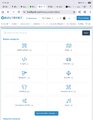
Where is filter gone from BuiltByBit?

-MAX-

Feedback score
0
Posts
5
Reactions
3
Resources
22
I must say I really, really hate the new design. Not only does it look unappealing, but now, for some strange reason, you removed the search filter now I can't search for any new items published. Instead, I have to browse pages and pages and pages...

If this is not resolved, I will have to find other alternatives marketplace. I have over 165 purchases here, and I buy things based on projects I'm working on. I can't waste time browsing through sections looking for new items.

BRING MY SEARCH FILTER BACK!!!
 
Last edited:

PebbleHost
High performance, consistent uptime and fast support. Minecraft hosting that just works.

Zalbus

Lead Support
Support
Feedback score
22
Posts
1,375
Reactions
366
Resources
0
When searching using the search bar you can now put in your information in the search directly. For an example:
https://builtbybit.com/resources/minecraft/plugins/ - When visiting here, you can now filter by tags, game mode, or type. When searching for an example a 1.21 version plugin, you can then narrow your search using the filters on the right hand side. For more information on this change, please read our announcement in the Discord server.

I hope this clarifies things!
 

-MAX-

Feedback score
0
Posts
5
Reactions
3
Resources
22
No, it does not. I really hate the new layout. Why remove the search filter as it was originally? At least add a button for it.

Before, I would go into the Roblox section, click filter, select latest items, and I would see the latest items.

Now I have to go into each category before I can even apply the filter, not to mention the new so-called cards taking up my whole screen on my smartphone.

I don't know whose bright idea this was, but definitely thumbs down for me. Worst update ever.
 

Attachments

  • Screenshot_20250926_171412_Chrome.jpg
    Screenshot_20250926_171412_Chrome.jpg
    530 KB · Views: 7
Top