World Painter Help

Status
This thread has been locked.

DeeJayKitten

Feedback score
0
Posts
29
Reactions
8
Resources
0
I've been getting into world painter, and many tutorials I've found are very outdated.
Anyhow,
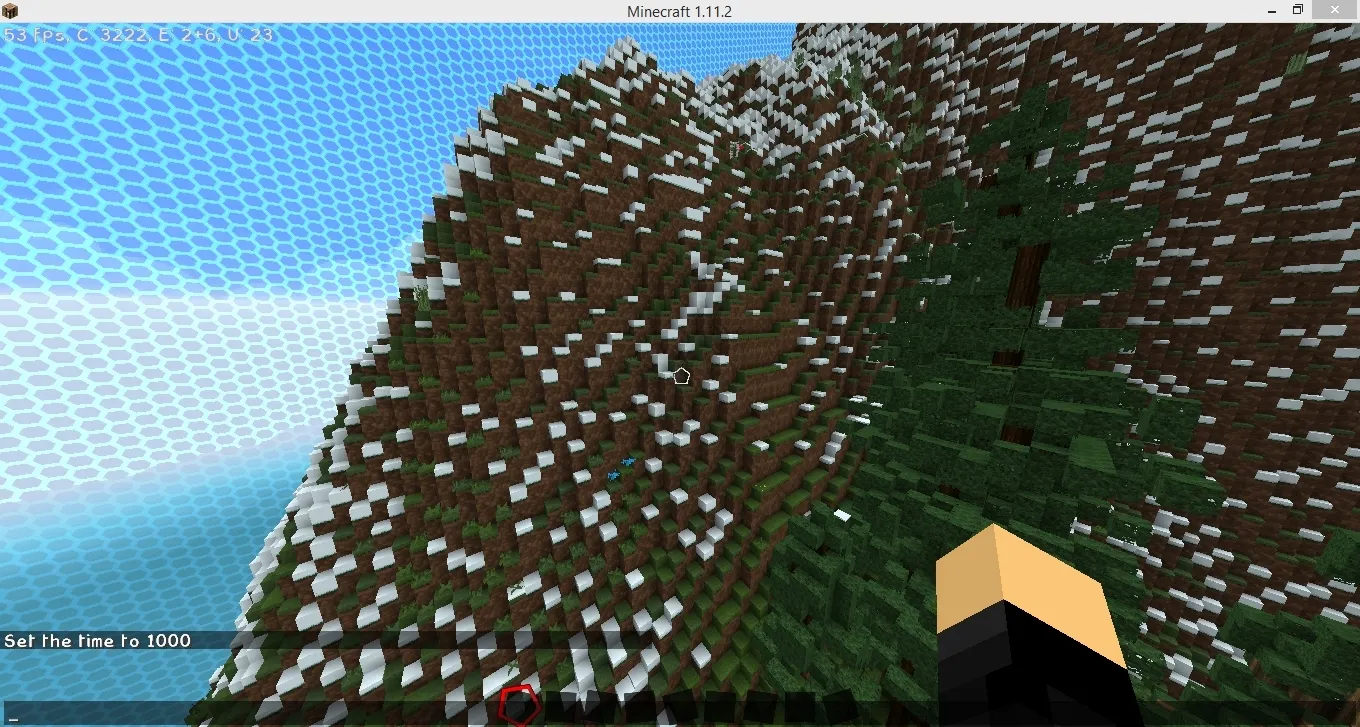
99f4dd7193ac465c721872bab3970a18.jpg

How on earth can I change this dirt to something else in this mountain or just anywhere in general? (Like stone/cobblestone mix)

 
PebbleHost
High performance, consistent uptime and fast support. Minecraft hosting that just works.

Ivain

Master Terraformer
Supreme
Feedback score
45
Posts
9,610
Reactions
4,888
Resources
0
oh, I see.
in that case, you might want to do something a bit more tricky.
make the material you want underneath it the basic material, then click on the big + on the layers tab, select "create custom ground cover layer".
Once you arrive there, find the "thickness" number, and change it to -1. Then click the pencil button next to the selected material (this defaults to "flowers", I believe). Change that to grass. Cover the entire area with the new material in that using global operations (the big globe button in the tools tab) with "only on X material", X being the material you selected.
That should do it.
 

DeeJayKitten

Feedback score
0
Posts
29
Reactions
8
Resources
0
Tried my best to follow along, what I got was it just changes the whole top layer only,
Cover the entire area with the new material in that using global operations (the big globe button in the tools tab) with "only on X material", X being the material you selected.
Though this was a bit confusing. Covering the entire area with the new material.. I'd use fill with layer? (If it is this it just fills the top layer nothing below, and I did set the thickness to -1)
 

Ivain

Master Terraformer
Supreme
Feedback score
45
Posts
9,610
Reactions
4,888
Resources
0
basically what I had you do was change the material you wanted to be underneath the grass to the main material, then since those layers are generally several blocks thick, I had you overlay a single layer of grass. But instead of overlaying it on top of the blocks, I had you use -1 to make it dig 1 block down, placing it in the position the grass should be in. might not have worked though.
 

DeeJayKitten

Feedback score
0
Posts
29
Reactions
8
Resources
0
Ivain When I set the thickness to -1, it didn't go a block below it did the top layer. When I set it to -2 it did the top layer and the layer below. So this appears to not have worked..
Is there any other way? How would I do this during the making of the world instead of after it's finished?
 
Status
This thread has been locked.
Top
