
Navigation
-
-
Standalone Tebex Templates & themes Websites Pterodactyl Themes Addons Eggs NamelessMC Templates Modules XenForo Themes Addons Invision Community Themes Plugins Translations WHMCS Themes Modules Paymenter Themes Extensions Calagopus Themes Extensions Eggs LeaderOS themes Ghost themes Shopify themes Wix themes Squarespace themes Other webstores CraftingStore templates MineStore themes PayNow templates Other
-
-
-
-
Install the app
More options
You are using an out of date browser. It may not display this or other websites correctly.
You should upgrade or use an alternative browser.
You should upgrade or use an alternative browser.
Hot Summer Deals are Here!
Celebrate with up to 90% off on 13,300 resources
04
Days
20
Hours
04
Mins
09
Secs
XenF help
- Thread starter Secondly
- Start date
- Status
- This thread has been locked.

PebbleHost
High performance, consistent uptime and fast support. Minecraft hosting that just works.


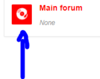
Download an addon called "Custom Node Icons", then go to the display tree and click on any forum node, you should see an option to upload an icon.
Make sure to disable any built-in-theme icon overwrites.
Make sure to disable any built-in-theme icon overwrites.
How do i disable theme icons?Download an addon called "Custom Node Icons", then go to the display tree and click on any forum node, you should see an option to upload an icon.
Make sure to disable any built-in-theme icon overwrites.
Banned forever. Reason: Leaking User Resources (https://gyazo.com/282b575ec8eae0576202efe5f8792598)
- Status
- This thread has been locked.
