- New Features
- Transcript API now returns JSON with transcript content and the current bot display name.
- Transcript viewer adapts to a server-provided bot name for accurate labeling.
- Improvements
- Ticket closing completes even if user DMs fail to send.
- Startup auto-updates version when no config templates are present, reducing warnings.
- Update process now preserves app.json.
- Added primary keys/uniqueness to multiple data tables for improved integrity.
Check out the full changelog for all the changes.
New Features
UI/UX
- Ticket Transcript page with viewing, search, download, and keyboard shortcuts.
- Endpoints to view and download ticket transcripts from the dashboard.
- Config page now supports data-driven module rendering, array editing, JSON object editing, and direct save with authorization.
Improvements
- Complete redesign of the Config UI with theming, responsive layout, toggles, and improved inputs.
- New styling for the Ticket Transcript interface.
- More reliable routing for dashboard/API pages.
- Startup/shutdown messages personalized via app configuration.
- Certain moderation features limited to the production server.
Check out the full changelog for all the changes.
What's New?
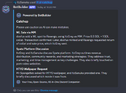
1. AI Catchup
You can now summarise text messages sent in any channel using the command/ai-catchup.
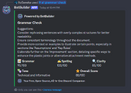
2. AI Grammar Check
You can now get a quick rating of your grammar, spelling, clarity, tone, suggestions & get an overall score using the command/ai-grammar-check. Supports .pdf, .txt, .md & .rtf files too.
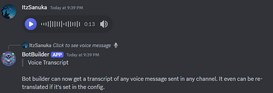
3. Voice Message Transcript
BotBuilder can now get a transcript of an voice message sent in any channel. It even can get the transcript translated into your server's default language.
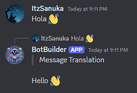
4. Auto Message Translation
If a message is sent in a language different from your default setting. BotBuilder will try to get a translation of that message, removing the language barrier on the server.
5. Message Link Preview
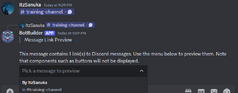
If a message contains a link to another message from a different server/channel, BotBuilder can help you preview that message so you don't need to switch channels.
6. FAQ Answer
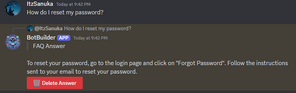
BotBuilder can now help users in your support channel by providing the best-matched answer from your FAQ. If the answer didn't help, the user who needs help or a staff member can delete that answer sent to prevent flooding.
7. Counting
You can now set up a counting system on your server.
8. Anti-Scam Link
When a message is sent in any channel, BotBuilder will check for any potential scam links in the message & timeout the user.
9. Message Preview
Get a quick preview of your message before sending it using the new command/misc-message-preview.
10. AFK Notice
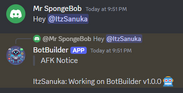
Users can now set notices when they go AFK.
11. Auto Role & Sticky Roles
Assign roles when a member/bot joins & previous roles if the member has joined before.
Other Changes
Check out the changelog.