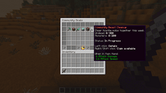
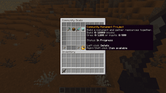
Point rules
Each rule can now have its own when-mode: ALL|ANY.
- when-mode: ALL
when:
material: [DIAMOND_ORE]
world: [survival]
set: 10
ALL requires both conditions; ANY requires only one. Rules are checked from top to bottom and the first match wins. Old rules still default to ALL.
Editor
The point screen can change the base amount, rounding, operation, value, conditions and rule order. It supports both SET and MULTIPLY rules.
Debug
The debug output now shows which point rule won and the calculation from base to final points.
/dp admin debug <goalId> <onlinePlayer> [timeoutSeconds]
/dp admin debug cancel <onlinePlayer>
The timeout is 60 seconds by default and accepts values from 5 to 600.
Beta 26.2 is mainly focused on making goal management easier and safer for server owners.
A better goal editor
The /dp admin editor menu has been expanded quite a bit. You can now manage most parts of a goal without having to edit the YAML by hand.
- Rename, duplicate, enable, disable, or delete goals.
- Change the scope, period, event type, and target.
- Add and remove criteria from composite goals.
- Configure global filters or filters for a specific criterion.
- Switch composite goals between AND and OR.
- Add prerequisites and choose between ALL and ANY.
/dp admin validate checks the goal files without applying them. /dp admin reload also keeps the current configuration active when one of the new files contains an error.
The validation report now covers malformed YAML, duplicate or invalid IDs, unsupported filter values, missing prerequisites, missing tiers, and circular prerequisite chains.
Beta 26.1 makes goals much more flexible and improves how progress notifications are delivered during busy sessions.
Modular goals
Goals can now contain multiple criteria joined with AND or OR. Each criterion keeps its own progress, so a goal can ask players to complete several different tasks or let them choose between alternatives.
Filters are available for materials, entities, worlds, game modes, permissions, commands, damage causes, and player attribution. Point rules can also assign fixed values or multipliers to specific actions.
Existing single-type goals continue to work without changes.
Goal chains
Goals can depend on other goals. A prerequisite may require the player to have completed a goal during the current period or at any point in the past.
Invalid chains, missing prerequisites, and circular dependencies are reported when goals are loaded.
New community goal examples
The default configuration now includes four examples built with the modular goal engine:
Animal breeding is now tracked automatically, including attribution for older server versions.
- community_daily_supply_run
- community_weekly_beast_cleanup
- community_weekly_breeding_festival
- community_monthly_monument_project
Clearer goal list
Goal entries now show a short description of the actual objective. Their lore supports live progress and target placeholders, while the more technical details remain in the individual goal view.
Extended state lore is hidden by default. It can be restored with gui.list.goal-item.show-state-lore.
Notification queues
Chat, action bar, title, and boss bar notifications now use separate queues. Repeated updates for the same goal are combined, preserving the starting value and total progress gained instead of filling the screen with one message per action.
Queue timing, size, and channel limits can be configured globally, for a specific event, or for an individual goal.
Chat batching
Updates from several goals can be grouped into a single chat message while keeping their original order. The separator and maximum number of entries are configurable; setting chat-batch.max-entries to 0 includes every pending entry.
Daily Builder: 35 -> 45/128 (+10) | Community Weekly Build: 40 -> 50/5000 (+10)
Chat batching is enabled by default and can be overridden globally, per event, or per goal.