Introducing DialogMaster-Homes (New Addon)
We are excited to announce DialogMaster-Homes, a premium extension for DialogMaster, sold separately.
DialogMaster-Homes is a self-contained, high-performance homes management system that operates independently of third-party plugins. It provides your players with a visual, responsive interface to manage, rename, and customize their teleportation markers.
- Core Addon Features:
* YAML: Lightweight flat-files for small setups.
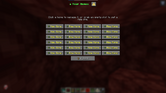
- Dynamic Grid UI: Displays a customizable interface of player home slots, dividing them into filled, empty, or locked slots based on configurable permission tiers.
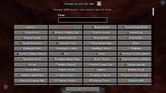
- Searchable Icon Customization: Integrates with the new catalog engine, allowing players to search and filter from hundreds of flat 2D material icons to personalize their homes.
- Folia-Safe Teleportation Cooldowns: Includes a configurable teleportation timer. Shows a live countdown in the player's action bar using gradient text and aborts teleportation if the player moves. It executes asynchronously to ensure maximum performance.
- Enterprise Database Support: Supports three robust storage configurations:
* SQLite: Highly optimized local database file.
* MySQL/MariaDB: Fully synchronized, multi-lobby connection pool (HikariCP) for large network setups.
---
- Seamless Auto-Migration: Automatically detects and imports existing player home structures into your database on their first login, ensuring a zero-downtime transition.
- Admin Utilities: Added
/homesreloadto refresh configurations and wipe caches dynamically.
New Features & Improvements:
DialogMaster Core Updates (v1.3.0)
Bug Fixes:
- Interactive Material Catalog: Implemented a smart 2D sprite whitelisting engine. The plugin now automatically resolves whether a block or item texture belongs on the items or blocks atlas, guaranteeing clean flat renders for all materials without displaying checkered "missing texture" boxes.
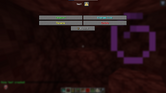
- Dynamic Input Placeholders: Context variables and placeheld text values (e.g. current home names) are now dynamically resolved inside text input boxes on open, allowing menus (like rename screens) to auto-fill with current values.
- Optimized UI Layouts: Refactored text container widths to prevent tight borders from forcing words to wrap into vertical segments. Grid layouts now automatically align with titles.
- Standalone Developer API: Exposes a public API registered to Bukkit's ServicesManager. External developers can now build standalone addons that hook custom actions, feed dynamic GUI list providers, and invoke searchable icon pickers programmatically.
- Inventory Close Fix: Fixed a native inventory navigation issue where clicking a close button closed the active menu but left players stuck in the escape pause screen. Closing a menu now fully closes the active container and returns the player directly to active gameplay.
- Robust File Handling: Patched resource loader exceptions that occurred during fresh directory setups.
### What's New?
1. Menus Don't Blink: When players click a button to change menus or
go back, the screen swaps instantly. ( Example below or in new settings menus).
2. Expanding Menus: You can now make lists where clicking a category
shows its sub-options directly below it.
###How to use it in your YAML:
To make your menus transition instantly without blinking, just add
these two lines to the top of your menu files:
settings-menu:
title: "⚙ Settings"
type: multiAction
# Add these two lines to stop the blinking:
pause: false
after-action: NONE
Wiki updated.![]()