
VirtualShops is back, and better than ever!
VirtualShops v1.6.1 - Create amazing virtual admin shops and player shops at ease.
EPIC DISCOUNT 33%, Only 5$!
=========================================================
So, what are you waiting for? Click here to buy it!
Like VirtualShops? You'll love ChatManagerSL!
=========================================================
What does this plugin do?
With one simple command, any player can create a shop where he sells items and adds them to a virtual stock and a shop where he buys items from others which he later can collect (excellent for prison servers!).
Please note that this plugin was compiled with Java 8 - a lot of people had errors because they were running Java 7 and not only on this plugin. Java 8 is recommended for everything that uses Java since Java 7 is no longer supported / updated. How do you see if the error you're having is related to your java version? You'd know if A. The plugin isn't working, B. The plugin doesn't show in /plugins, and C. When enabling the plugin, in the console, there should be a message looking something like this:
[15:00:18] [Server thread/ERROR]: Could not load 'plugins/VirtualShops.jar' in folder 'plugins'...blah blah blah... Unsupported major.minor version 52.0
Features
- Create beautifully designed GUI shops using a simple command
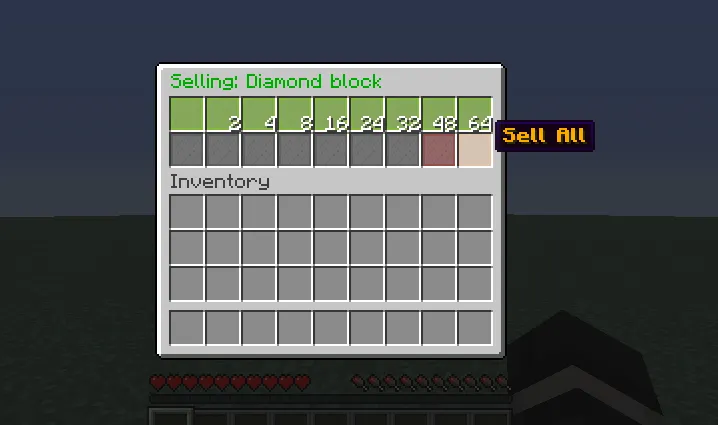
- Contains both sell shops (regular shops where players buy items from it) and a buy shop (a shop where players give blocks for money, excellent for prison servers!)
- Configure all messages & items with multilingual support system (lang.yml)!
- Create signs to open shops!
- Colorful console output to make reading errors and messages easier than ever!
- Use shop statistics to view information on shops!
- Create both admin shops (shops with no owner) and player shops (where players can collect money and blocks!)
- Disable/enable buy or sell shops using the configuration section
- Forcefully remove, disable or rename shops!
- Simple drag-and-drop system to add items to your shops - just enter your shop and drag an item from the inventory to the shop!
- Supports UUIDs - Don't worry about those name changes!
- Virtual stock for buy shop - add items easily!
- Smart collection system from sell shop
- Most errors are printed as an easy to read error trace which can be sent to me for maximum performance of fixing the problem.
- Match shops to find the shop most suited to your needs as a customer using /vs match!
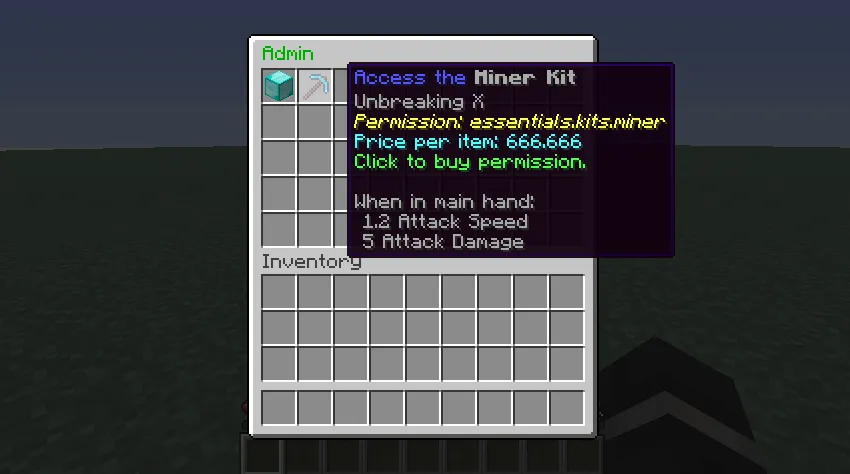
- Sell permissions using admin shops to players!
- Enter shops and make deals with offline players!
- Reload config using a simple ingame command!
- View top shops by 5 different flags, a descending flag, and view your rank!
- Name your shops whatever you'd like for enhanced user experience!
- API for support from other plugins!
- Supports RTL languages!
- Closing menus in the shop will send the user one menu backward to enhance user experience!
- Errors now log themselves in separate files for easier bug fixing with technical details, java version, spigot version and others!
- Set the minimum / maximum shop name length to avoid shop name spam!
- Slick chat interface - Most of the messages in the plugin are clickable or hoverable! Click a shop's name to enter it! Click the page buttons in commands to move forward/backward! The perfect combination of chat / GUI interfaces!
- Default values in the config intelligently re-assign themselves if they're missing!
- Efficient & High quality code
Dependecies: Vault, Any economy plugin
Soft Dependencies: A permissions plugin. The plugin will work without it by using bukkit default permissions, but permissions in shops won't work.
Updates in current version
Version 1.6:
- + Errors are now logged and saved in separate files with date, java version, /version details, contact details, technical details, problem explanations.
- + Added /vs buy and /vs sell to directly sell/buy items to/from a shop!
- + Default values in config now re-assign themselves if there’s no value found in the config.
- + Added an option in the config to set min/max shop name length.
- + Added clickable page buttons in top/list commands.
- + Shop names as presented in chat are clickable - when hovered say “Click to open shop” and open the shop when clicked.
- * Top command cleanup - Removed unused sold modifier, added hoverable messages, made 10 shops per page instead of 20
- * List command cleanup - Better syntax
- * Minor bug fixes
- - Herobrine removed
For the full changelog, visit the google docs file (look below)
Known Bugs
There are no known bugs! If you find one, please report it to me and I'll fix it asap.
Screenshots
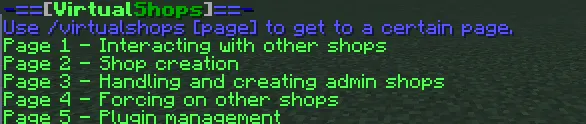
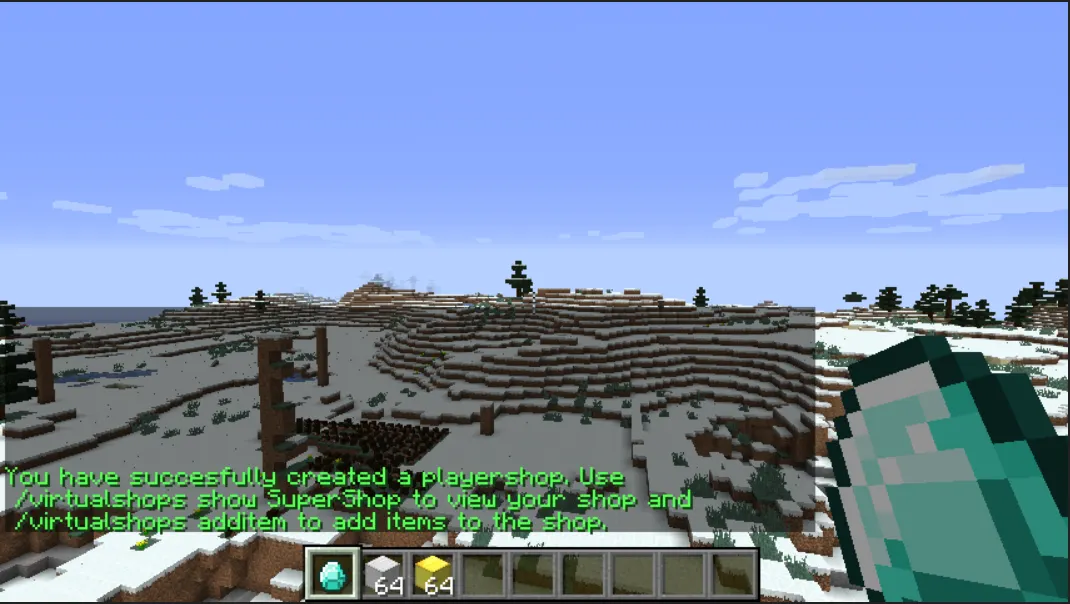
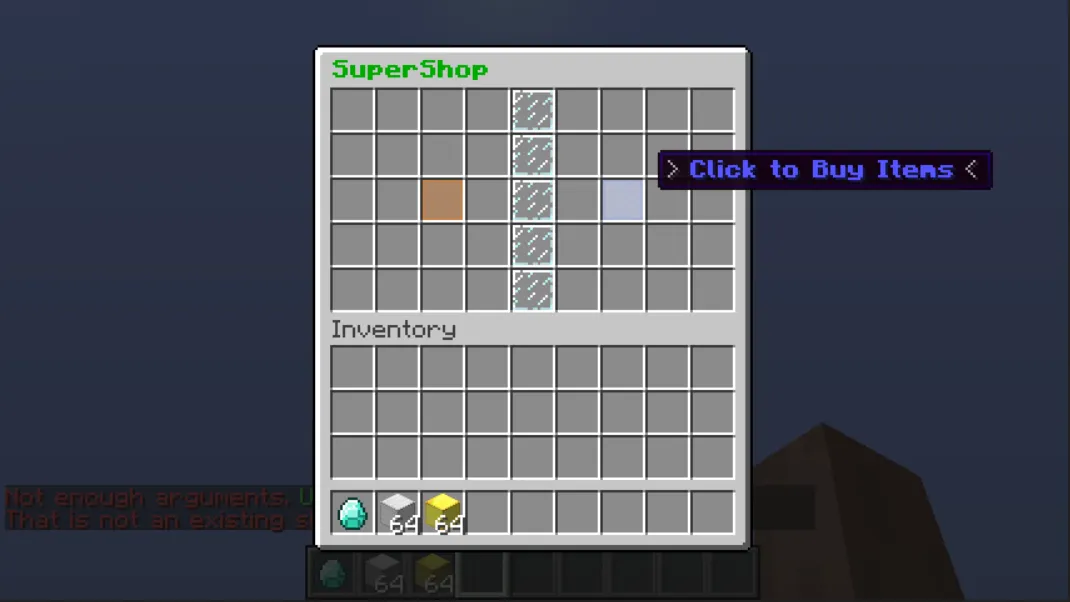
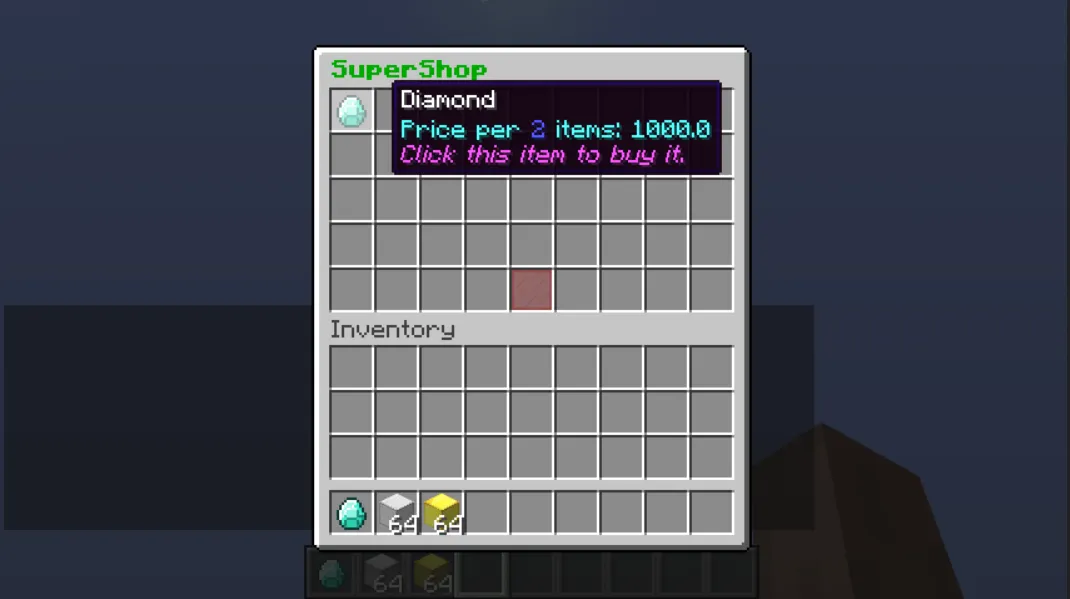
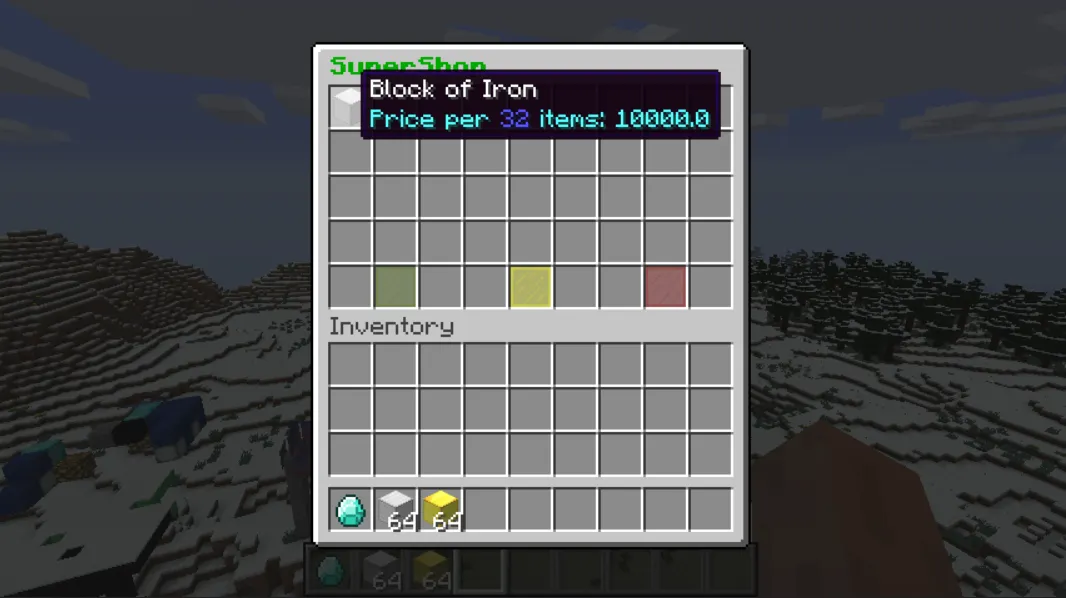
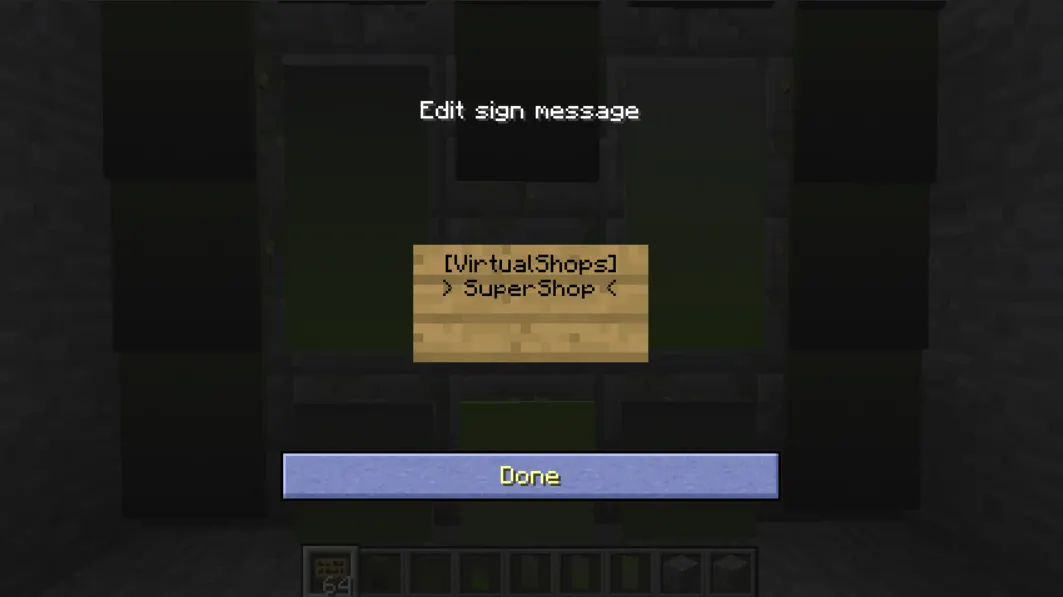
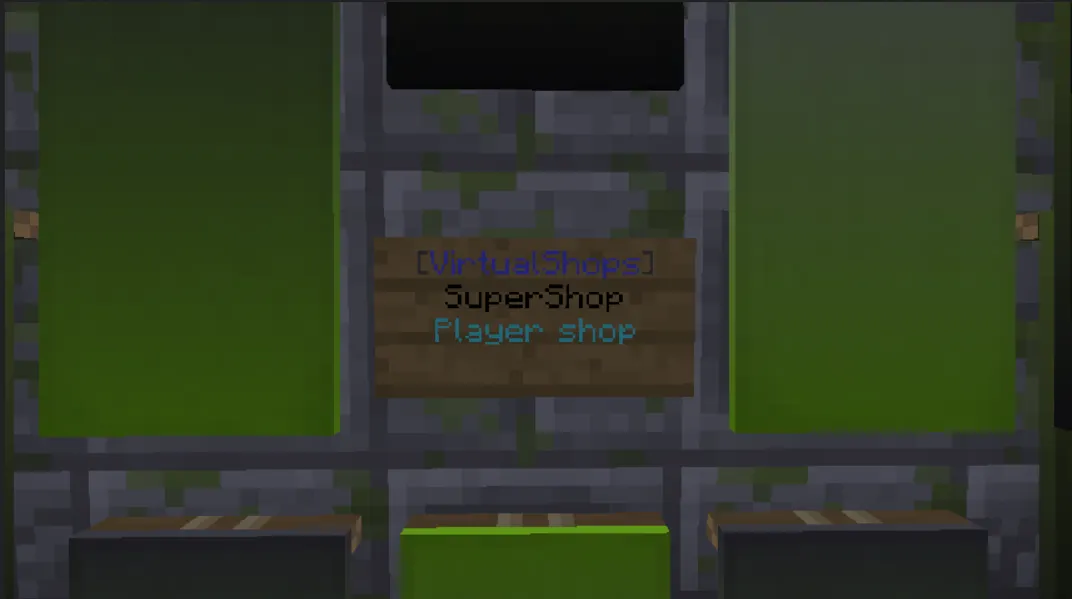
virtualshops.commands.additem - Allows access to the additem command.
virtualshops.commands.addstock - Allows access to the addstock command.
virtualshops.commands.collect - Allows access to the collect command.
virtualshops.commands.collectlist - Allows access to the collectlist command.
virtualshops.commands.create - Allows access to the create command.
virtualshops.commands.delete - Allows access to the delete command.
virtualshops.commands.disable - Allows access to the disable command.
virtualshops.commands.force.remove - Allows access to the forceremove command.
virtualshops.commands.list - Allows access to the list command.
virtualshops.commands.removeitem - Allows access to the removeitem command.
virtualshops.commands.sellall - Allows access to the sellall command.
virtualshops.commands.show - Allows access to the show command.
virtualshops.commands.stats - Allows access to the stats command.
virtualshops.commands.match - Allows access to the match command.
virtualshops.interaction.* - Allows interaction with all shops.
virtualshops.interaction.<name> - Allows interaction with player shop <name>.
virtualshops.creation - Allows all creation related commands: additem, addstock, collect, collectlist, create, delete, removeitem
virtualshops.commands.admin.[command] - Allows usage of /virtualshops admin [commad].
virtualshops.admin.modify.[shopname] - Allows modification of shop [shopname] (Deleting, disabling, adding items, removing items)
virtualshops.interaction.admin.<name> - Allows interaction with admin shop <name>.
virtualshops.signs.usage - Allows entering shops by clicking signs.
virtualshops.signs.create.own - Allows creating a sign for your shop only.
virtualshops.signs.create.player - Allows creating a sign for everyone's (player) shop.
virtualshops.signs.create.admin - Allows creating signs for adminshops.
virtualshops.signs.break - Allows breaking shop signs.
virtualshops.commands.addstock - Allows access to the addstock command.
virtualshops.commands.collect - Allows access to the collect command.
virtualshops.commands.collectlist - Allows access to the collectlist command.
virtualshops.commands.create - Allows access to the create command.
virtualshops.commands.delete - Allows access to the delete command.
virtualshops.commands.disable - Allows access to the disable command.
virtualshops.commands.force.remove - Allows access to the forceremove command.
virtualshops.commands.list - Allows access to the list command.
virtualshops.commands.removeitem - Allows access to the removeitem command.
virtualshops.commands.sellall - Allows access to the sellall command.
virtualshops.commands.show - Allows access to the show command.
virtualshops.commands.stats - Allows access to the stats command.
virtualshops.commands.match - Allows access to the match command.
virtualshops.interaction.* - Allows interaction with all shops.
virtualshops.interaction.<name> - Allows interaction with player shop <name>.
virtualshops.creation - Allows all creation related commands: additem, addstock, collect, collectlist, create, delete, removeitem
virtualshops.commands.admin.[command] - Allows usage of /virtualshops admin [commad].
virtualshops.admin.modify.[shopname] - Allows modification of shop [shopname] (Deleting, disabling, adding items, removing items)
virtualshops.interaction.admin.<name> - Allows interaction with admin shop <name>.
virtualshops.signs.usage - Allows entering shops by clicking signs.
virtualshops.signs.create.own - Allows creating a sign for your shop only.
virtualshops.signs.create.player - Allows creating a sign for everyone's (player) shop.
virtualshops.signs.create.admin - Allows creating signs for adminshops.
virtualshops.signs.break - Allows breaking shop signs.
Code:
# #####################
# #####################
# ##                                ###
# ##      VirtualShops     ###
# ##  by NonameSLdev ###
# ##                                ###
# #####################
# #####################
# |====================|
# |EXAMPLE CONFIG BELOW|
# |====================|
# # Set to false to disable sell shops ("Sell to shop" shops). To disable virtualshops, disable sell&buy shops
# # Default: true
# sell-shop-enabled: true
# ###################################################
# # Control the transaction menu, the menu that opens up if a player chooses the menu instead of a set amount.
# transaction-menu:
#  # Can it be used at all
#  enabled: true
#  # Setting can-players-choose allows them to specify 'menu' instead of the amount and then the menu opens.
#  can-players-choose: true
#  # The amounts to buy/sell in the menu. Can be up to nine.
#  amounts: '1, 2, 4, 8, 16, 24, 32, 48, 64'
#  # Chooses wether or not to display the "Sell all" option in the menu when selling items.
#  enable-sell-all-button: true
# ###################################################
# # Set to false to disable buy shops ("Buy from shop" shops). To disable virtualshops, disable sell&buy shops
# # Default: true
# buy-shop-enabled: true
# ###################################################
# # Decides wether or not shop signs should be enabled.
# # Default: true
# shop-signs-enabled: true
# ###################################################
# # All minimum prices go below. Players cant put items in their buy shops with a cost lower than the minimum
# minimum-prices:
#  diamond-block: 1000
#  cake: 99999
#  iron-ingot: 10
# ###################################################
# # All curse words go below. Players will not be able to write them in their shops
# curse-words:
#  - 'Curse word A'
#  - 'Curse word B'
# ###################################################
# # DO NOT TOUCH THE FOLLOWING.
# # This is the deserialization of all shops of the plugin.
# # If modified, it will cause errors. Even if you think you know what you're doing, don't do it.
# backup:
# ###################################################
#
#
# ###########################
# ###########################
# ##  ###
# ## Actual Configuration ###
# ##  ###
# ###########################
# ###########################
sell-shop-enabled: true
buy-shop-enabled: true
shop-signs-enabled: true
transaction-menu:
enabled: true
can-players-choose: true
amounts: '1, 2, 4, 8, 16, 24, 32, 48, 64'
enable-sell-all-button: true
minimum-prices:
cake: 1
curse-words:
- 'Example Curse A'
- 'Example Curse B'
Progress Bar
The updated (all the time) progress bar is located in the virtualshops google docs file and can be found 2 sections below this one. In this section I will only announce wether or not there's a new version in progress and whats planned for it.
Version 1.5 - FINISHED
Future Addons
- Virtual money stock for sell shops
- Select default size of shop / permissions for different sizes
- Better listing of all shops
- Decorations for shops
- If you have an ideas I would love to hear them and add them to the plugin asap.

I've created a google docs file for the plugin. This file will contain a detailed news section, a fully detailed progress bar, a detailed future features list, and a known bugs list. The good part about it is that it will update 24/7 - while I am working on the plugin I will update the progress bar and the new features list, and when I want to update a new feature I will do it there. If you want to add anything or have any ideas either send them to me as a messages or comment them in the google docs file. URL: tinyurl.com/virtualshops-news
FAQ
For the FAQ, look above /\/\/\ and enter the google docs file (tinyurl.com/virtualshops-news). It's right there on the first page.
If you're too lazy, here's the FAQ from 26/08/15 (It may be outdated, so if your question isn't here try the google docs file).
Q: Why don’t IDs work as from version 1.4?
A: Since version 1.4, IDs have been replaced with item names. For example, “Diamond Block” would be “DIAMOND_BLOCK” or “diamond-block” or “diamond_block”. Please note that these aren’t minecraft names, so the new logs (acacia and dark oak) would be “log-2” and a redstone repeater would be “diode”. Everything should stay the same besides that, if you have any trouble I’ll help.
A: Since version 1.4, IDs have been replaced with item names. For example, “Diamond Block” would be “DIAMOND_BLOCK” or “diamond-block” or “diamond_block”. Please note that these aren’t minecraft names, so the new logs (acacia and dark oak) would be “log-2” and a redstone repeater would be “diode”. Everything should stay the same besides that, if you have any trouble I’ll help.
Q: Why isn’t the plugin working?
A:There are a couple of reasons that I’m aware of that the plugin wouldn’t be working because of:
The server is running Java 7. The plugin doesn’t support Java 7 and was written and compiled using java 8. Java 8 is recommended by Oracle as Java 7 isn’t supported anymore. How would you know if you’re running an outdated java version:
A. The plugin isn't working, B. The plugin doesn't show in /pl command, and C. When enabling the plugin, in the console, there should be an error message looking something like this:
[15:00:18] [Server thread/ERROR]: Could not load 'plugins/VirtualShops.jar' in folder 'plugins'...blah blah blah... Unsupported major.minor version 52.0…In that case, change your server’s Java version to java 8 and the plugin should work.
The server’s minecraft version is outdated. This plugin is compiled using the latest version of spigot (currently 1.8.x) and will have problems if used with an outdated version of minecraft. How to tell if the server’s version is outdated:A. When enabling the server, at the very start, it says this: [14:17:12 INFO]: Starting minecraft server version X.X. If in your server instead of X.X it doesn’t say the latest minecraft version, your server is outdated. Use the updated jar file of spigot instead. B. Start minecraft on the latest minecraft version and try to enter your server. If you cant because it says the server’s outdated, it’s outdated. (The first case is better because some servers support the last version with other plugins)
You are not running your server on spigot / bukkit. This may be related - If you’re not running your server on spigot there may be problems. If you aren’t running your server on spigot, you should know so. If you aren’t sure, here are some ways to tell - A. The jar file (usually) wouldn’t be named “spigot” or something similar B. You didn’t download the spigot jar file. C. It should say somewhere in the start of the server in the console if it’s spigot/craftbukkit/bukkit or not. If not, run the server on spigot / bukkit.
If it’s a different reason, please tell me and I would love to help.
A:There are a couple of reasons that I’m aware of that the plugin wouldn’t be working because of:
The server is running Java 7. The plugin doesn’t support Java 7 and was written and compiled using java 8. Java 8 is recommended by Oracle as Java 7 isn’t supported anymore. How would you know if you’re running an outdated java version:
A. The plugin isn't working, B. The plugin doesn't show in /pl command, and C. When enabling the plugin, in the console, there should be an error message looking something like this:
[15:00:18] [Server thread/ERROR]: Could not load 'plugins/VirtualShops.jar' in folder 'plugins'...blah blah blah... Unsupported major.minor version 52.0…In that case, change your server’s Java version to java 8 and the plugin should work.
The server’s minecraft version is outdated. This plugin is compiled using the latest version of spigot (currently 1.8.x) and will have problems if used with an outdated version of minecraft. How to tell if the server’s version is outdated:A. When enabling the server, at the very start, it says this: [14:17:12 INFO]: Starting minecraft server version X.X. If in your server instead of X.X it doesn’t say the latest minecraft version, your server is outdated. Use the updated jar file of spigot instead. B. Start minecraft on the latest minecraft version and try to enter your server. If you cant because it says the server’s outdated, it’s outdated. (The first case is better because some servers support the last version with other plugins)
You are not running your server on spigot / bukkit. This may be related - If you’re not running your server on spigot there may be problems. If you aren’t running your server on spigot, you should know so. If you aren’t sure, here are some ways to tell - A. The jar file (usually) wouldn’t be named “spigot” or something similar B. You didn’t download the spigot jar file. C. It should say somewhere in the start of the server in the console if it’s spigot/craftbukkit/bukkit or not. If not, run the server on spigot / bukkit.
If it’s a different reason, please tell me and I would love to help.
Q: I’ve got an error message in the console from VirtualShops! What do I do?
A: Send the full error trace to me using skype/spigot forums and I will help you to understand the problem.
A: Send the full error trace to me using skype/spigot forums and I will help you to understand the problem.
Q: Something in the plugin isn’t working right! What do I do?
A: There are some bugs that got away when debugging and releasing VirtualShops. If you find any, tell me and I will help you to help me squash those bugs!
A: There are some bugs that got away when debugging and releasing VirtualShops. If you find any, tell me and I will help you to help me squash those bugs!
Q: I have this really awesome idea for VirtualShops…
A: Say no more. Just send the idea to me in skype or spigot forums and I’ll probably add it in the next releases of VirtualShops!
A: Say no more. Just send the idea to me in skype or spigot forums and I’ll probably add it in the next releases of VirtualShops!
✔| 1 Download! |✔
✔| 5 Downloads! |✔
✔| [♚] 10 Downloads! [♚] |✔
✔| 25 Downloads! |✔
✔| 30 Downloads! |✔
✔| 40 Downloads! |✔
✗| [♚] 50 Downloads! [♚] |✗
✗| 60 Downloads! |✗
✗| 75 Downloads! |✗
✗| 90 Downloads! |✗
✗| [♚] 100 Downloads! [♚] |✗
More milestones as the plugin passes more milestones!
Terms and Conditions
- By purchasing this plugin you agree to all the conditions listed below.
- You are not allowed to modify or view the source code, nor reverse-engineer the plugin without my permission first.
- You are not allowed to redistribute this plugin.
- You may only use it for your server or network.
- No refunds.
- I am not obligated to update the plugin at a specific time, but that doesn't mean I won't.
==================== EPIC 33% OFF! 5$ ONLY! ===================
So, what are you waiting for? Click here to buy it!
Like VirtualShops? You'll love ChatManagerSL!
So, what are you waiting for? Click here to buy it!
Like VirtualShops? You'll love ChatManagerSL!
Last edited:



