DUAL DECK DJ
A professional, fully animated Roblox DJ booth with live crossfading, DSP effects, and custom lighting control.
A professional, fully animated Roblox DJ booth with live crossfading, DSP effects, and custom lighting control.
Professional Dual Deck DJ is a complete Roblox DJ booth system. It features physically spinning platters, live audio adjustments, and a detailed UI console. Your players can claim the booth, load audio IDs, mix with a crossfader, toggle DSP effects, and customize neon lighting that replicates server-wide in real-time.
Why Choose Dual Deck DJ?
- Live 3D physical animation: Platters spin and neon strips pulse dynamically in the workspace.
- Advanced audio engineering: Features real mathematical crossfading, adjustable playback speeds, and live DSP effects (Bass, Echo, Reverb, Flanger).
- Interactive queue system: Allows guests to submit track requests that the DJ can load onto either deck with a single click.
Detailed UI Console Showcase
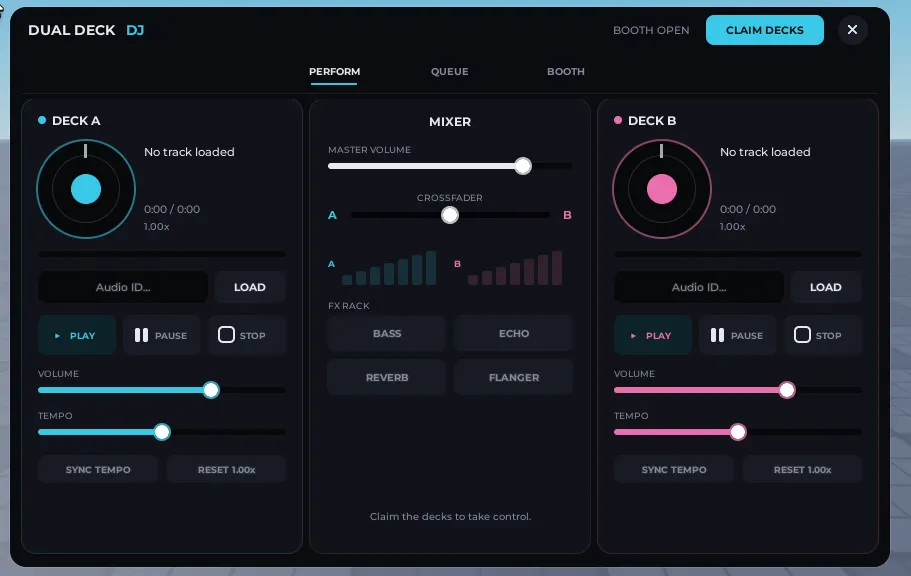
1. Perform Panel (Dual Decks & Mixer Controls)
The main controller console allows full mixing capabilities. Dual deck layouts provide separate track controls, progress bars, and tempo adjustment.
- Dual Vinyl Decks: Load Roblox audio IDs, control playback state (Play, Pause, Stop), and monitor track progression.
- Tempo Tuning: Speed up or slow down tracks from 0.5x to 1.5x speed with quick tempo sync and reset buttons.
- Hardware Crossfader: Smooth audio transition between Deck A and Deck B using volume curve calculations.
- Master & Deck Volume Sliders: Fine-tune volume levels on individual decks or the master output.
- 4-FX DSP Rack: Toggle Bass, Echo, Reverb, and Flanger effects live.
2. Queue & Request Panel
Non-DJs can submit track request IDs, which populate a server-wide queue. The active DJ can see who requested each song and load them immediately.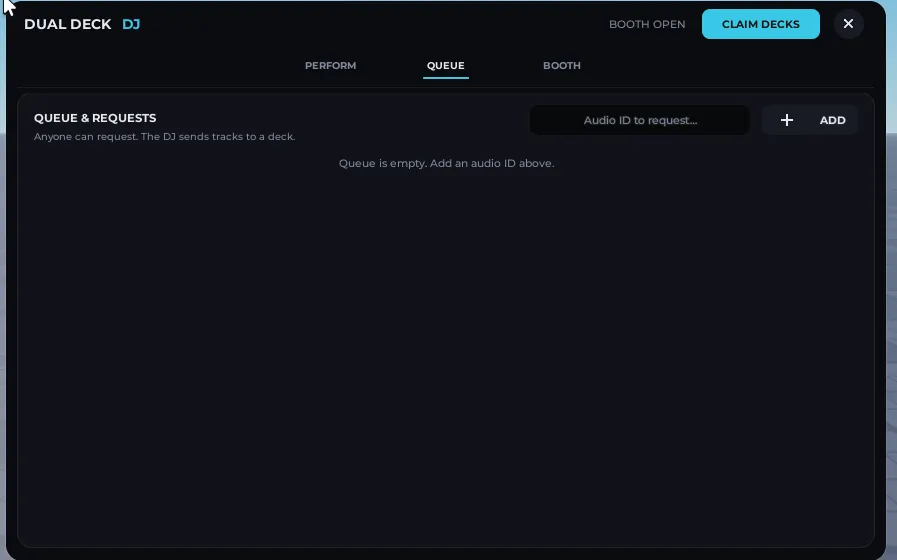
- Guest Submissions: Allow non-DJ players to submit audio IDs to the queue (can be toggled in Config).
- Interactive DJ Control: View list of requested tracks, see who requested them, load them directly to Deck A or Deck B, or remove them from the queue.
- Limit Controls: Set maximum queue limits to prevent spam.
3. Booth Lighting & Sound Settings
The DJ booth has physical lighting and sound parameters that can be adjusted in real-time. Neon accents update server-wide.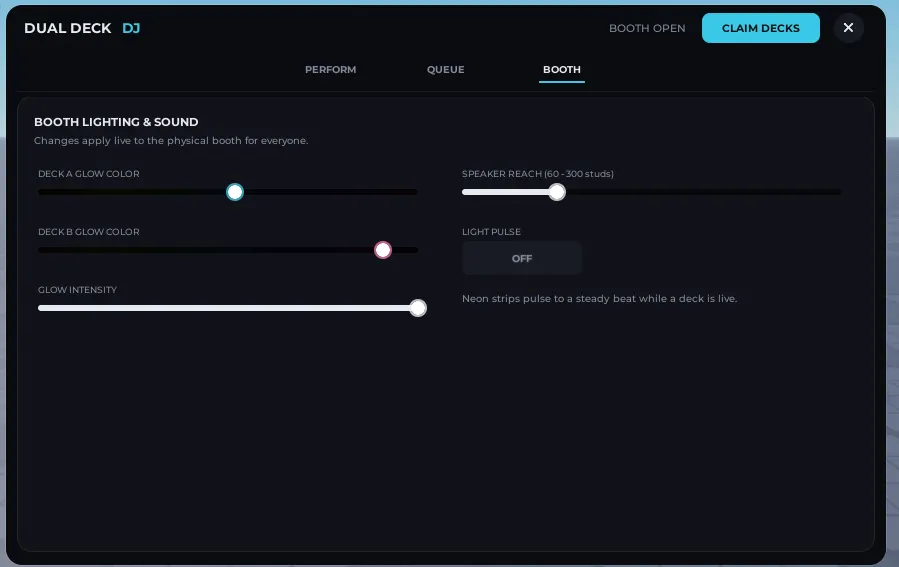
- Dual Hue Selectors: Change the glow colors of Deck A and Deck B neon accents in real-time.
- Intensity & Pulse Mode: Adjust glow brightness and toggle automatic neon breathing/pulsing that reacts when music is playing.
- Speaker Reach Control: Adjust audio RollOffMaxDistance between 60 studs and 300 studs to control how far the music travels.
4. Physical 3D World Integration
- Now Playing Sign: Real-time physical 3D sign showing the live track title, the active DJ name, or booth status.
- Physical Rotation: Workspace platters rotate dynamically when active, matching the tempo of the deck.
Configuration Options
Everything is fully configurable inside a single ModuleScriptReplicatedStorage.DualDeckDJ.Config:- Access Control: Whitelist specific UserIDs, require a minimum Roblox group rank, or allow everyone.
- Audio Limits: Customize default volume, master volume levels, and playback speed limits.
- Queue Settings: Toggle guest requests and define maximum queue capacities.
- Default Playlist: Pre-load quick-select audio tracks for DJs to get started immediately.
Setup Instructions
- Drop the DJBooth model into
Workspace. - Put DualDeckDJ_UI into
StarterGui, the DualDeckDJ folder intoReplicatedStorage, and the DualDeckDJ_Server script intoServerScriptService. - Open
ReplicatedStorage.DualDeckDJ.Configto configure permissions or update the default playlist.
Requirements
- Roblox Studio
- Roblox Audio Assets (configured for public playback)

