TaleBoard
The Scoreboard for Hytale
In Game Visual Editor | PNG Icons | PlaceholderAPI | Per World Boards
Framed Group Panels | Live Preview | Auto Sizing | Live Reload
Hytale has no built in scoreboard. TaleBoard adds a clean, fully configurable sidebar that shows whatever you want, however you want it, and you can build the whole thing in game without ever touching a config file.
Framed Group Panels | Live Preview | Auto Sizing | Live Reload
Hytale has no built in scoreboard. TaleBoard adds a clean, fully configurable sidebar that shows whatever you want, however you want it, and you can build the whole thing in game without ever touching a config file.
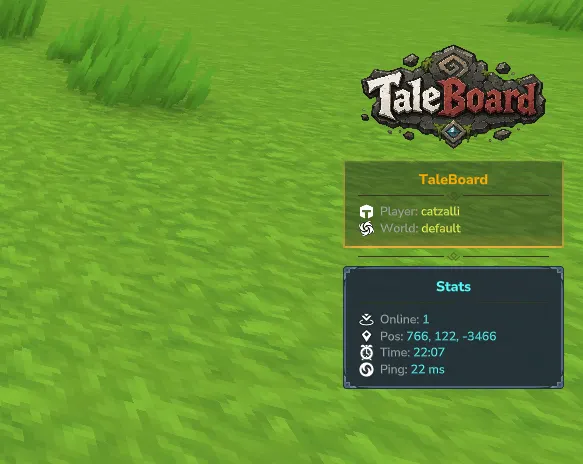
Overview
TaleBoard is a fully configurable sidebar scoreboard built for Hytale servers:- Build it in game: a full visual editor with live preview, an icon picker and sliders, no JSON required.
- Show anything: player info, coordinates, time, online count, balances, ranks, your own text and links.
- Looks great out of the box: each group sits in its own rounded framed panel with a fancy separator between them.
- PNG icons on your lines: a bundled icon set plus any custom PNGs you drop in.
- Per world boards: a different scoreboard per world, with wildcard world names for randomly named worlds.
- Plays well with PlaceholderAPI: pull data from your other plugins straight onto the board.
Key Features
In Game Visual Editor
- Open it with /board editor and build your whole scoreboard point and click, no config files needed
- Organized into three clean tabs: Layout, Board Settings and Worlds
- Live preview: your real scoreboard updates on screen as you edit, so you see every change instantly
- Add, remove and edit groups and lines, set each line's mode, text, height and width
- Visual icon picker: browse the whole icon set in a grid and click the one you want
- Sliders for spacing, panel border and sizes, plus color and frame pickers
- Manage your per world boards right from the Worlds workflow
- Hit Save and TaleBoard writes the config and reloads it for you
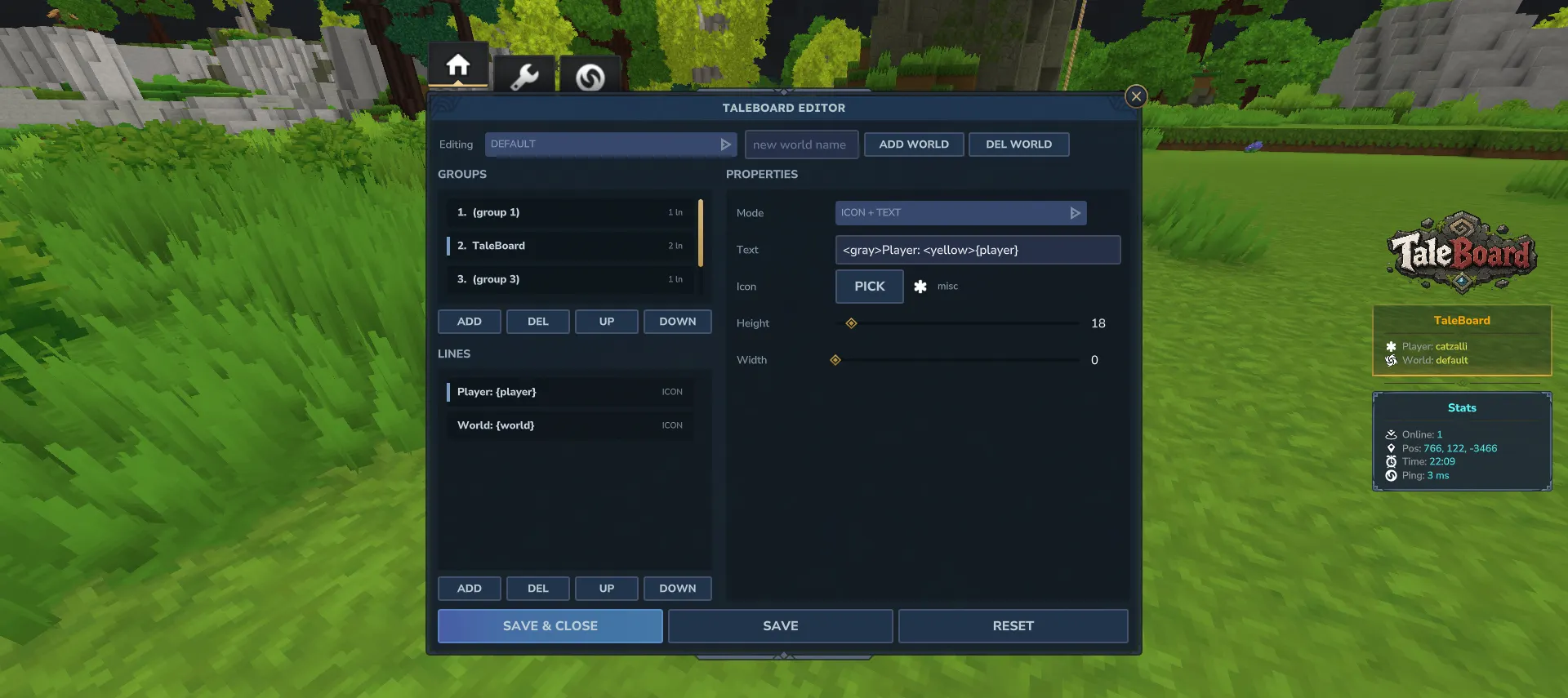
Fully Config Driven Layout
- Prefer files? Title, groups and lines are all defined in the config too, no coding needed
- Each group renders as its own rounded, framed panel with its own optional title, title icon and frame
- Optional fancy separator you can place between groups or inside one
- The board auto sizes its width to your content and stays vertically centered on every resolution
- Configurable panel frame, border, screen position, update interval and colors
Four Line Styles
- Text: a normal colored text line
- Icon + Text: a small icon at the start of the line, then your text
- Full PNG: a full width image line, perfect for a banner or logo
- Separator: a fancy divider line with a center ornament, place it anywhere
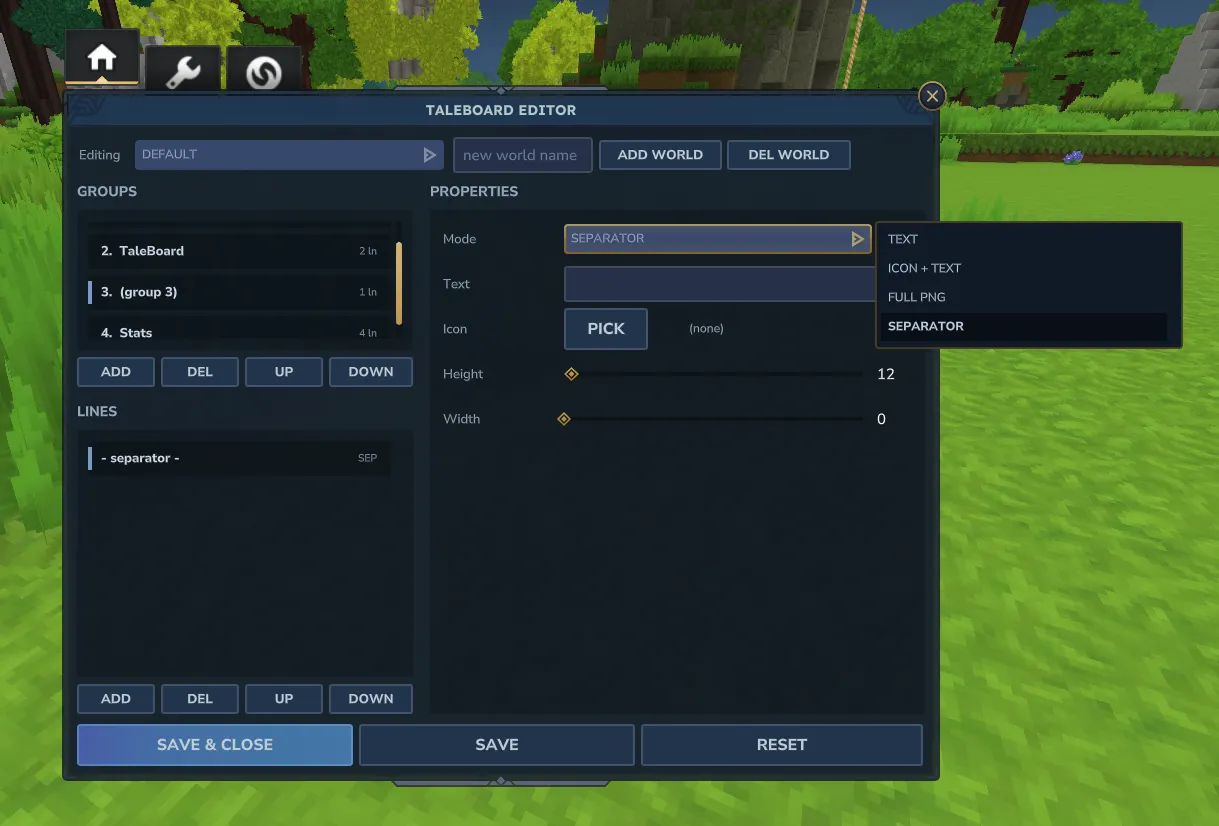
PNG Icons
- Comes with a large ready to use icon set from Hytale assets: player, world, online, search, health, weapon, armor and many more
- Reference a bundled icon by name, or drop your own PNG into the icons folder and use that
- Drop in your own panel frames the same way, in the frames folder
- New or changed icons are updated instantly, no restart needed
- Icons are sent to players automatically

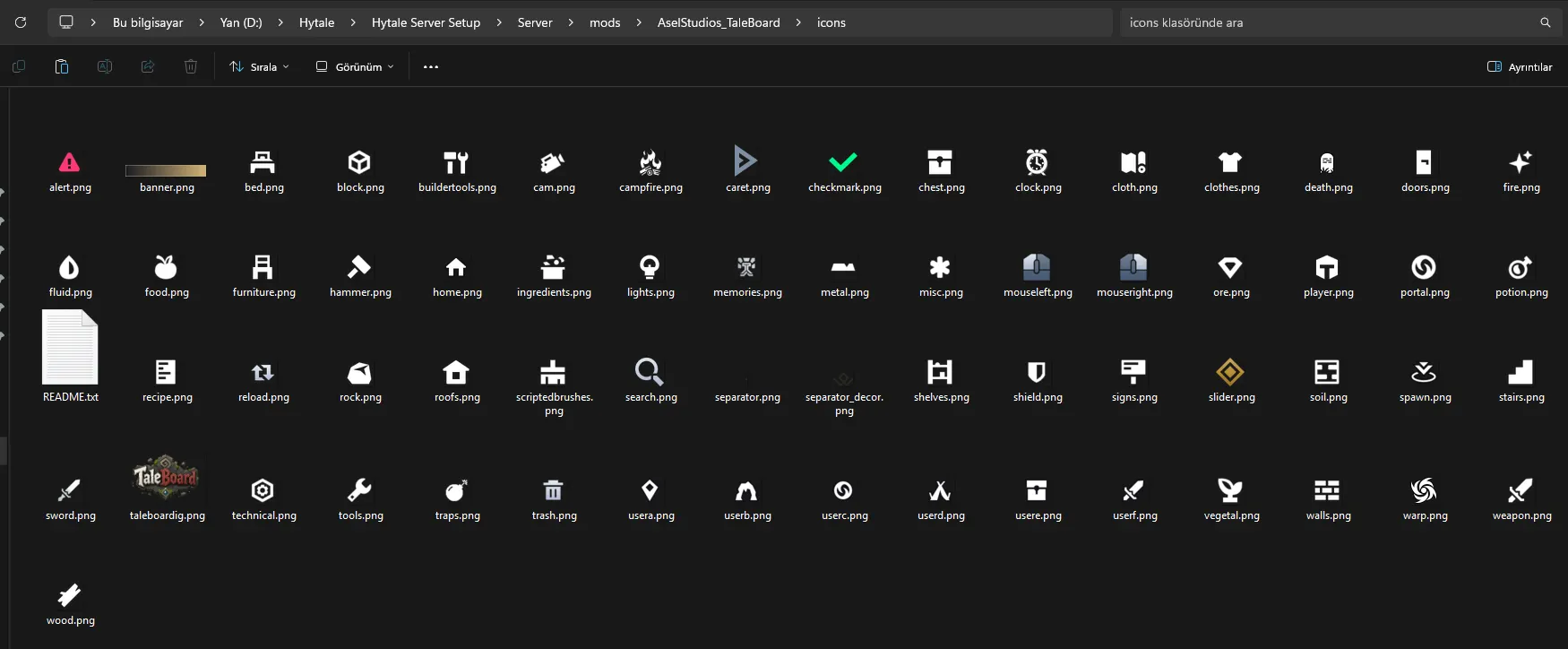
PlaceholderAPI Support
- Supports both %placeholder% and {placeholder} styles
- Drop in balances, ranks, stats, kills, playtime, anything an expansion provides
- Fully optional, built in placeholders work on their own with no PlaceholderAPI installed
Built In Placeholders
- {player} player name
- {ping} player ping with ms
- {world} current world
- {online} players online
- {x} {y} {z} player position
- {time} and {date}
- {uuid} player UUID
Per World Scoreboards
- Give each world its own board, or let every world share the default
- Wildcard world names: minigame* matches minigame_151524 and every other randomly named minigame world
- Patterns like lobby or game* are supported too
- Exact world names always win over wildcards, and unknown worlds simply fall back to the default board
- Switch between the default board and any world board right inside the editor

Per Player Toggle
- Players turn their own scoreboard on or off, and the choice is saved automatically
- Admins can show or hide the board for any player
- Server owners set the default for new players
Live Reload
- Edit in the in game editor and Save, or edit the files and run
/board reload, everything applies without a restart - A bad config edit never takes the board down, the last working setup keeps running until you fix it
Commands and Permissions
Player Commands
Permission: taleboard.use- /board = Toggle your own scoreboard. (aliases: /sb, /tb, /scoreboard)
- /board on = Show your scoreboard
- /board off = Hide your scoreboard
- /board toggle = Toggle your scoreboard
Admin Commands
Permission: taleboard.admin- /board editor = Open the in game visual editor (alias: /board ed)
- /board reload = Reload the config, messages and icons
- /board show = Show the scoreboard for a player
- /board hide = Hide the scoreboard for a player
Pairs Perfectly With
- PlaceholderAPI (WiFlow or HelpChat): put a player's balance, rank, stats, playtime or anything else from your other plugins right on the scoreboard.
Installation
- Drop TaleBoard.jar into your server's mods folder.
- Optional: add PlaceholderAPI to use external placeholders.
- Start the server to create TaleBoard.json, messages.json and the icons folder.
- Run /board editor in game to build your board point and click, or edit TaleBoard.json by hand.
- Optional: drop your own PNG icons into the icons folder, or panel frames into the frames folder.
- Hit Save in the editor, to apply changes without restarting.


