
Minecraft Calendar continuation of the old TheTime plugin.
FEATURES
- Fully customizable events that take place on specified days, months;
- Time synchronization (noon real-time - noon in-game);
- Highly customizable, simple & easy to use;
- Time manipulation via commands;
- New day messages, titles, subtitles;
- Simple configuration;
- Custom placeholders;
- PlaceholderAPI support;
- Daily rewards;
- Configurable reward months and days;
- Console and player sending commands for rewards;
- Various actions additionally to command sending;
- Automatic command execution on events or new days;
- Option to use real world time and have real-time calendar;
- HEX color support;
Base command & reload:
/venturacalendar reload
Time manipulation:
/venturacalendar <add/subtract><sec/min/h/d/weeks> <amount>
Set starting year without editing config:
/venturacalendar set startyear <year>
Set the starting date in the config. (resets the world time)
/venturacalendar set date <YYYY/MM/DD>
Calendar GUI command:
/calendar
Real-time calendar:
/calendar realtime
PERMISSIONS
Permission to the base command:
venturacalendar.command.venturacalendar
Permission to the reload the config:
venturacalendar.command.reload:
Permission to open the calendar:
venturacalendar.command.calendar
Permission to manipulate time using add/subtract/set:
venturacalendar.command.changetime
Permission to open real-time calendar:
venturacalendar.calendar.realtime
You can find more information in the wiki:
Usage · M0diis/VenturaCalendar Wiki (github.com)
CONFIGURATION
There are multiple configuration files, most of the configuration is self explanatory and does not require a lot of understandment.
To setup the a Time System you should first understand what it does.
The Time System will be used to calculate the date, it provides information about the length of the different time units like seconds, minutes, hours, etc.
It also provides information about your eras and about the different names of the days and months, so it's the most important part of the configuration.
For more information on configuration, go to VenturaCalendar Github wiki page:
Configuration · M0diis/VenturaCalendar Wiki (github.com)
DEPENDENCIES
PlaceholderAPI | Optional
PLACEHOLDERS
You can use the following placeholders with PlaceholderAPI:
- %venturacalendar_month_<month-name>_season%
- %venturacalendar_month_<month-name>_days%
- %venturacalendar_event_<event-config-name>_start%
- %venturacalendar_event_<event-config-name>_end%
- %venturacalendar_event_<event-config-name>_description%
- %venturacalendar_newday_message%
- %venturacalendar_actionbar_message%
- %venturacalendar_date_event_name%
- %venturacalendar_date_event_description%
- %venturacalendar_date_tick%
- %venturacalendar_date_second%
- %venturacalendar_date_minute%
- %venturacalendar_date_hour%
- %venturacalendar_date_day%
- %venturacalendar_date_day_name%
- %venturacalendar_date_dayofweek%
- %venturacalendar_date_week%
- %venturacalendar_date_month%
- %venturacalendar_date_month_name%
- %venturacalendar_date_season_name%
- %venturacalendar_date_year%
- %venturacalendar_date_era%
- %venturacalendar_date_era_name%
API
The plugin currently has several events that are dispatched.
You can find some examples below. The rest is on github wiki.
API · M0diis/VenturaCalendar Wiki (github.com)
MonthEventDayEvent
Event is called when the new day (at 00:00) has some event scheduled on it.
Java:
 @EventHandler
 public void onEventDay(MonthEventDayEvent event)
 {
    MonthEvent event = event.getMonthEvent();
 }
NewDayEvent
Event is called on every new day. (at 00:00)
Java:
@EventHandler
public void onNewDay(NewDayEvent event)
{
    TimeSystem timeSystem = event.getTimeSystem();
}
CalendarClickEvent
Event is called when player clicks on an item in the GUI.
Java:
@EventHandler
public void onCalendarClick(CalendarClickEvent event)
{
    Player player = event.getPlayer();
    ItemStack item = event.getItem();
    Calendar calendar = event.getCalendar(); // The GUI itself
}
METRICS
VenturaCalendar collects anonymous server statistics through bStats, an open-source statistics service for Minecraft software.
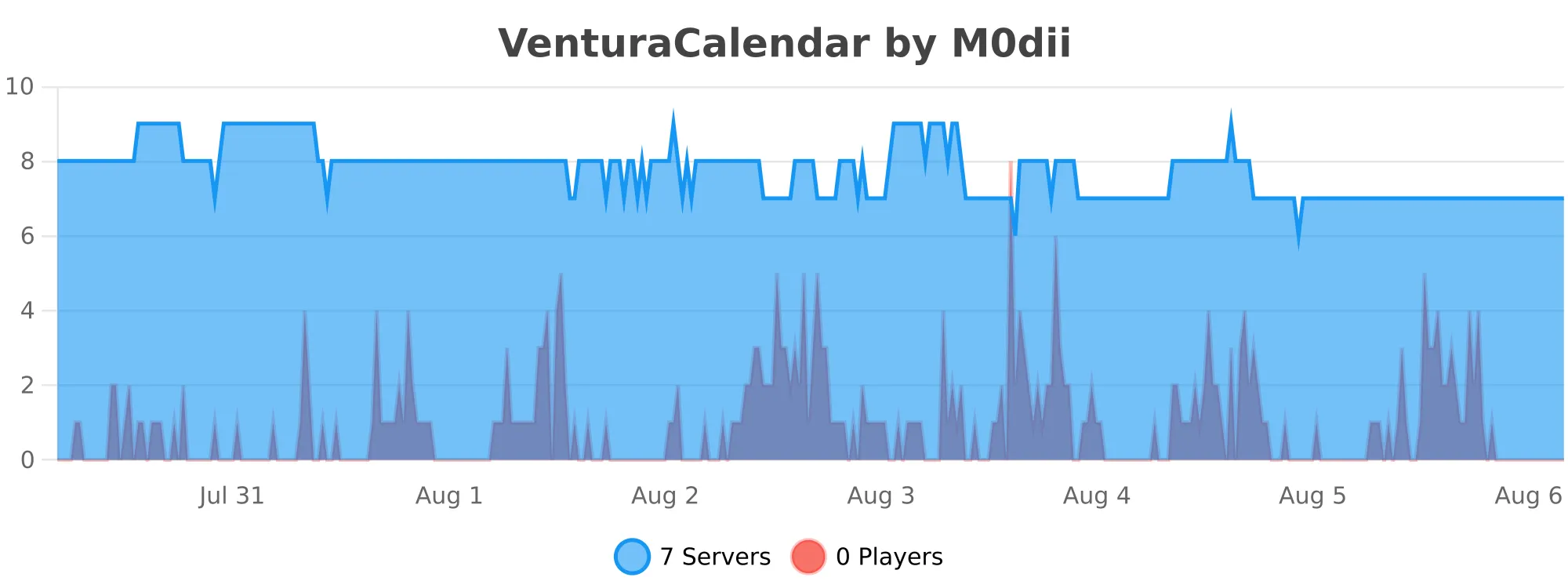
If you'd like to disable metrics collection via bStats, you can edit the /plugins/bStats/config.yml file

