 xnPlots | Plot Management System
► Overview
Are you looking for the ultimate land-claiming solution for your classic Survival server? xnPlots is a highly optimized, feature-rich plot system designed to give your players complete control over their land without the hassle of complex wand selections.
► Plugin Features
Native Multi-Language System (US, DE, PL)
Expand your player base globally. The plugin automatically generates a
lang folder with pre-translated files for English (US), German, and Polish. You can easily translate the plugin to any other language—including the entire GUI!Advanced Database Support
Whether you're running a single server or a multi-realm BungeeCord network, xnPlots has you covered. Use the default, plug-and-play local SQLite database, or connect it to your central MySQL server for shared data synchronization.
Interactive Plot Upgrades
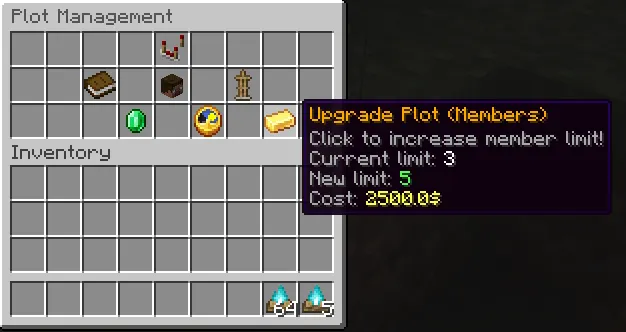
Keep your economy flowing! Hooked directly into Vault, players can spend their hard-earned in-game money to:
- Upgrade the physical size of their plot (e.g., from 20x20 to 100x100).
- Increase the maximum member limit.
- Pay for plot duration extensions to prevent their land from expiring.
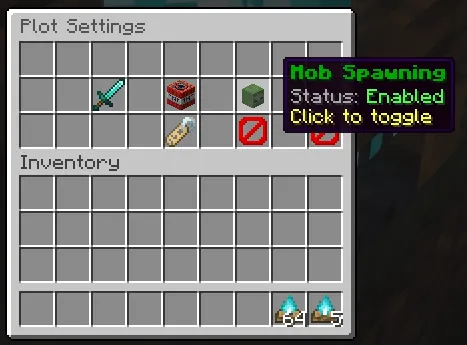
Ultimate Protection & Flags
Every plot is safe by default, but owners have the freedom to customize their experience via the GUI:
- Toggle PvP combat.
- Toggle TNT & Creeper explosions.
- Toggle custom Mob Spawning.
- Blocks ender pearl and chorus fruit glitching.
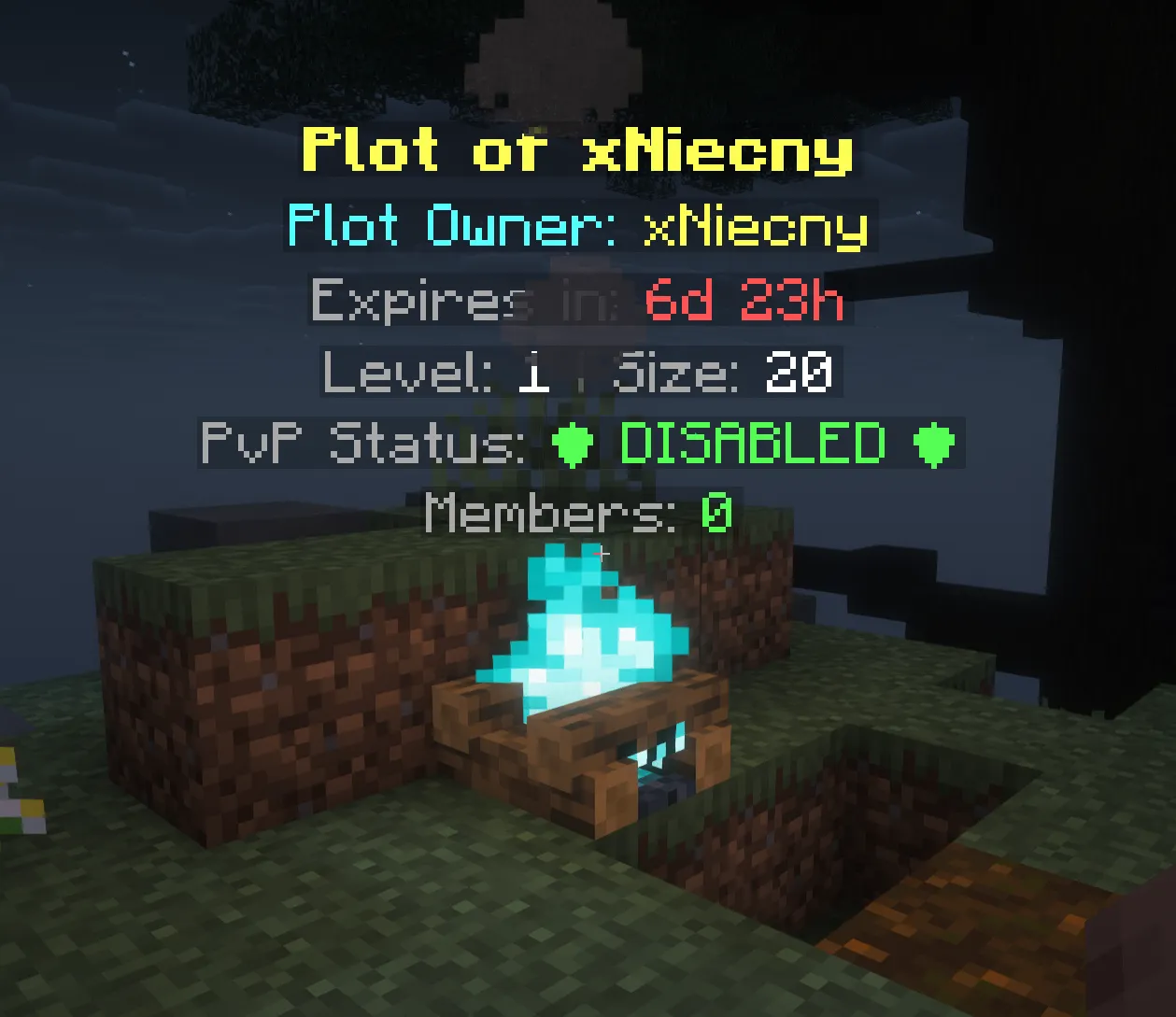
- The center Plot Block is immune to fire/campfire damage to protect players!
Member & Ban Management
Plot owners can easily add friends or ban griefers using the interactive Player Heads menu. Banned players are immediately pushed out of the plot borders with a custom velocity vector and cannot re-enter.
► Requirements
 Required Dependencies
You MUST install these for the plugin to work:
- Vault (Economy Support): Download Here
- PlaceholderAPI (Optional - Placeholders support): Download Here
Select only one!
- DecentHolograms (Hologram Support): Download Here
- FancyHolograms (Hologram Support): Download Here
- EssentialsX: https://essentialsx.net/downloads.html
 Commands & Permissions
Player Commands:
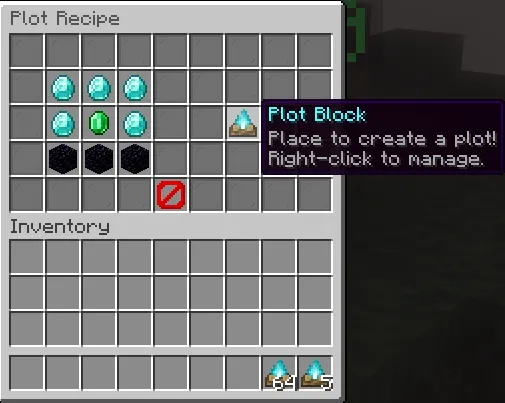
/plot- Opens the main management GUI. (Requires: dzialki.use)/plot recipe- Shows the interactive crafting guide. (Requires: dzialki.use)/plot home- Teleports you to your plot center. (Requires: dzialki.use)
Admin Commands:
/plot reload- Reloads all configurations and language files. (Requires: dzialki.admin)/plot delete [player]- Forcefully removes a player's plot. (Requires: dzialki.admin)/plot tp [player]- Teleport to any plot on the server. (Requires: dzialki.admin)
Detailed Permission Nodes:
- dzialki.use - Basic access for survival players (Default).
- dzialki.admin - Full bypass of plot protections and access to all GUI menus.
- dzialki.limit.X - (Optional) Define how many plots a player can own.
PlaceholderAPI Support:
xnPlots provides extensive placeholders to use on your Scoreboards or chat formatting!
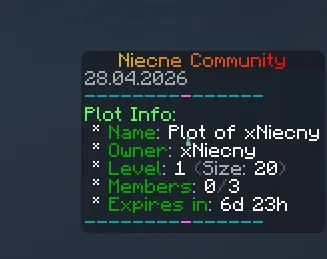
%dzialki_owner%- Displays the name of the plot owner at the player's location.%dzialki_name%- Shows the custom name given to the plot (defaults to owner's name).%dzialki_level%- Current expansion level of the plot.%dzialki_size%- The physical radius/size of the protected area.%dzialki_is_member%- Returns Yes or No depending on player's access to the plot.%dzialki_time_left%- Dynamic countdown showing exactly when the plot will expire (e.g., 2d 5h).%dzialki_members_count%- Current number of added members.%dzialki_max_members%- The total member limit for the current plot level.
► Complete Customization Everything is yours to change. Define exactly what item is used to create a plot, customize the crafting recipe shape, set minimum distances between claims, and completely restyle the visual borders (particle effects) that appear when players walk near the edge of their territory.
 How to get your FREE License Key
To prevent abuse, the plugin requires a free license key. The setup is quick and fully automated!
Step-by-step guide:
- Join our Discord server: Click Here
- Type the command
/syncto securely link your account. - Go to our website: niecnecommunity.pl
- Open the dashboard and generate your unique license key for your server.
- Paste the key into your
config.ymlunderlicense:and you're ready to go!


