Hot Summer Deals are Here!
Celebrate with up to 99% off on 17,600 resources
02
Days
05
Hours
08
Mins
46
Secs

Discord Desktop Application [IDEAS]

Status
This thread has been locked.

Medi

Bot Developer
Premium
Feedback score
27
Posts
393
Reactions
171
Resources
1
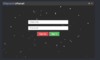
Alright team... I'm currently back in the works of working on desktop applications... My first one being semi-successful (BTC+). I have decided to go ahead and code something in which will most likely be used by everyone in this community.... A desktop application that integrates with discord that will allow you to do things such as turn a bot you have access to on or off... I know that idea alone is not very needed, hence why Ive come to the feedback section here for you guys to give me some of your ideas as to what you might like to see... So far the application requires you to create an account. This is the preview;

upload_2019-2-27_0-20-56.png


Any suggestions you have as far as suggested features or UI updates... Drop em below <3
 

Attachments

  • upload_2019-2-27_0-20-56.png
    upload_2019-2-27_0-20-56.png
    22.4 KB · Views: 81
Last edited:
PebbleHost
High performance, consistent uptime and fast support. Minecraft hosting that just works.

Satan

Devil#0666
Supreme
Feedback score
52
Posts
3,667
Reactions
1,442
Resources
0
Perhaps consider having different windows/tabs on the application so its easy to sift through multiple accounts you're logged into. Using discord's app or browser requires you to have different browsers/phones to login to each of your discord accounts.

I know that I would use this for my two accounts, the main zDrakon and my Devil one. I always have to switch/compromise between going zDrakon and Devil on app and browser respectively.

You don't need to recreate discord into the application, just allowing each account to chat in a server's channels or DMs. No need to give capabilities of what the client app does for changing roles, server regions, etc.
 

Medi

Bot Developer
Premium
Feedback score
27
Posts
393
Reactions
171
Resources
1
Perhaps consider having different windows/tabs on the application so its easy to sift through multiple accounts you're logged into. Using discord's app or browser requires you to have different browsers/phones to login to each of your discord accounts.

I know that I would use this for my two accounts, the main zDrakon and my Devil one. I always have to switch/compromise between going zDrakon and Devil on app and browser respectively.

You don't need to recreate discord into the application, just allowing each account to chat in a server's channels or DMs. No need to give capabilities of what the client app does for changing roles, server regions, etc.
Logging in doesnt log you into your Discord account.
I didnt really intend on adding semi basic features such as user management , It was going to be more of a control panel for bots. But I will look into a few of those. Thanks for the feedback.
 

Satan

Devil#0666
Supreme
Feedback score
52
Posts
3,667
Reactions
1,442
Resources
0
I didnt really intend on adding semi basic features such as user management , It was going to be more of a control panel for bots. But I will look into a few of those. Thanks for the feedback.
For bots, most people goto hosts for their bot to be hosted 24/7 since they can't afford to leave their personal PC and laptop on 24/7 without losing connection/wifi, this is just my opinion.

I think a user oriented desktop cpanel is the way to make this at least somewhat useful instead of replicating what Pterodactyl panel does for most hosts that offer discord bot hosting now.
 

Medi

Bot Developer
Premium
Feedback score
27
Posts
393
Reactions
171
Resources
1
For bots, most people goto hosts for their bot to be hosted 24/7 since they can't afford to leave their personal PC and laptop on 24/7 without losing connection/wifi, this is just my opinion.

I think a user oriented desktop cpanel is the way to make this at least somewhat useful instead of replicating what Pterodactyl panel does for most hosts that offer discord bot hosting now.

Yeah there really wont be too much you can do VIA bot management. Im going to look into your suggestions. Thanks.
 

tiehm

Developer
Supreme
Feedback score
7
Posts
687
Reactions
455
Resources
0
Perhaps consider having different windows/tabs on the application so its easy to sift through multiple accounts you're logged into. Using discord's app or browser requires you to have different browsers/phones to login to each of your discord accounts.

I know that I would use this for my two accounts, the main zDrakon and my Devil one. I always have to switch/compromise between going zDrakon and Devil on app and browser respectively.

You don't need to recreate discord into the application, just allowing each account to chat in a server's channels or DMs. No need to give capabilities of what the client app does for changing roles, server regions, etc.
Great idea for testing purposes! I think I will create such a thing xd.
 

Medi

Bot Developer
Premium
Feedback score
27
Posts
393
Reactions
171
Resources
1
For bots, most people goto hosts for their bot to be hosted 24/7 since they can't afford to leave their personal PC and laptop on 24/7 without losing connection/wifi, this is just my opinion.

I think a user oriented desktop cpanel is the way to make this at least somewhat useful instead of replicating what Pterodactyl panel does for most hosts that offer discord bot hosting now.

This is just an example of some further progress being made for anymore suggestions you guys have... This is after successfully logging in.

upload_2019-2-27_5-0-11.png
 

Attachments

  • upload_2019-2-27_5-0-11.png
    upload_2019-2-27_5-0-11.png
    17.2 KB · Views: 55
Status
This thread has been locked.
Top