Fixes
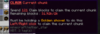
- Added text "Must be holding a Golden shovel to do this" (You must hold a golden shovel when using the claim current chunk feature)
![]()
What's new
Fixes
- New GUI design [Nature theme]
- Dynamic Night/Day Design [Style changes when player's world time changes]
# All the special plugins to setup this theme has been provided in "Plugins + Configs" folder and "What's New" folder #
- Fixed placeholders
- Removed unwanted placeholders
——————————————————————————
Installation Nature theme
——————————————————————————
1) Purchase the resource from MC-MARKET
2) Download GriefPrevention, Vault, CommandPrompter, GriefPreventionFlags and PlaceholderAPI to your Spigot or Paperspigot server
* GriefPrevention: https://www.spigotmc.org/resources/griefprevention.1884
* Deluxemenus: https://www.spigotmc.org/resources/deluxemenus.11734/
* Luckperms: https://www.spigotmc.org/resources/luckperms.28140/
* Vault: https://dev.bukkit.org/projects/vault
* CommandPrompter: https://www.spigotmc.org/resources/commandprompter.47772/
* GriefPreventionFlags: https://www.spigotmc.org/resources/griefprevention-flags.55773/
* PlaceholderAPI: https://www.spigotmc.org/resources/placeholderapi.6245/
### IMPORTANT ###
* Skript: https://github.com/SkriptLang/Skript/releases
* Skript placeholderapi addon: https://github.com/APickledWalrus/skript-placeholders/releases/tag/1.5
### IMPORTANT ###
3) Copy Deluxemenus folder from "Nature theme" folder in to your plugins folder.
————————————————————
Available GUIs
————————————————————
* GriefPrevention main menu
* GriefPrevention Trust menu
* GriefPrevention Block buy menu
* GriefPrevention Upgrade menu
- GriefPrevention Upgrade PVP menu
- GriefPrevention Upgrade Raid menu
- GriefPrevention Upgrade Entry menu
- GriefPrevention Upgrade Exit menu
- GriefPrevention Upgrade Block player menu
——————————————————
4) Download and install Placeholders and setting up custom placeholder
## PlaceholderAPI PLACEHOLDERS ##
Installation placeholders Via command
* /papi ecloud download player
* /papi ecloud download statistic
* /papi ecloud download vault
* /papi ecloud download luckperms
* /papi reload or restart the server
Manual Installation
* GriefPrevention expansion
- Download GriefPrevention expansion
* https://www.spigotmc.org/resources/griefprevention-expansion.44640/
- And add the expansion in your placeholderapi expansion folder
** Or you can just copy and paste the placeholderapi folder to your plugins folder it will install all the expansions **
## PlaceholderAPI PLACEHOLDERS ##
## CUSTOM PLACEHOLDER INSTALLATION ##
1) Install Skript and skript-placeholders
* Skript: https://github.com/SkriptLang/Skript/releases
* Skript placeholderapi addon: https://github.com/APickledWalrus/skript-placeholders/releases/tag/1.5
2) Copy and paste time.sk in your "plugins/Skript/scripts" folder
3) Reload skript or restart server ( /skript reload time.sk )
## CUSTOM PLACEHOLDER INSTALLATION ##
5) Restart server
6) Commands:
/claims