POLYGON Anti-Exploit
Server-authoritative security with a lightweight, text-driven admin dashboard.
Server-authoritative security with a lightweight, text-driven admin dashboard.
POLYGON is a professional-grade anti-exploit suite for Roblox experiences. It focuses on absolute server authority, zero performance overhead, and real-time configurability.
Unlike other systems that rely on fragile client-side scripts, POLYGON does all monitoring, validation, and enforcement on the server. If a client attempts to bypass the checks, the server instantly rolls back their physics, flags their account, and alerts admins.
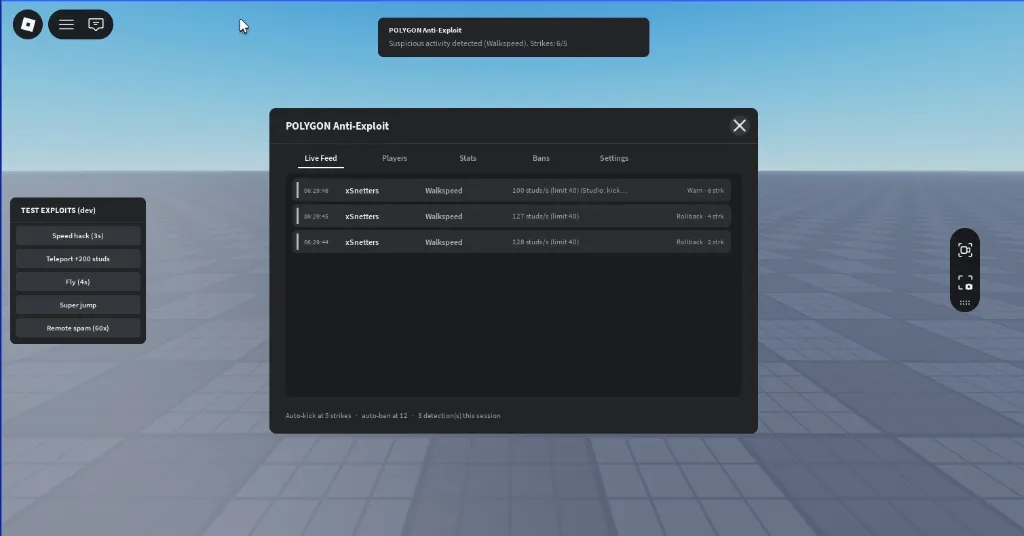
Why POLYGON?
- Pure Server Authority: All calculations, physics verification, and bans are computed server-side.
- In-Game Admin Dashboard Trimmed of Clutter: Pure text and clean spacing make it highly optimized for performance and screen space.
- Developer-First Workflow: Includes a built-in test panel to safely simulate hacks on yourself. Studio playtests automatically bypass kicks and bans so you can test features without getting locked out.
Core Detections
- Walkspeed: Catches speed hacks using sample-rate velocity tracking with configurable lag tolerance.
- Teleportation: Flags sudden, impossible coordinate deltas in a single heartbeat.
- Fly / Noclip: Tracks airborne time and uses raycasts to verify players are not flying or passing through solid walls.
- Humanoid Tampering: Detects client-side changes to WalkSpeed, JumpPower, JumpHeight, or HipHeight, and immediately resets them.
- Remote Spam: Implements a sliding-window rate-limiter on every RemoteEvent in your experience.
- Invalid Animation: Blocks execution of custom, non-whitelisted animations.
- Alt Account Flag: Automatically warns or logs players whose account age is below your configured threshold.
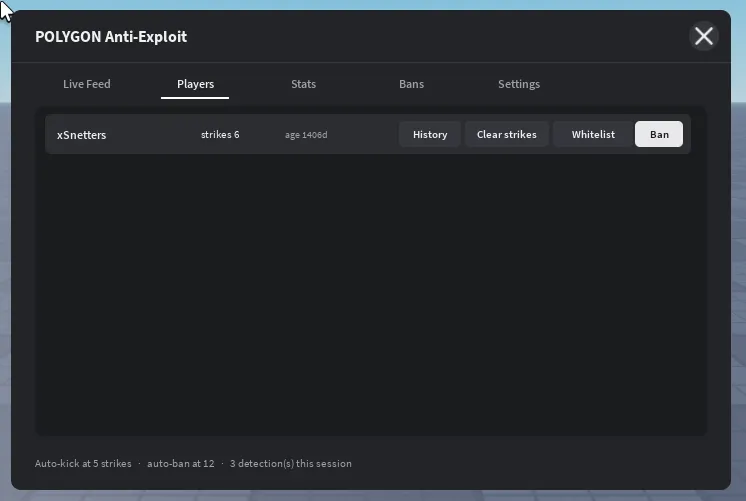
Admin Dashboard Features
- Live Feed: Real-time chronological alerts detailing player name, detection type, severity, and action taken.
- Player Management: Inspect active players, view their strike history, toggle session whitelists, or execute manual bans.
- Visual Statistics: View aggregated session stats showing which exploits are triggered most frequently and how the system reacted.
- Live Settings Configuration: Enable or disable specific modules instantly via toggle buttons without restarting servers.
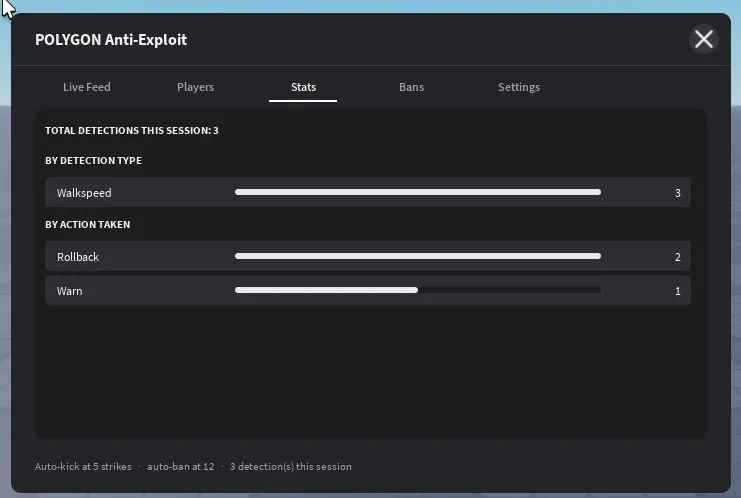
Live Settings Panel
You can toggle modules on or off live in-game. Changes apply instantly to all active game servers.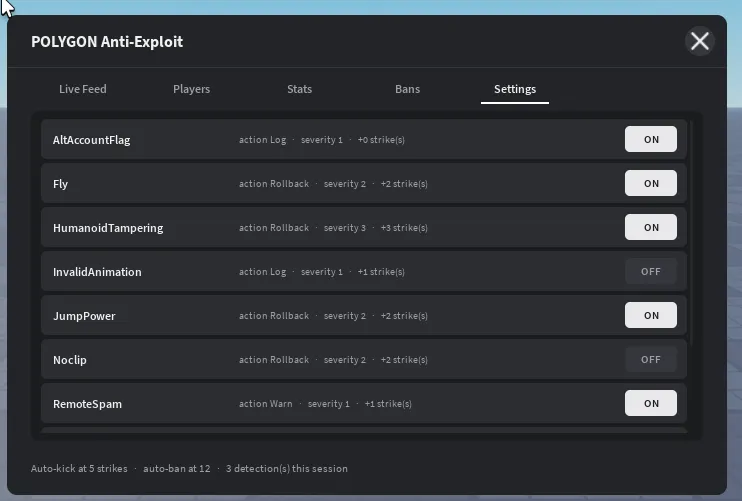
Setup in 3 Steps
- Drag the POLYGON Anti-Exploit folder into ServerScriptService.
- Open AntiExploitConfig and add your group IDs or user IDs to the admin list.
- (Optional) Insert your Discord webhook URL in the config for automated alert embeds.

