 xnChat | The Ultimate Chat Management Plugin
 Multi-Language | Stream Alerts | Broadcasts | Bossbars | Anti-Spam
► Overview & Why You Need xnChat
Are you tired of downloading five different plugins just to manage your Minecraft server's chat, announce live streams, and send global broadcasts? xnChat is a premium, highly optimized, all-in-one chat management solution built specifically for Spigot/Paper servers.
Designed with both server performance and player experience in mind, xnChat gives server owners complete control over text communication. Whether you run a hardcore survival server, a massive minigame network, or a friendly SMP, this plugin guarantees a clean, spam-free, and engaging chat environment. With native multi-language support, you can cater to an international player base effortlessly!

► Comprehensive Core Features
Native Multi-Language System (SEO Friendly & Localized)
Don't restrict your server to just one language! xnChat comes out-of-the-box with complete language files for English, German, and Polish. The plugin dynamically generates a
lang folder. You can easily create infinite custom .yml language files and switch between them instantly in the config.Advanced Chat Moderation & Anti-Spam
Keep your community clean without lifting a finger. Our built-in moderation tools include:
- Smart Anti-Caps Filter: Define a specific percentage threshold and minimum message length to prevent players from screaming in ALL CAPS.
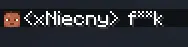
- Regex Swear Filter: A fully customizable dictionary that automatically detects and censors bad words, replacing them with asterisks (e.g.,
f***). - Custom Cooldowns: Apply global chat delays (in seconds) to prevent fast-typing bots and spammers from flooding the chat box.

Ultimate Streamer Announcements
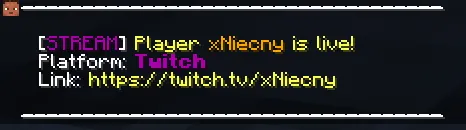
Reward your content creators and boost your server's visibility! Players with the right permissions can announce their live streams across multiple platforms (Twitch, YouTube, Kick, TikTok).
- Generates beautiful, multi-line chat announcements.
- Features clickable, interactive URL links with hover text.
- Optionally triggers a custom Server BossBar and sound effect (e.g., Level Up sound) to grab everyone's attention!
Powerful Broadcast System
Communicate with your entire server network flawlessly. xnChat allows administrators to send global announcements in various formats:
- Standard Chat Broadcasts with custom prefixes.
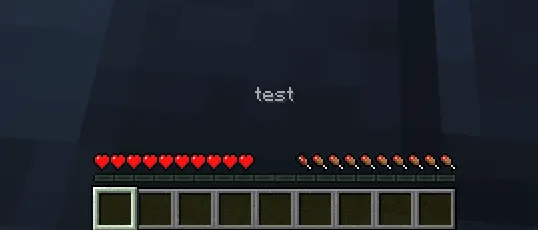
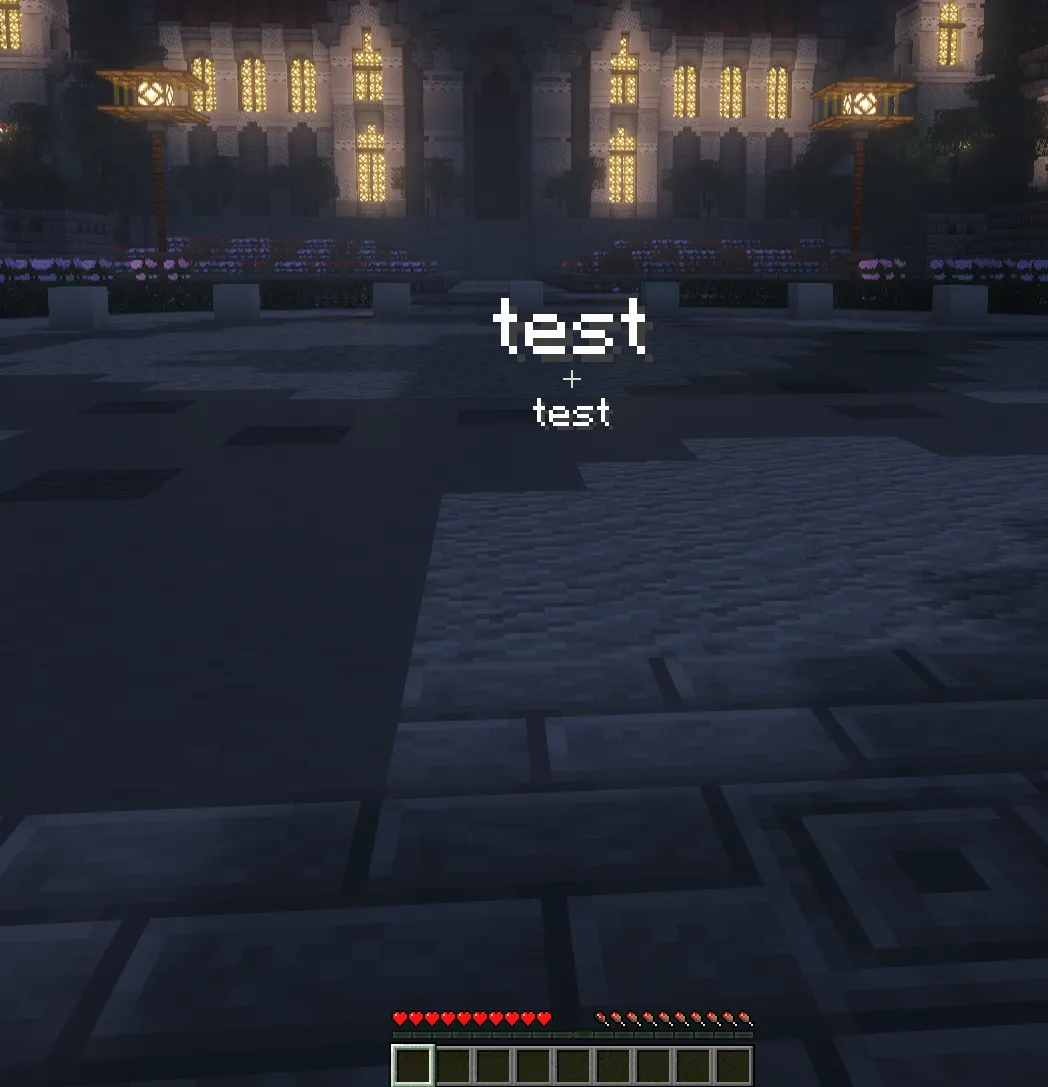
- On-screen Titles & Subtitles (with configurable fade-in/stay/fade-out ticks).
- Actionbar Messages.
- Timed Bossbars with fully customizable colors (e.g., PURPLE, RED) and styles (e.g., SOLID, SEGMENTED).
Secret Staff Chat
Staff communication made easy. No need to type long commands—simply put a tilde (
~) in front of your message to instantly route it to a private, secure Admin Chat channel visible only to your moderation team.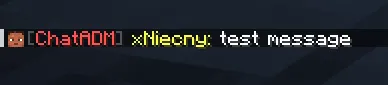
Emergency Chat Control
Is the server chat getting out of hand during an event? Use
/chat off to instantly mute the server globally. Need to wipe advertisements or spam? /clearchat pushes 150 blank lines to instantly clear the screen for all players.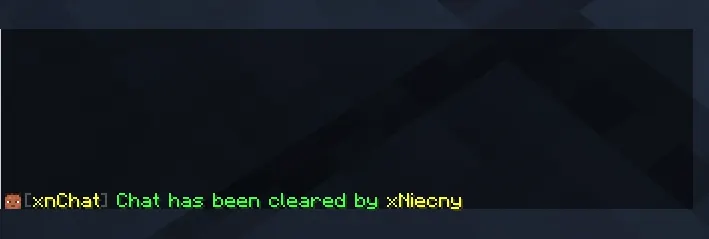
► Commands & Permissions Setup
Main Commands:
- /chat <on|off> - Toggles the global server chat. (chat.admin)
- /clearchat or /cc - Clears the chat for all players. (chat.support)
- ~<message> - Sends a message to the private Staff Chat. (chat.support)
- /broadcast <chat|title|actionbar|bossbar> <msg> - Sends an announcement. (chat.admin)
- /stream <youtube|kick|tiktok|twitch> <link> - Announces a live stream. (chat.stream)
- /chatreload - Reloads the plugin configuration instantly without lag. (chat.admin)
Bypass Permissions:
chat.bypass- Allows a player to bypass the global chat mute.chat.cooldown.bypass- Bypasses the typing cooldown delay.chat.swear.bypass- Exempts the user from the blocked words filter.chat.caps.bypass- Exempts the user from the uppercase letters filter.
 How to get your FREE License Key
To prevent abuse, the plugin requires a free license key. The setup is quick and fully automated!
Step-by-step guide:
- Join our Discord server: Click Here
- Type the command
/syncto securely link your account. - Go to our website: niecnecommunity.pl
- Open the dashboard and generate your unique license key for your server.
- Paste the key into your
config.ymlunderlicense:and you're ready to go!


