


Click Here To Purchase The Setup!

Join our test server to view and experience all our unique features yourself!
Copy the IP Adress below to start playing!
37.187.78.55:25565



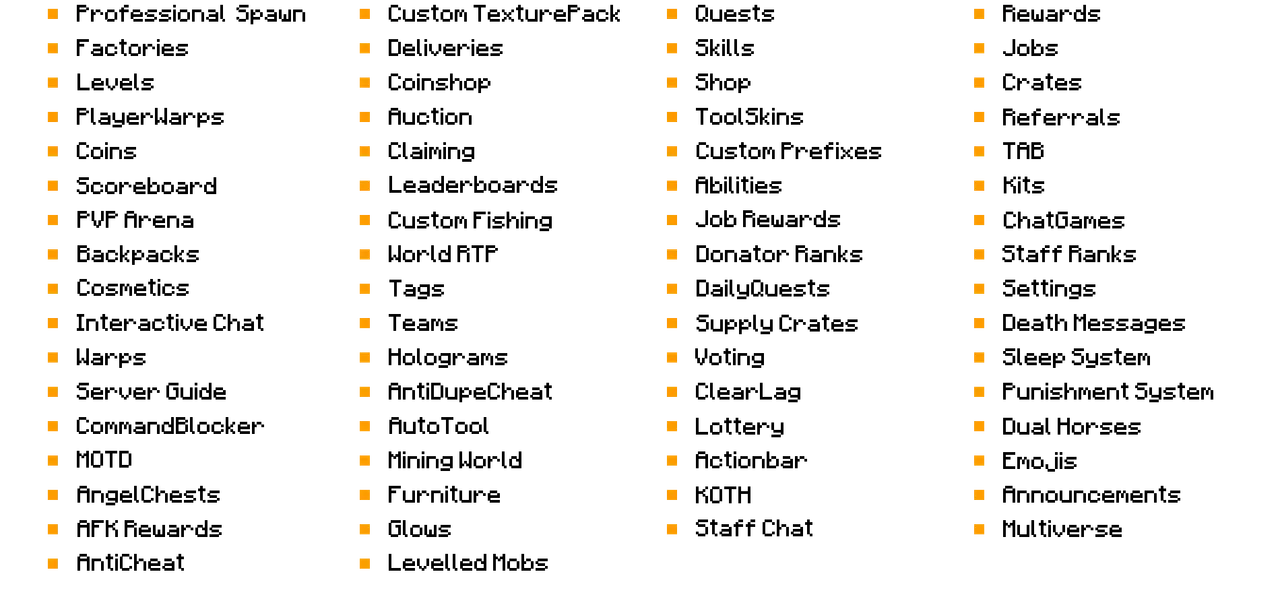

If you want a detailed run-through of all the features in the setup before joining the server, click the extension button below to view a description of all important features.

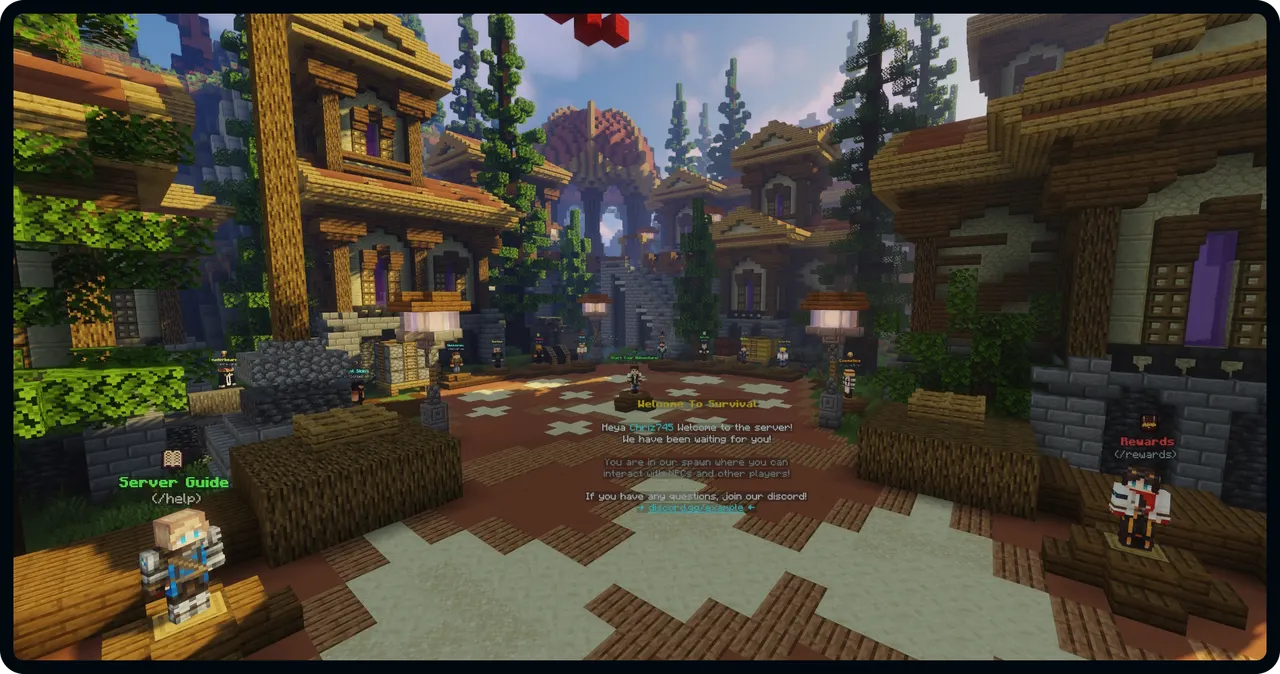
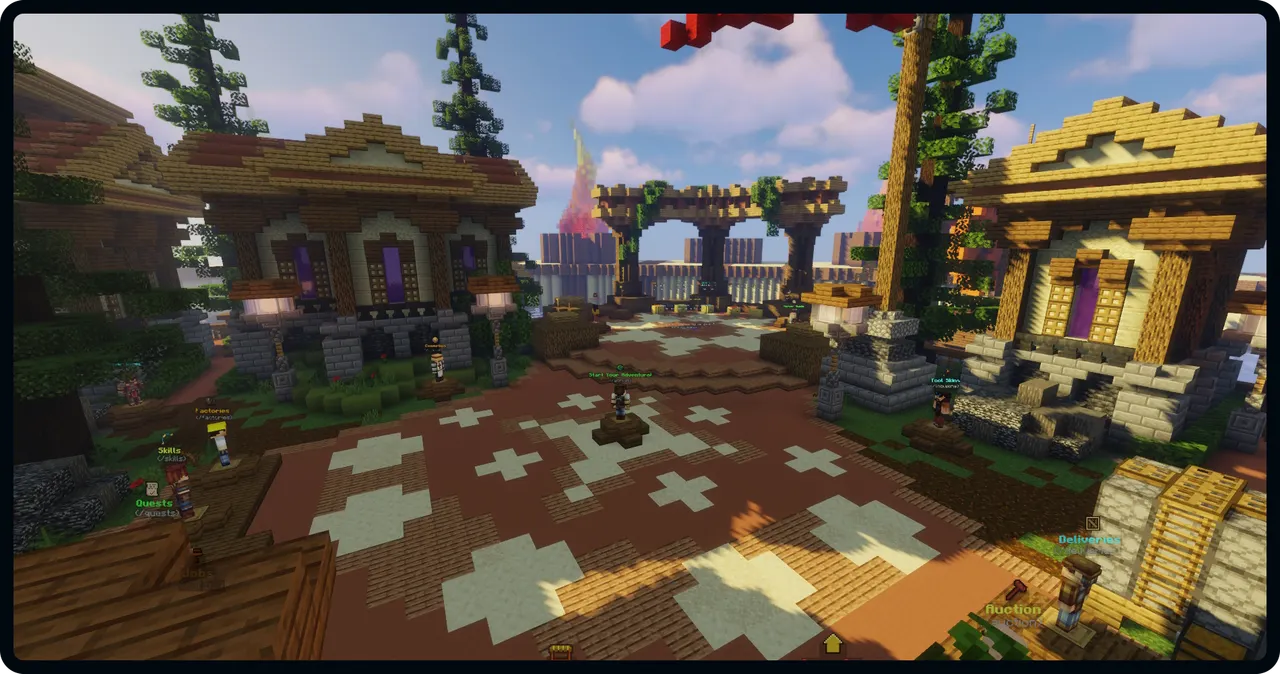
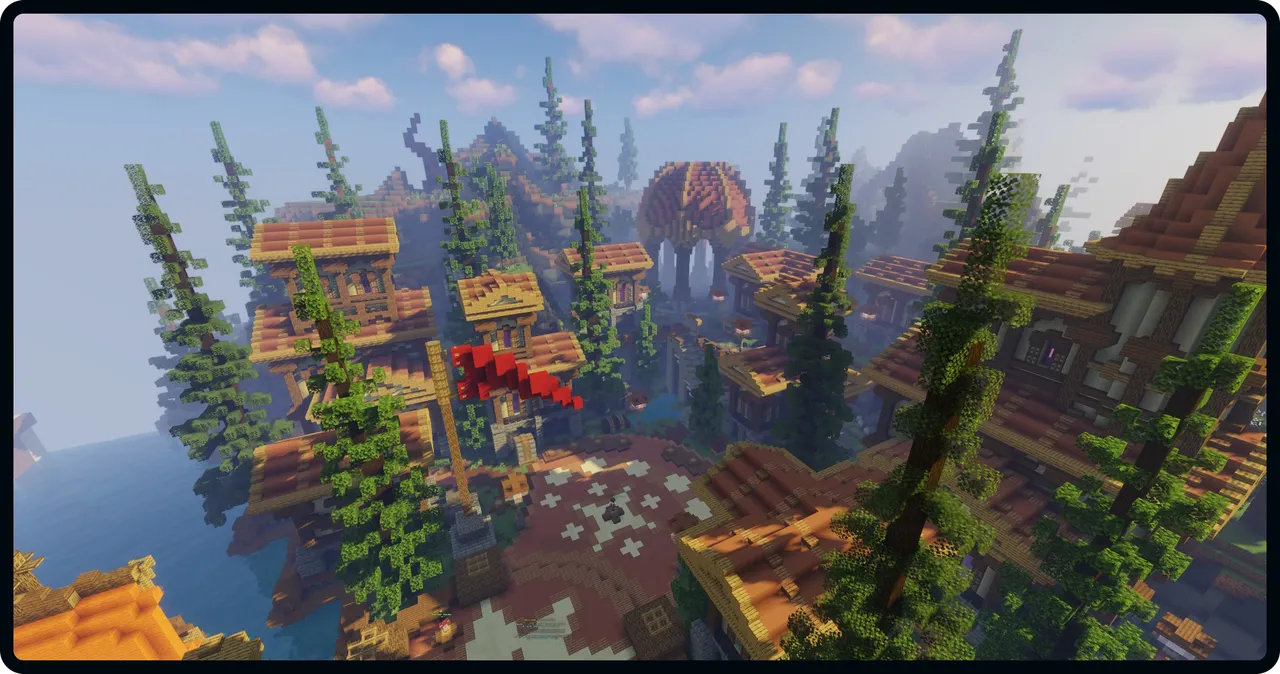
Below is the amazing spawn used for the setup. The incredible quality of the build ensures that your server appears professional.

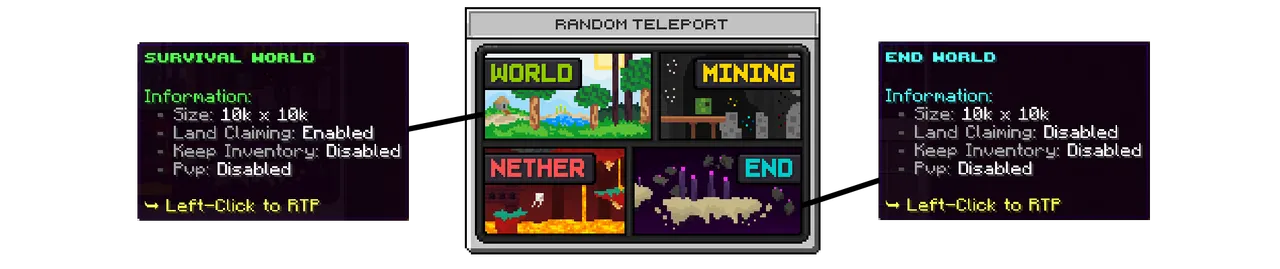
The setup includes 4 presetup worlds with access to RTP. Players can RTP to each of the 4 worlds using the beautiful custom RTP menu shown below:

Levels is a progression system where players can obtain special perks and items by playing on the server. With our unique Level XP system, you as a server owner can easily decide how players should gain Level XP. Playtime, Votes, Quests are ways players can obtain XP, but you can easily add new methods or remove existing methods.
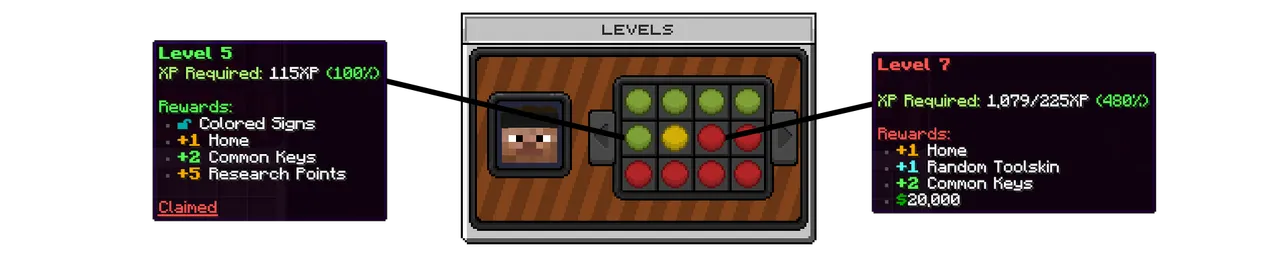
There are 24 levels within Levels playtested to ensure atleast 500 hours of playing for your players!

Jobs is a popular feature on most survival servers. Players can earn money and points from working in a job. Below is the main Jobs menu.

Players can read about all the available jobs and choose which jobs to join/leave in the Jobs Choosing Menu.
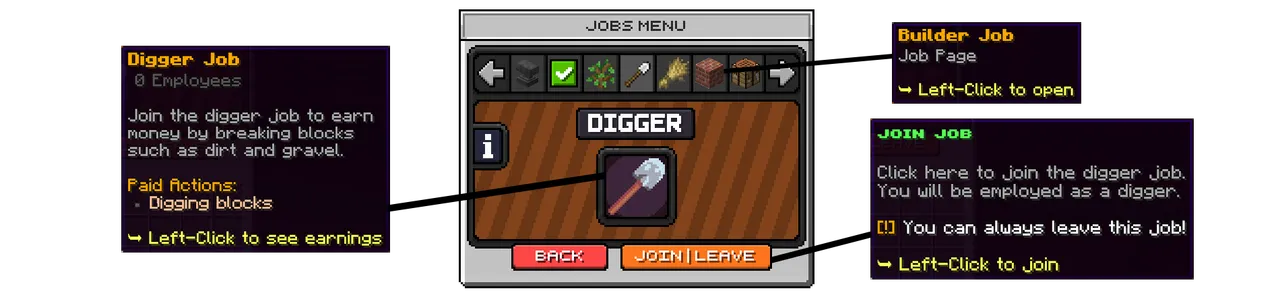
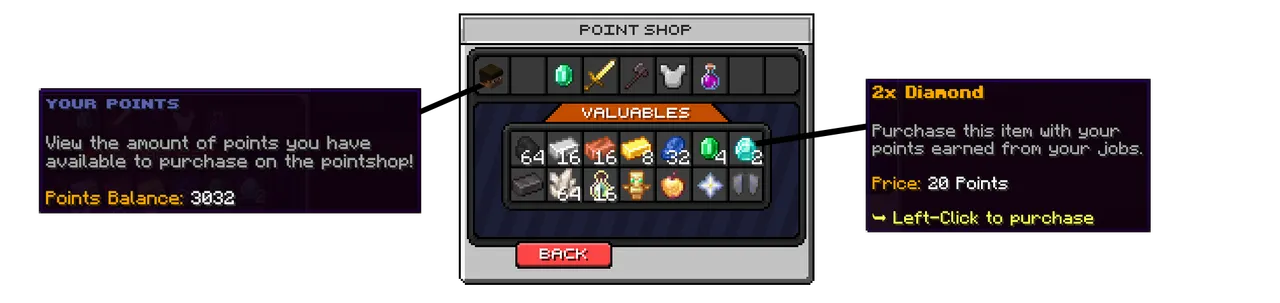
The points earned in theJobs can be spend in the Jobs Pointshop to buy valueable items. There are 5 Pointshop categories with 50+ available items.
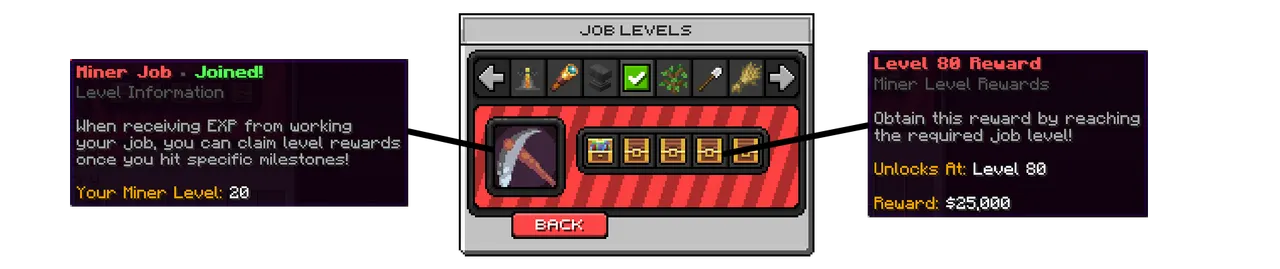
Jobs levels is a progression system inside each jobs which makes the players money income increase when the level increases. With our unique Jobs Rewards system, players are also rewarded when reaching specific level milestones.

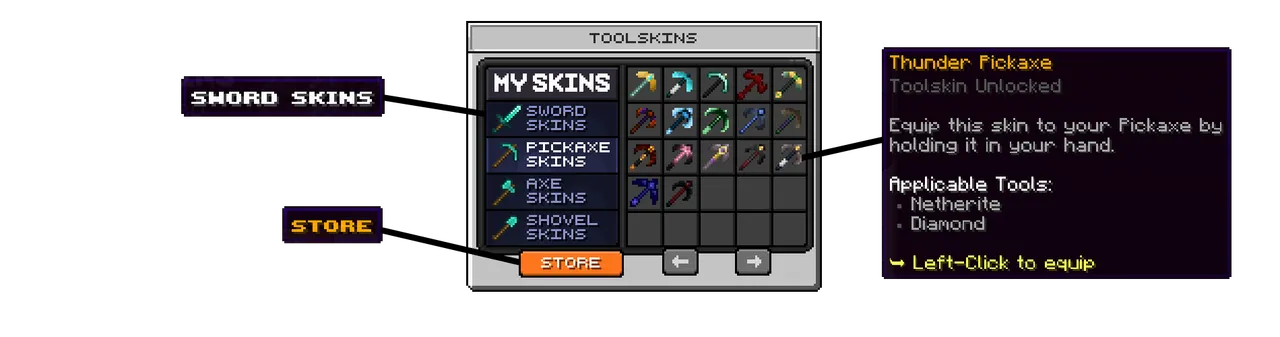
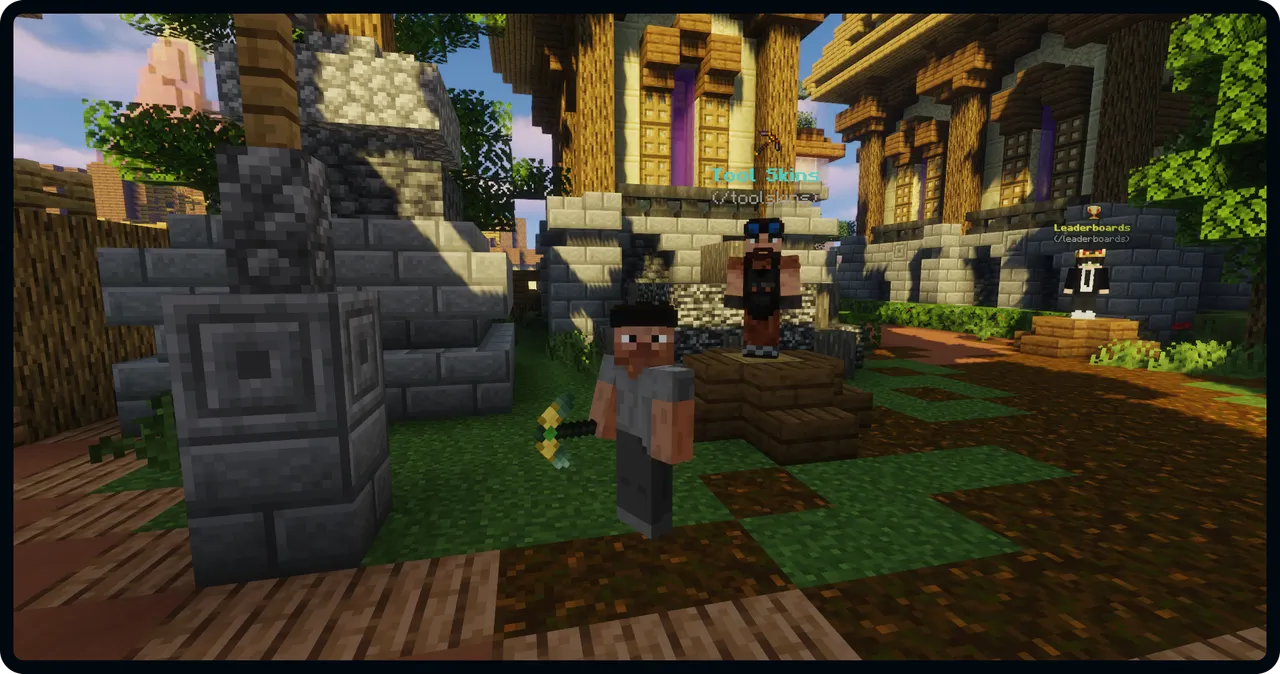
ToolSkins is a NitroSetups exclusive feature which makes it possible for players to change the skin (texture) of the tool in their hand. Players can collect all of the available skins, and choose to equip there favourite skins on their tools. (All players can see your tool)
Below is a picture of a player holding a pickaxe with a skin "Emerald" skin equipped.

Coins is the premium currency on the setup which can be spend in the CoinShop to purchase perks and other items.
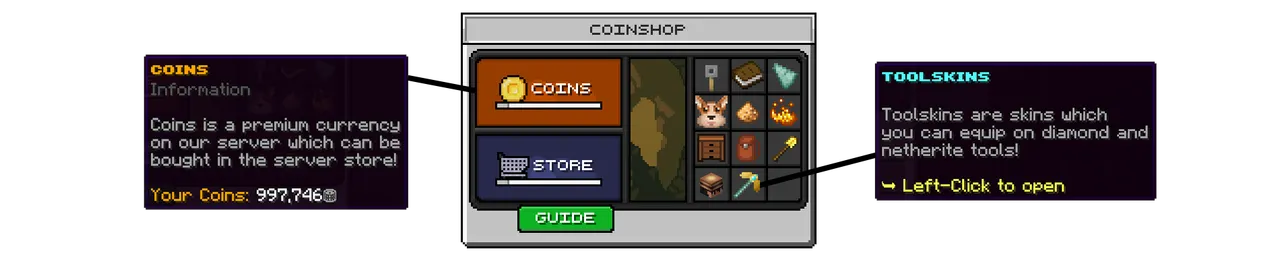
Below is an example of one of the 11 available CoinShop categories:


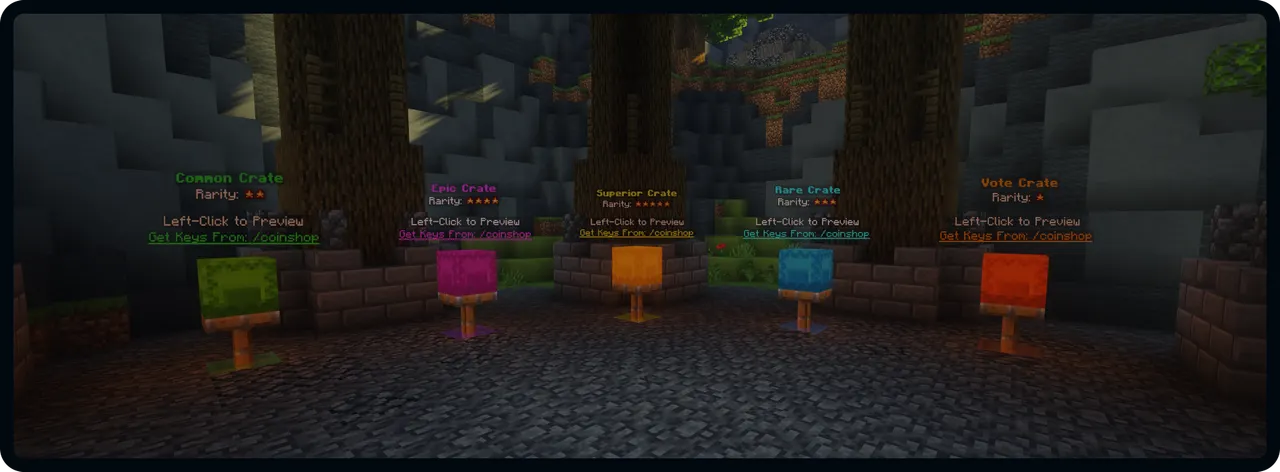
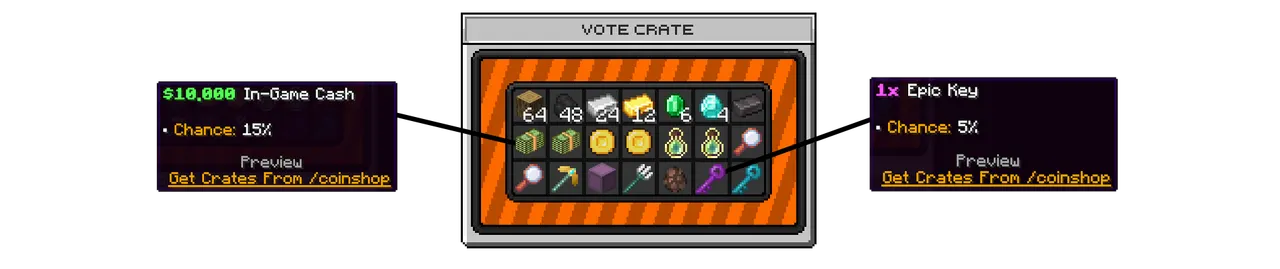
The setup includes 5 preconfigured crates in 5 different rarities: Vote, Common, Rare, Epic, Superior.

Factories is a NitroSetups exclusive feature, which brings a whole new universe into your survival server. With factories, players can produce items in a new way never seen before. You can see how it works below:
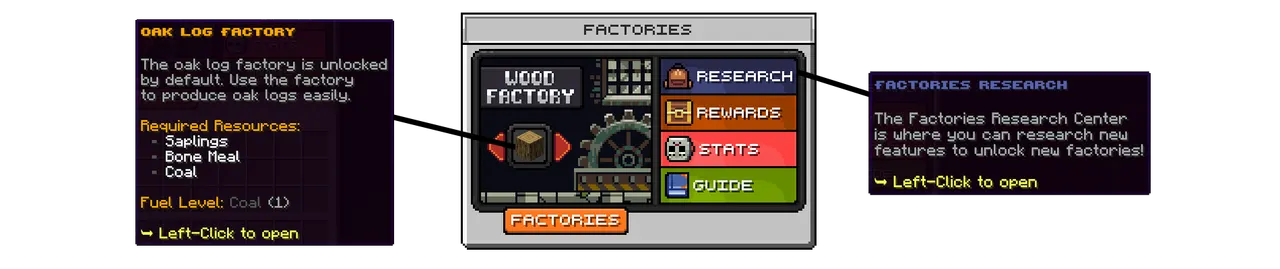

Factories is a huge feature with a lot to learn, you can learn more below:


The server guide gives new players a full guide about all the features in the setup. All of the 32 main features are explained in details in the server guides. Players can get to learn to server in more details by completing the discovery codex. (Read more about this later)

Below is the second page of the server guide:


Players can claim free rewards hourly, daily and weekly. These rewards consist of money, coins and keys.

Players can also earn rewards by referring user players to your server with out unique referral system. This will help your server grow a lot!

The main shop menu includes both the category selector and the shop categories. You can switch between the categories in the top of the menu and buy/sell the items in the bottom of the menu where you can also switch between the pages. View the video demo to get the full picture.


Deliveries is another NitroSetups exclusive feature. A new way for players to sell their items in specific bundles with greater rewards than a normal server shop. This feature is proven to make your server a lot more entertaining and unique!

Factories is a huge feature with a lot to learn, you can learn more below:

The setup includes a PVP Arena perfectly setup for PVP with CombatLog and blocked commands. The beautiful Arena Build makes for a professional appearance of your server.
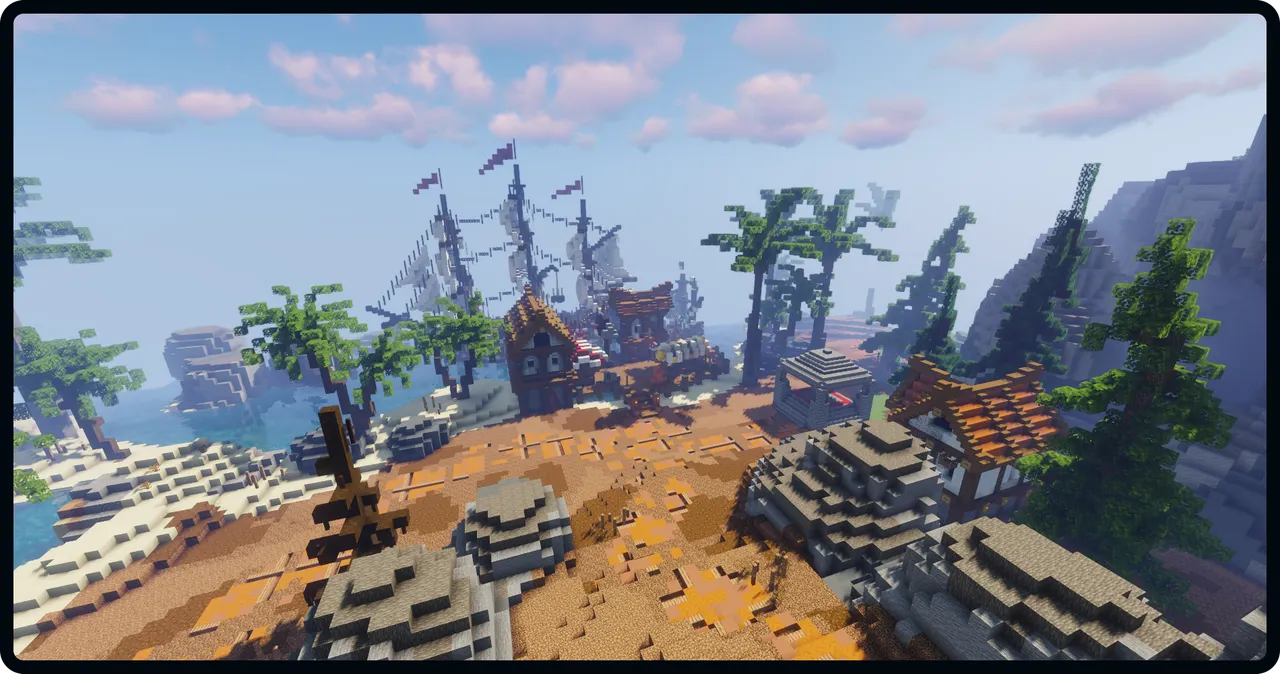
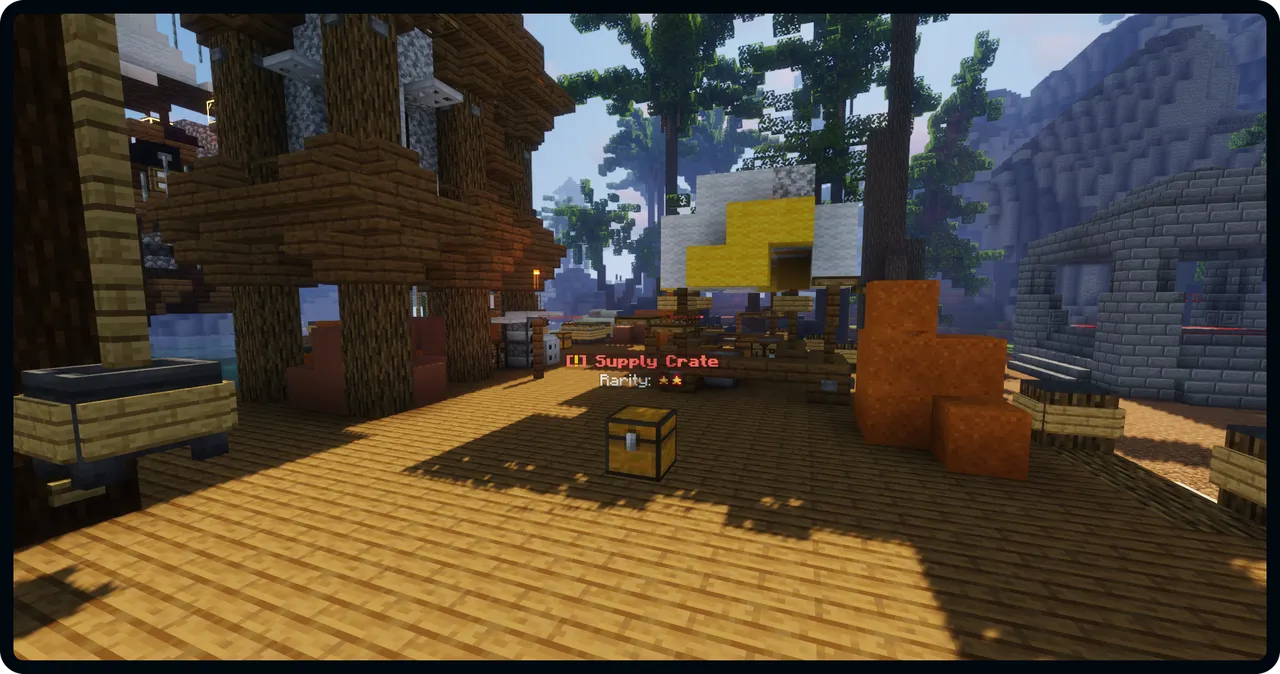
To make the PVP Arena more interesting and rewarding, supply crates will spawn randomly every hour with great loot. The supply crates are ranked from 1-5 stars depending on the loot in the supply crate.
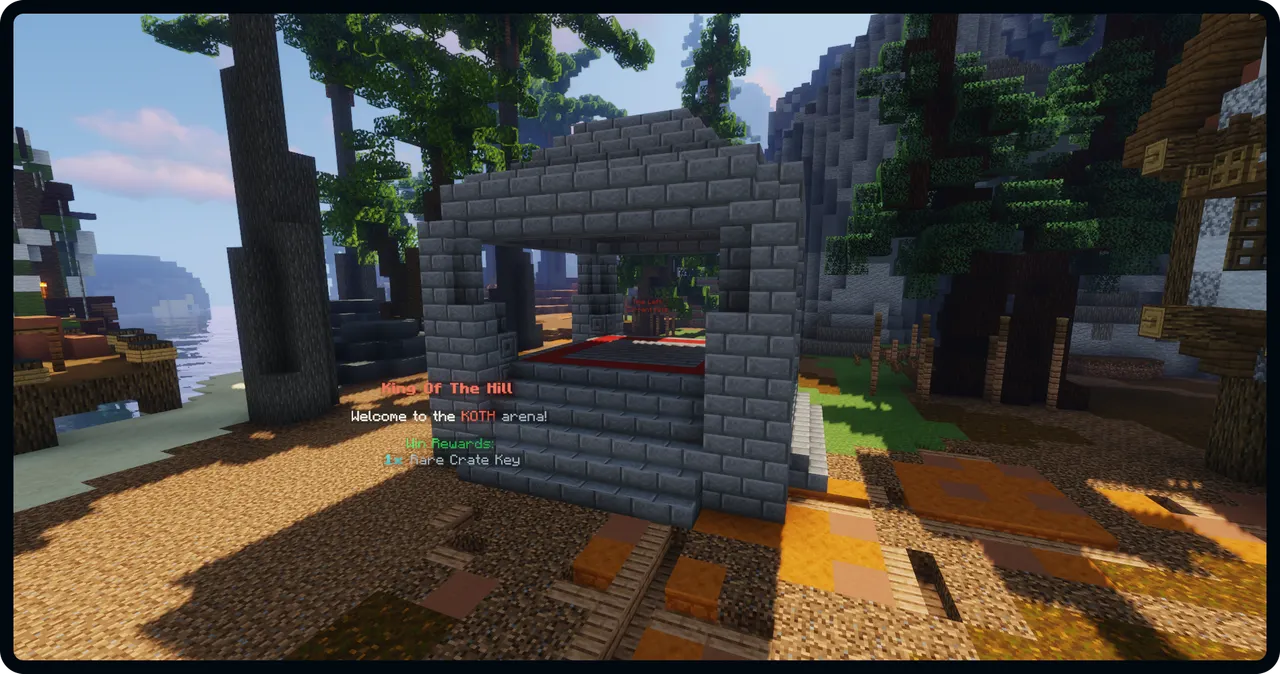
King Of The Hill (KOTH) is a popular event on many Minecraft servers, and this setup includes a preconfigured KOTH event in the PVP Arena.

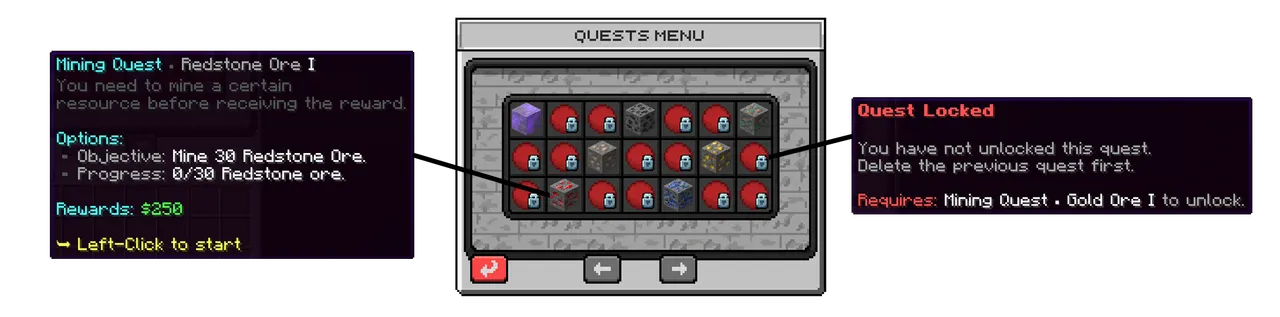
Quests is a popular feature among most survival servers. The quest system includes 500+ quests in 12 different categories. Players can grind through these quests to receive rewards.
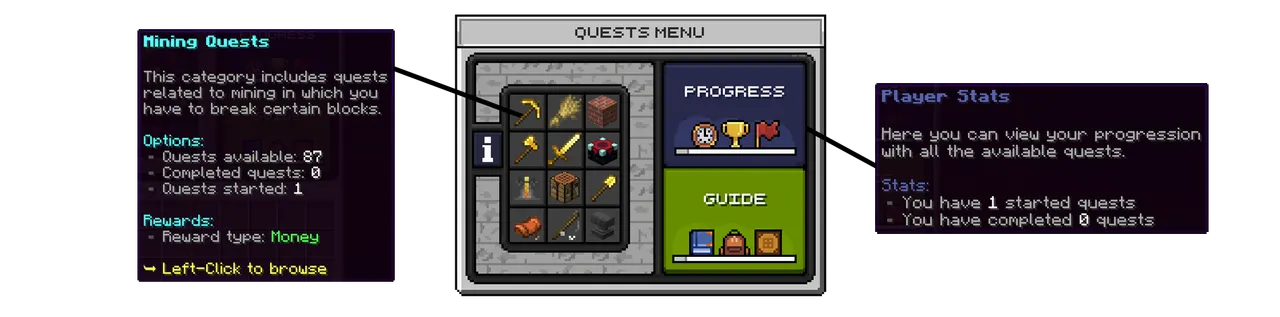
Below shows a overview of the Mining quest category. Here players can start a quest to complete.

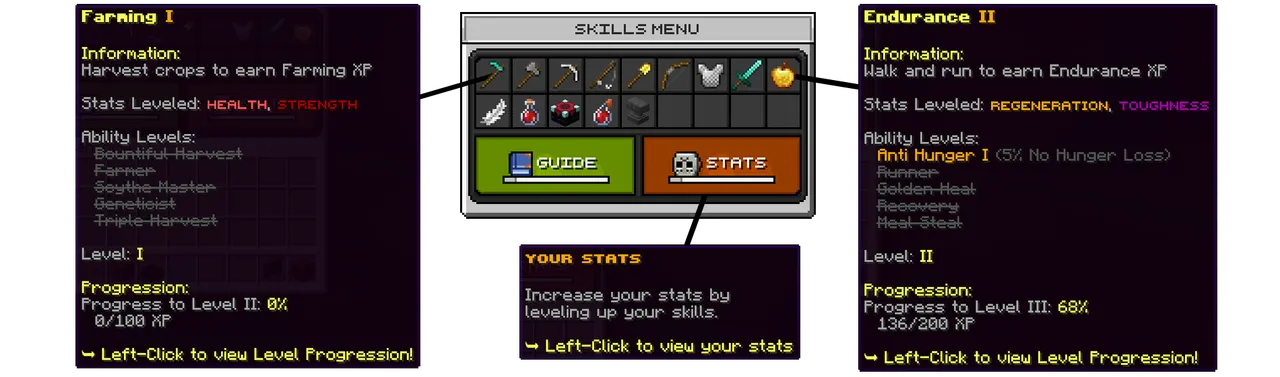
Skills is a way players can upgrade their player. When playing on the server, players constantly train their skills such as mining, farming and running. With the Skills system, players will improve in these skills and unlock certain abilities when they play.
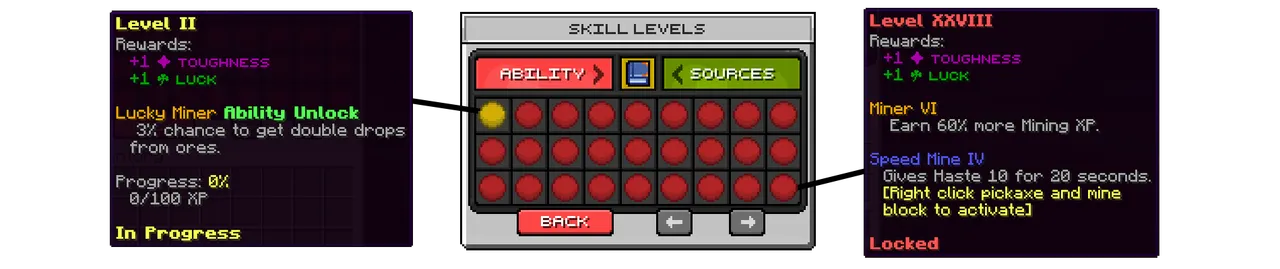
When a player trains a skill, they will levelup in that skill. You can view the skill level menu below:
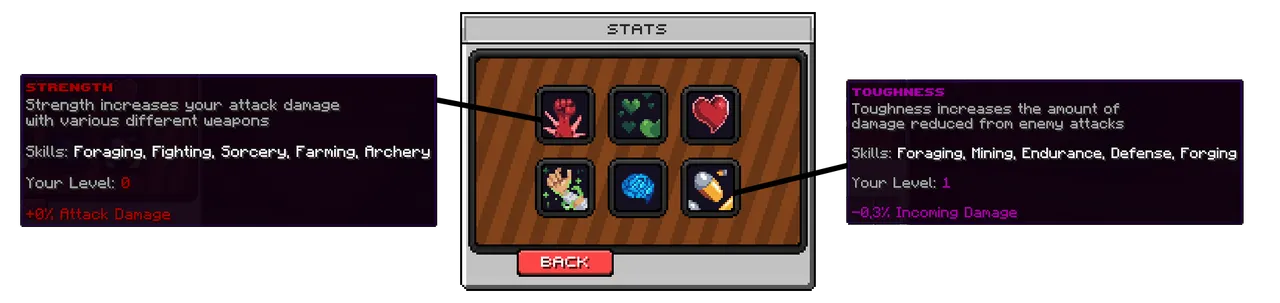
The skills stats can be viewed in the Stats menu:

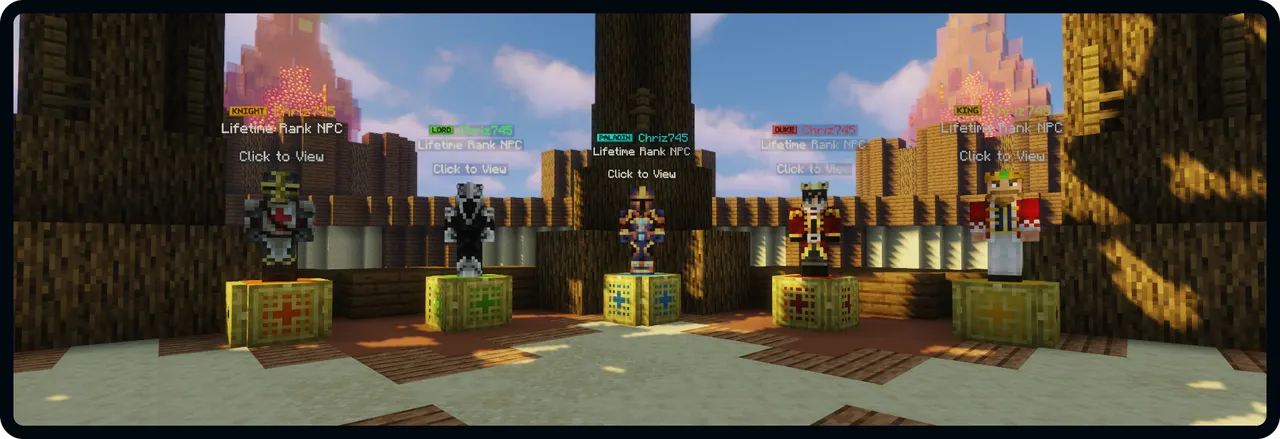
The setup includes 5 premade donator ranks which are plug and play: Knight, Lord, Paladin, Duke and King

The auction is where players can trade items for money with each other.

The "My Items" and "Expired Items" menus has a very similar design. You can see the design of the "My Items" menu below:


DailyQuests is a source to obtain Level XP on the setup. 3 quests will appear everyday which can be completed by each player for 5XP.


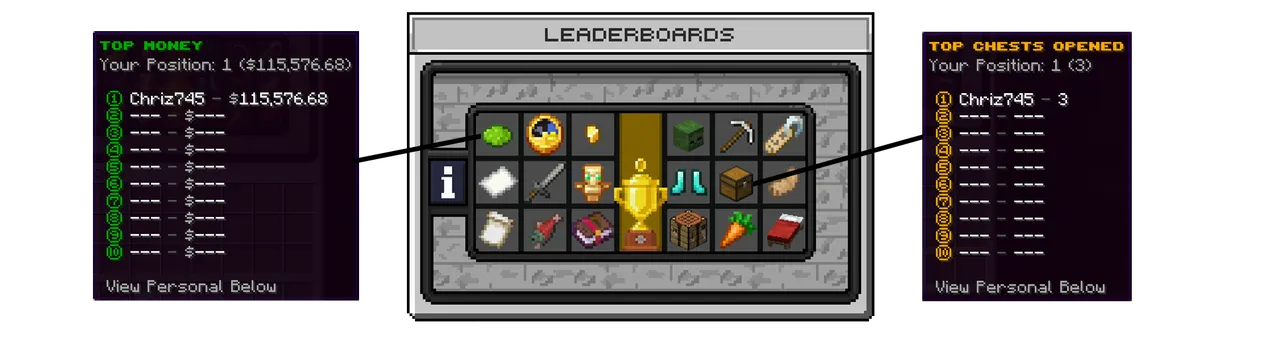
Players can compete with each other on 18 different leaderboards in the leaderboards menu.

Discoveries is a way for new players to discover your server, while being rewarded on the process. Players can complete a list of discoveries and objectives to obtain rewards, while learning about all the features on the server.

Below is the Codex Objectives category with the available objectives.


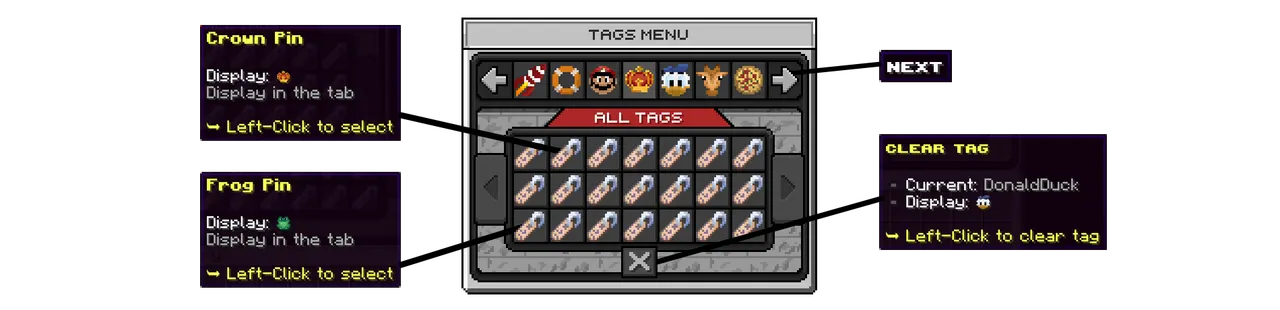
Tags allows players to choose an icon to put next to their name in the TAB. This setup includes 100+ beautiful custom texture tags which players can choose from.

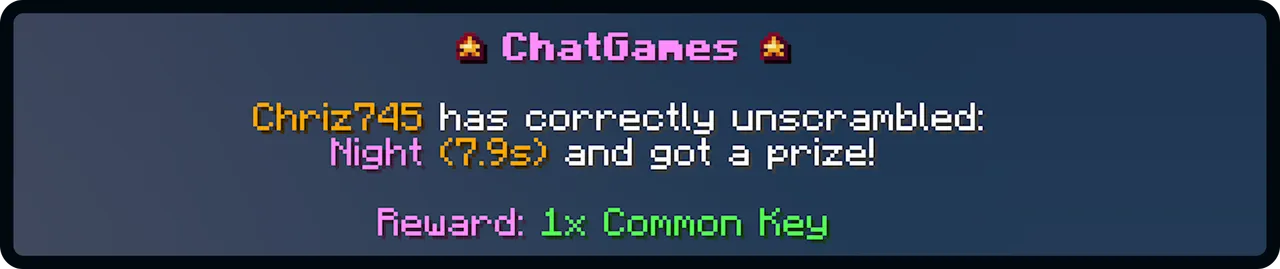
Chat Games is a fun way players can beat each other about being the fastest on the keyboard. There are 5 game types: Unscramle, Unreverse, Reaction, Fillout, Math

When a player win the game, they will receive a Common Key:

Players can participate in the daily lottery buy purchasing lottery tickets. Once a day a winner will be picked from the entry pool.

Lottery tickets are bought in the menu below:


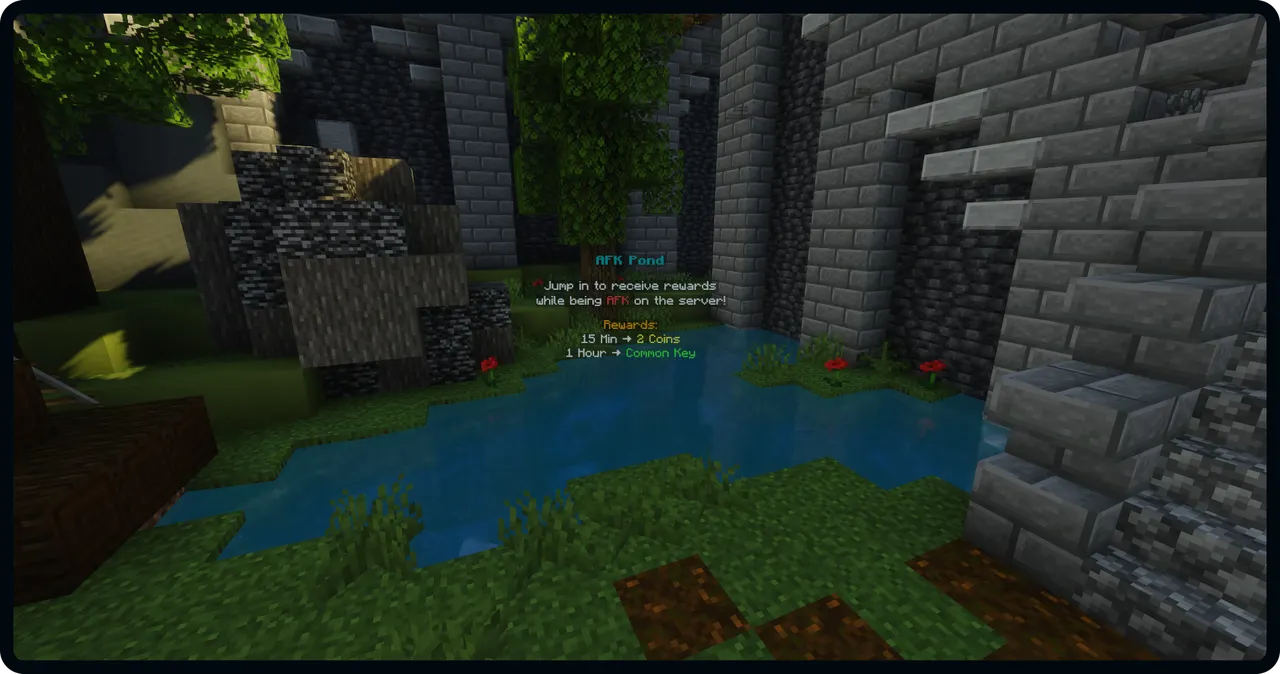
Players can be rewarded for being AFK on your server if they AFK inside of the AFK Pond. 2 Coins every 15 minutes and 1x Common Key every 1 hour.

Backpacks are a way for players to store items like an enderchest. Players can buy a backpack and upgrade it in the CoinShop.


Kits is a way to help players getting a better start on your server. The starter kits contains items which are great to start off the survival adventure.

The ranked kits are exclusive to the Donator Ranks on the server, and contains great items to start survival.


Players can create warps themselves for players to teleport to. This can be used for player shops or public mobfarms.


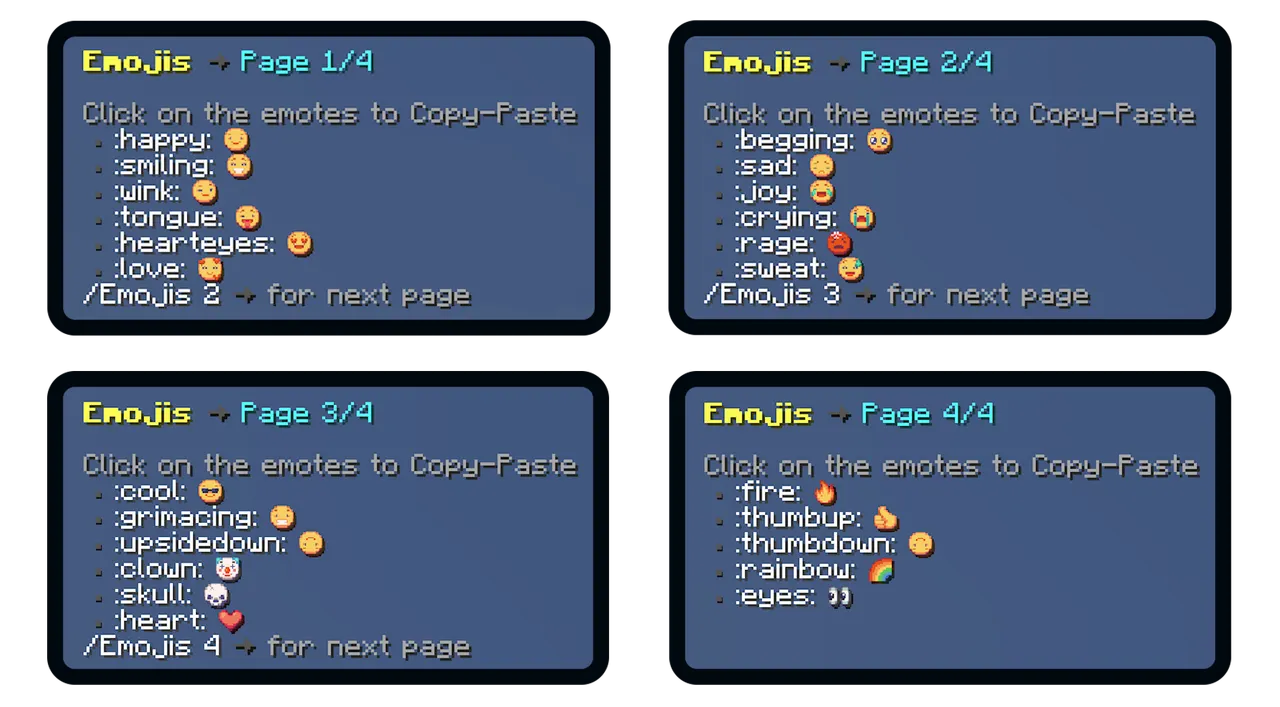
With the custom texture emojis included with the setup, players can choose between 23 different emojis to send in the chat.

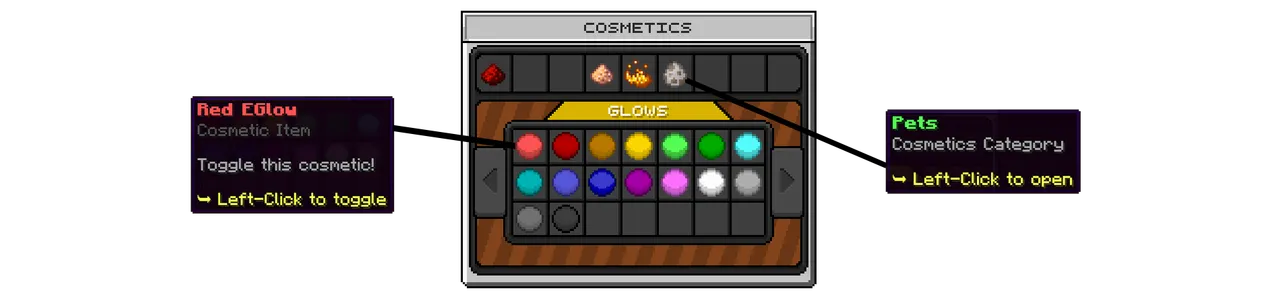
Cosmetics is a way players can change their appearance in-game. Cosmetics can be bought in the CoinShop and equiped in the Cosmetics menu. There are 3 cosmetics categories: Glows, Particles and Pets.

The settings menu is an easy way for players to access the important switchable settings on the server.


1. Is it possible to edit/customize the setup?
The setup is 100% editable meaning that you can edit everything within the setup. All features have been configured using public spigot plugins with documentation to ensure you can edit everything to your liking.
2. Is the setup compatible with ItemsAdder or Oraxen?
The setup does not require ItemsAdder or Oraxen. But the setup is 100% compatible with both ItemsAdder and Oraxen almost plug and play. You can import the setup texturepack to ItemsAdder/Oraxen easily by following the guide on our docs: Link
3. Is the setup compatible with Geyser/Bedrock?
No the setup is not compatible with Geyser or cross-platform. The custom textures does not support Geyser and its not possible to use the setup with the custom textures.
4. What do I need to run the setup?
To run this setup, all you will need which is paid is the setup itself and a server to host the setup on. Everything else is either free or included with the resource. Follow our guide to ensure you have everything to run this setup: Link
5. How much RAM does the setup require?
This depends on the amount of players you expect to play on your server at the same time. For 10 players we recommend atleast 8GB ram. If you are going to have 50+ players we would recommend 20GB+.
6. What happens after I purchase the setup?
If you have purchased the setup, you will be able to download a ZIP files directly from BuiltByBit. This will include all the things you need except the setup. You can follow this guide to install the setup: Link
7. I can't download the setup, what should I do?
Having troubles with downloading resources from BuiltByBit is normal. Try to use another browser or disable adblocker. If you still cant download the resource, contact us on discord or BuiltByBit.
8. How do I get support?
Join our discord server here and verify your purchase to receive support.
9. What plugin is used for the menus in the setup?
We use the plugin DeluxeMenus to create almost all GUI menus in the setup. This is a great plugin allowing for unlimited possibilities.
10. Is it possible to translate the setup to another language?
Yes, you can translate the setup to another language but you would have to do it manually. Everything within the setup is fully editable so you can change all messages/text into your own language. Many plugins used has a pretranslated messages file aswell.
To run this setup, all you will need which is paid is the setup itself and a server to host the setup on. Everything else is either free or included with the resource. Follow our guide to ensure you have everything to run this setup: Link
5. How much RAM does the setup require?
This depends on the amount of players you expect to play on your server at the same time. For 10 players we recommend atleast 8GB ram. If you are going to have 50+ players we would recommend 20GB+.
6. What happens after I purchase the setup?
If you have purchased the setup, you will be able to download a ZIP files directly from BuiltByBit. This will include all the things you need except the setup. You can follow this guide to install the setup: Link
7. I can't download the setup, what should I do?
Having troubles with downloading resources from BuiltByBit is normal. Try to use another browser or disable adblocker. If you still cant download the resource, contact us on discord or BuiltByBit.
8. How do I get support?
Join our discord server here and verify your purchase to receive support.
9. What plugin is used for the menus in the setup?
We use the plugin DeluxeMenus to create almost all GUI menus in the setup. This is a great plugin allowing for unlimited possibilities.
10. Is it possible to translate the setup to another language?
Yes, you can translate the setup to another language but you would have to do it manually. Everything within the setup is fully editable so you can change all messages/text into your own language. Many plugins used has a pretranslated messages file aswell.

Thanks for viewing our Survival Setup, please join our test server to get the full experience. Contact us on discord if you have any questions about the setup!
37.187.78.55:25565

Click Here To Purchase The Setup!
- Type
- Offering
- Exclusivity
-
- Non-exclusive
- Gamemode
-
- Survival
- Server software
-
- Bukkit
- Spigot
- Paper
- Supported versions
-
- 1.20
