
Custom Potions Plugin
The Custom Potions Plugin is a minigame that allows players to create potions in a fun and new way. Each potion is customizable through configuration, allowing administrators to edit their effects, sell price, ingredients, and many other values.

The plugin’s concept was to emulate the Harry Potter potion creation minigame. You can create custom recipes for each potion. The heat function forces the player to keep the pot at a certain temperature, however when you place an ingredient into the pot, there is a chance for the pot to heat up or cool down.
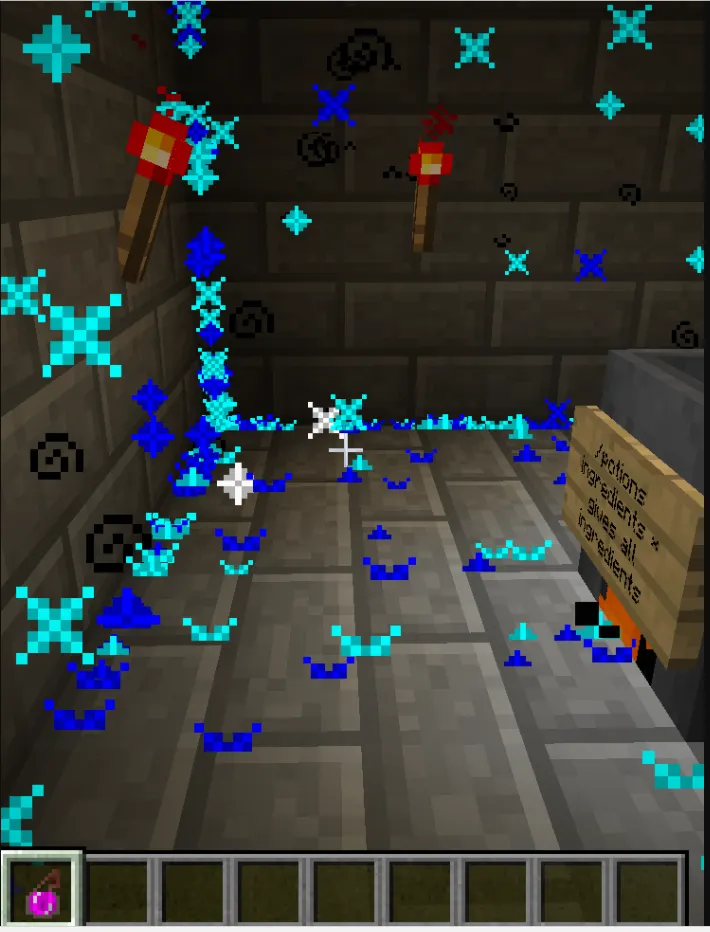
Features:
Configuration:
Custom Effects:
Effects Configuration:
Each potion can be fully customized, you can add actual Minecraft potion effects or special effects such as making a player chat, take an item, give exp, teleportation, or even change their velocity.
REQUIRES VAULT AND A PERMISSIONS PLUGIN (i.e. PermissionsEx)
Distribution is prohibited. All rights belong to Kedric (KmanCrazy). Editing of the plugin is prohibited without written consent, however you can use the rough API of the plugin.
Price reduced. Purchase the plugin HERE
Test Server: Available upon request.The Custom Potions Plugin is a minigame that allows players to create potions in a fun and new way. Each potion is customizable through configuration, allowing administrators to edit their effects, sell price, ingredients, and many other values.
The plugin’s concept was to emulate the Harry Potter potion creation minigame. You can create custom recipes for each potion. The heat function forces the player to keep the pot at a certain temperature, however when you place an ingredient into the pot, there is a chance for the pot to heat up or cool down.
Features:
- Potion Books for players to “learn” the potion
- Players can only make potions that they have “learned” (permission based)
- Potion Books have the recipes in them
- Potions are made through a custom GUI/Minigame
- GUI opened by right clicking a cauldron
- The minigame has a potion scaling system, the quicker potions are made, the better the potion is.
- The minigame has multiple factors like time, temperature (random cooling + warming for ingredients), having all the ingredients, and knowing where the ingredients are in the “cauldron”
- Potions have custom effects (see Custom Effects)
- Potions are completely configurable
- Ingredients are completely configurable
- Players can sell potions for potion credits
- Potion credits are used to unlock other potions
- Players can sell potions for experience points
- Potions can have stacked effects, for example: a potion that poisons the enemy and gives them wither.
Configuration:
Code:
potions:
  Potion Name:
[INDENT]  #Price of the book to learn the potion[/INDENT]
  bookPrice: 0
  #Prices to sell each potion tier
  ExplosivePrices:
  pc: 1
  experience: 5
  ExperimentalPrices:
  pc: 2
  experience: 5
  WeakPrices:
  pc: 3
  experience: 5
  NormalPrices:
  pc: 4
  experience: 5
  UncommonPrices:
  pc: 5
  experience: 5
  RarePrices:
  pc: 6
  experience: 5
  UniquePrices:
  pc: 7
  experience: 5
  LegendaryPrices:
  pc: 8
  experience: 5
  #What temp it must be to make the potion
  requiredTemp: HOT
  #How long you have to make the potion
  timer: 30
  #How much exp the player gets for making the potion
  EXP: 60
  #The type and color of the potion
  pType: INSTANT_HEAL
  #Is it a splash potion
  splash: true
  #Ingredients in the order they are put in to the cauldron
  ingredients:
  - Stir Counter-Clockwise
  - Raw Beef
  - Melon Seeds
  - Sugar Cane
  - Stir Clockwise
  #Description of the potion
  description:
  - §cPuts the drinker into
  - §ca deep love state
  #Effects - See effects - You can put as many effects as you would like
  effects:
  #To do multiple commands do an & symbol
  command: affected,ch local
  random:
  chat:
  messages:
  - /g §cI love everyone!
  - /g §cLove is an open door!
  - /g §cI love %thrower so much!
  - /g §cWill you marry me %thrower?
  - /g §cLove me %thrower! D:
  - /g §c*Kisses %thrower*
  - /g §c*Hugs %thrower*
  interval: 10
  undo: 10
ingredients:
  Name of Ingredient:
[INDENT]  material: MATERIAL[/INDENT]
  #Data of material (in game its id:data)
  data: 0
  #Requires the item to have the same name as the ingredient. - All ingredients have a green name
  isSpecific: false
  where:
  - Where you can receive this ingredient.
Custom Effects:
- Force Chat
- Take an Item
- Vanilla Potion Effects
- Give EXP
- Take an Item
- Give an Item
- Teleport
- Change Velocity
- Multiply Velocity
- Set Velocity
- Play effect from effects lib
- Damage directly
- Kill entity
- Set Flying
- Timed Fly
- Take Economy Money
- Give Money
- Set Economy Money
- Take Item
- Drop Item
- Give Item
- Timer Item
- Give EXP
- Take EXP
- Run Command
- Remove Potion Effect
- Change Position
- Set Fire Ticks
- Add Fire Ticks
- Remove Fire Ticks
- Undo Command (Does a command after X seconds)
- Random
- Chat
- Damage
- Spawn Mob
- Set Health
- Take Health
- Add Health
- Set Food
- Take Food
- Add Food
- More added upon request
Effects Configuration:
Code:
effects:
  killEntity: <boolean>
  setFlying: <boolean>
  timedFly: <time>
  takeEco: <amount>
  addEco: <amount>
  setEco: <amount>
  takeItem:
    material: <material>
    amount: <amount>
    data: <data number>
    name: <String:Name>
    lore:
    - list
    - of
    - strings
  dropItem:
    material: <material>
    amount: <amount>
    data: <data number>
    name: <String:Name>
    #Makes thrower drop item?
    thrower: <boolean>
    lore:
    - list
    - of
    - strings
  giveItem:
    material: <material>
    amount: <amount>
    data: <data number>
    name: <String:Name>
    #Makes thrower drop item?
    lore:
    - list
    - of
    - strings
  timerItem:
    material: <material>
    amount: <amount>
    data: <data number>
    name: <String:Name>
    timer: <time>
    #Makes thrower drop item?
    thrower: <boolean>
    lore:
    - list
    - of
    - strings
  giveXP: <int>
  takeXP: <int>
  command: <command user>,<command containing %thrower %affected>&<Use the and symbol to separate commands>
  potion: <thrower/affected>,<PotionEffectType>,<duration>,<level>&<User the & (and) symbol to separate>
  removeEffect: <PotionEffectType>
  changePosition: <thrower/affected>,<added x value>,<added y value>,<added z value>
  setPosition: <thrower/affected>,<world (%world)>,<x (%tx)>,<y (%ty)>,<z (%tz)>
  changeVelocity: <thrower/affected>,<x velocity to add>,<y velocity to add>,<z velocity to add>
  setVelocity: <thrower/affected>,<x velocity>,<y velocity>,<z velocity>
  multiplyCurrentVelocity: <thrower/affected>,<x velocity>,<y velocity>,<z velocity>
  forceChat: <thrower/affected>,<chat message>
  setFireTicks: <thrower/affected>,<fire ticks>
  addFireTicks: <thrower/affected>,<added fire ticks>
  removeFireTicks: <thrower/affected>,<remove fire ticks>
  undo:
    time: <time>
    command: <command user (console, affected, thrower>,<command containing %thrower %affected>&<Use the and symbol to separate commands>
  random:
    chat:
      interval: <interval - how many every second>
      undo: <how long until the effect stops>
      #if you want a random interval
      randomInterval: <number range 3-10>
      messages:
      - Here
      - Is
      - A
      - Random
      - Message
      - That players can say
    damage:
      interval: <interval - how many every second>
      undo: <how long until the effect stops>
      #if you want a random interval
      randomInterval: <number range 3-10>
      damages:
      - 0.3
      - 1.0
      - 5.3
  spawnMob:
  #Spawned on thrower, do not include if you do not want it spawned on the thrower
    thrower: <true/false>
    type: <type of mob>
    health: <entity's health>
    name: <name of mob>
    potion: <PotionEffectType>,<duration>,<level>&<User the & (and) symbol to separate>
  setHealth: <health>
  takeHealth: <health to take>
  addHealth: <health to add>
  setFood: <food>
  takeFood: <food to take>
  addFood: <food to add>
  #See EffectsLib for configuration - for all below this point
  affectThrower:
  affectEnt:
Each potion can be fully customized, you can add actual Minecraft potion effects or special effects such as making a player chat, take an item, give exp, teleportation, or even change their velocity.
REQUIRES VAULT AND A PERMISSIONS PLUGIN (i.e. PermissionsEx)
Distribution is prohibited. All rights belong to Kedric (KmanCrazy). Editing of the plugin is prohibited without written consent, however you can use the rough API of the plugin.
Last edited:



