Please note that this plugin requires Spigot or Paper 1.21.4 or later to function properly.

 AscendSMP
Two ability slots per player, each with a passive perk and an active power that levels up through PvP.
By zArrowTan, part of Arrow Plugins.
 Overview
AscendSMP turns your server into an ability-driven SMP. Every player carries two ability slots, a secondary and a primary, and each one has an automatic passive perk plus an activatable power on a cooldown. Abilities level up through PvP, show on an action-bar HUD, and can be browsed in an in-game codex. Players earn their secondary on first join and craft their primary, while admins get a full management toolkit and three special event abilities to hand out. Everything is config-driven, with no hard-coded balance numbers, and it runs with no required dependencies.
 Dependencies
No required dependencies. AscendSMP runs on its own, drop it in and go. A few optional plugins add extra polish:
- PlaceholderAPI exposes
%ascend_...%placeholders (equipped abilities, levels, cooldowns, kills, deaths) for scoreboards, tab, and chat (link) - ItemsAdder supplies custom HUD icons when
hud.icon-mode: ITEMSADDER(falls back to text without it) - WorldGuard is supported as a soft-dependency hook
Want custom HUD icons without making your own? Grab the ready-made SMP Ability Icons Pack (30 HUD glyphs): builtbybit.com/resources/smp-ability-icons-pack
⚔ Two Ability Slots
Every player runs two abilities at once, each with a passive that's always on and an active power on a cooldown:
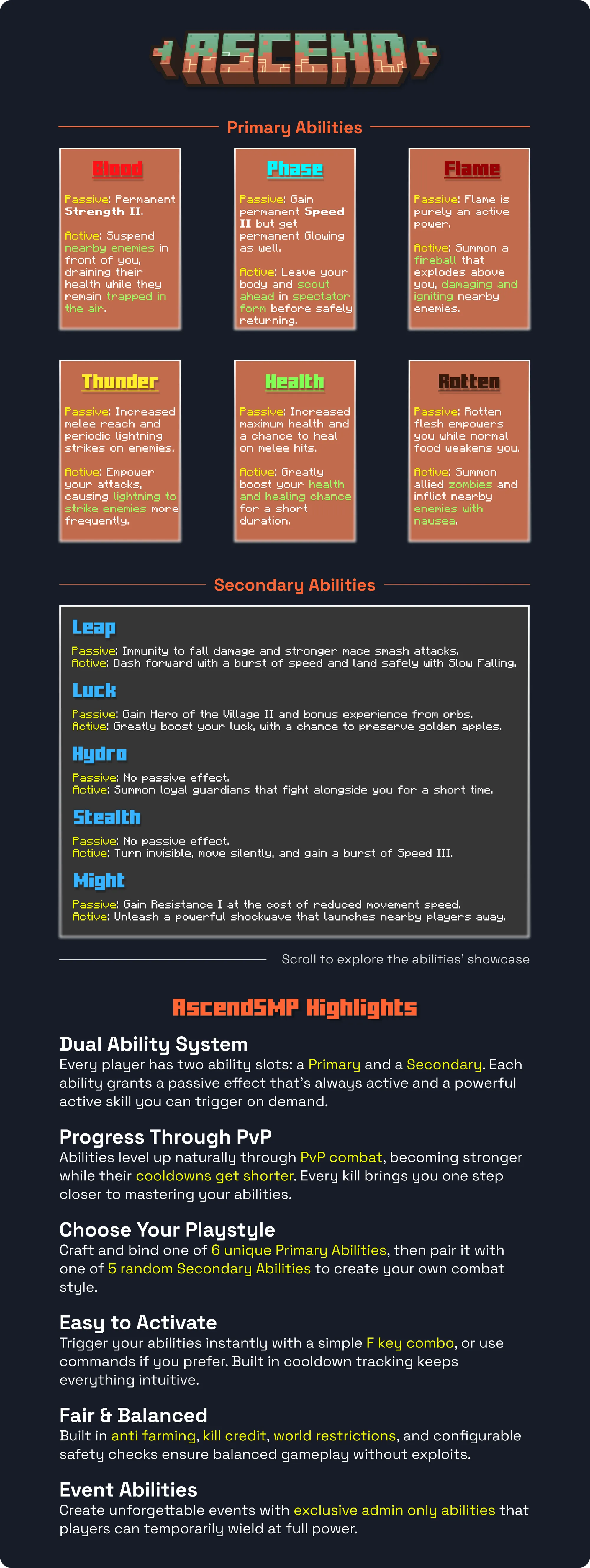
- Secondary (max level 3): Leap, Luck, Hydro, Stealth, Might. New players get a random one on first join, and can reroll it with an Ability Shard.
- Primary (max level 5): Blood, Phase, Flame, Thunder, Health, Rotten. Craft a primary's item and right-click to bind it, your old primary is returned as an item so nothing's lost.
- Event abilities (admin-only, full power): Warden, Ender, Wither. Granted by staff for server events, and they don't level.
 Level Up Through PvP
Abilities grow stronger as players fight. Every cooldown, damage value, range, and duration lives in
abilities.yml, along with the level scaling, first-join odds, and anti-farm rules, so nothing is hard-coded and you tune the whole progression curve yourself. Simple Controls
- Primary: tap the offhand-swap key (F by default)
- Secondary: hold sneak and tap the same key
- No key? No problem: use
/spark primaryor/spark secondaryinstead
While an ability recharges, the HUD shows the remaining cooldown, and a denied cast plays a short sound without wasting the cooldown.
 Action-Bar HUD
The HUD shows your secondary and primary at a glance, each with its level or a live cooldown countdown. Three icon styles via
hud.icon-mode:- TEXT (default): no resource pack needed, ability names grey out while cooling down
- VANILLA: custom glyph icons from a resource pack
- ITEMSADDER: icons supplied by ItemsAdder (falls back to TEXT if absent)
HUD glyphs, Hydro secondary and Blood primary
HUD glyphs, Leap secondary and Flame primary
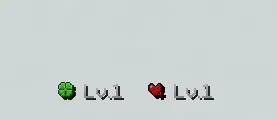
HUD glyphs, Luck secondary and Health primary
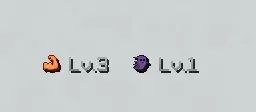
HUD glyphs, Might secondary and Phase primary
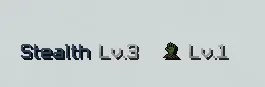
HUD glyphs, Stealth secondary and Rotten primary
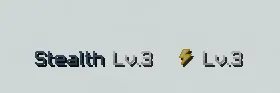
HUD glyphs, Stealth secondary and Thunder primary
🖥 The Ability Menu
Open
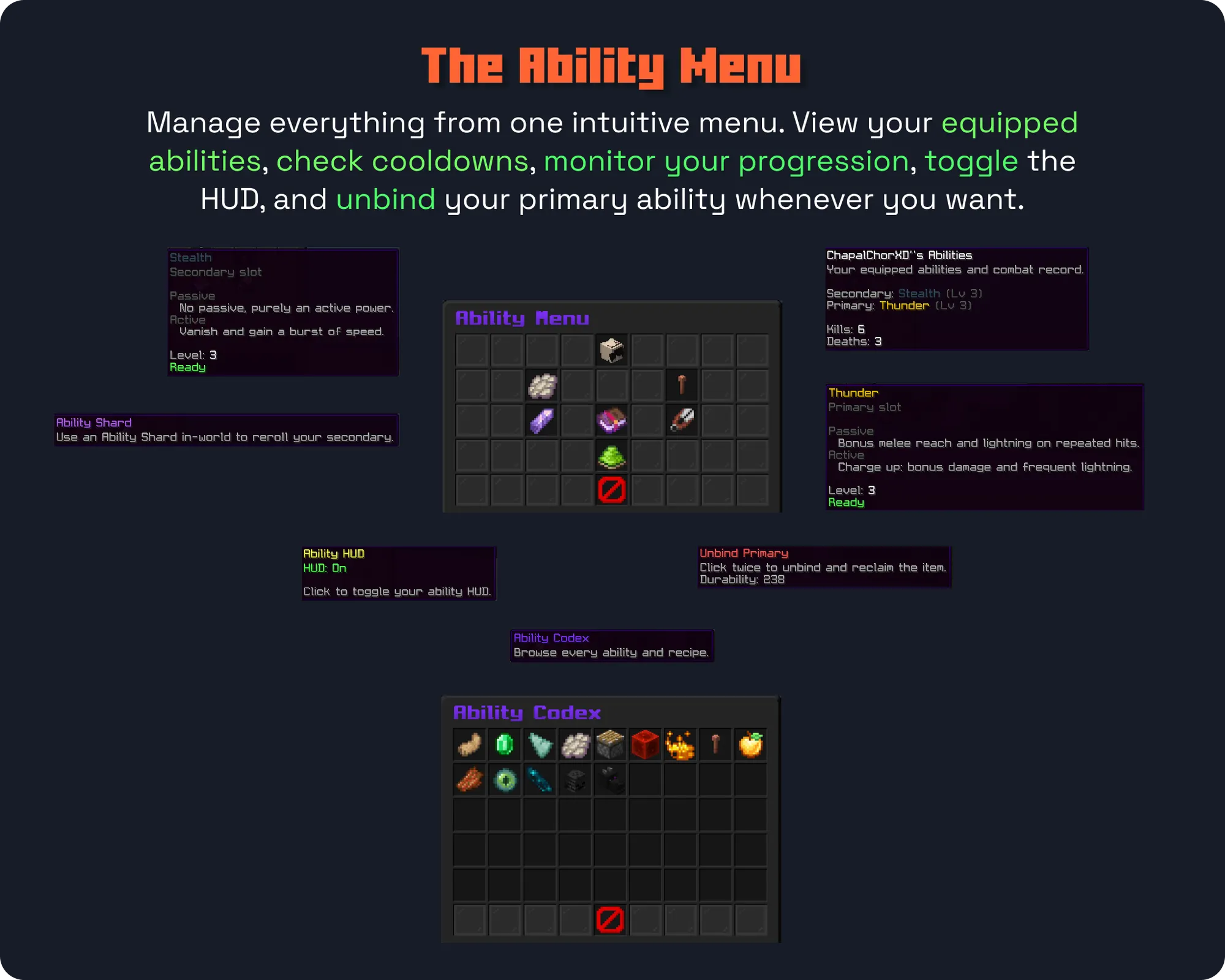
/sparkgui to manage everything in one place: view your equipped abilities and levels, reroll your secondary with a shard, bind or unbind your primary, toggle your HUD, and jump into the codex.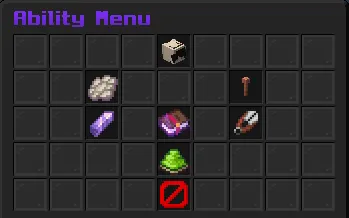
The ability menu
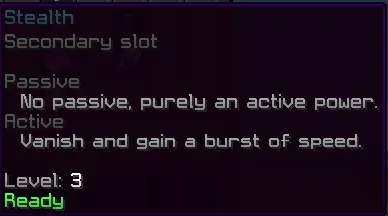
The secondary slot
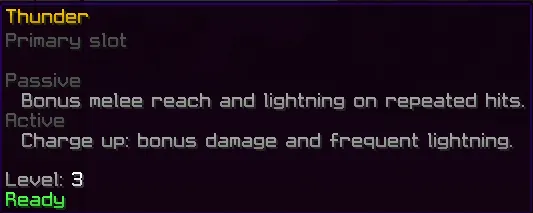
The primary slot

The Ability Shard, reroll your secondary

Unbind your primary (two-click confirm)
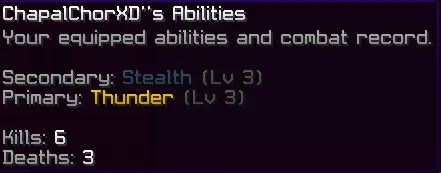
My Information, your abilities and record
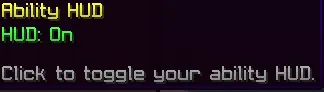
Toggle your HUD

Open the Ability Codex
 Ability Codex
Every ability's full passive and active description lives in the in-game codex, so players can read exactly what each power does before they chase it.
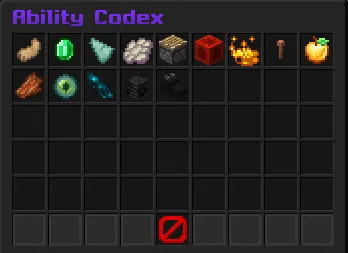
The Ability Codex

Browsing the codex entries
 Abilities In Action
See the powers in motion.
Secondaries
Might
Hydro
Leap
Stealth
Primaries
Blood
Phase
Flame
Thunder
Health
Rotten
 Craft & Earn Abilities
- Secondary: handed out at random on a player's first join (odds configurable), rerolled by right-clicking a craftable Ability Shard
- Primary: craft a primary's ability item and right-click to bind it
- Custom recipes: the shard and all six primary recipes are fully reworkable in
recipes.yml
 Commands
Players
/sparkgui(aliases/abilities,/amenu) open the ability menu/spark <primary|secondary>(alias/ability) activate an ability without the key/ascend hud toggleshow or hide your HUD
Admin
/ascend reroll [player]reroll a secondary/ascend setsecondary <player> <id>/setprimary <player> <id>force an ability/ascend event give|remove <player> <warden|ender|wither>grant or reclaim an event ability/ascend info [player]view equipped abilities, levels, and record/ascend level set <player> <secondary|primary> <level>set an ability's level/ascend give <shard|ability> [player]give the shard or a primary item/ascend reloadlive-reload all config
Base command
/ascend (aliases /ascendsmp, /asmp).
The in-game help menu
 Permissions
ascend.useuse abilities,/spark,/sparkgui, and the HUD toggle (default: everyone)ascend.adminall/ascendmanagement subcommands (default: ops)
🎛 Fully Configurable
config.ymllanguage, storage, HUD mode and refresh, control scheme, disabled worlds, particle density, soundsabilities.ymlevery balance number, level scaling, first-join odds, anti-farm rules, and the event blockrecipes.ymlthe shard and all six primary crafting recipesglyphs.ymlthe HUD icon characters for each ability's ready and cooldown states- Auto-updating: new keys merge into your files on upgrade without wiping your settings, and invalid values fall back to safe defaults instead of breaking startup
- Full color support: both
&codes and&#rrggbbhex everywhere
PlaceholdersWith PlaceholderAPI installed, the
ascend expansion gives you:%ascend_secondary%/%ascend_primary%equipped ability name%ascend_secondary_level%/%ascend_primary_level%ability level%ascend_secondary_cooldown%/%ascend_primary_cooldown%time left (0swhen ready)%ascend_kills%/%ascend_deaths%lifetime record
 Requirements
- Minecraft: 1.21.x
- Server software: Spigot or Paper
- Java: 21 or higher
- Storage: SQLite out of the box (single file, zero setup) or MySQL
- Languages: English, French, German, and Spanish bundled
 Support & Docs
Full setup and configuration guides are in the documentation. Need help, found a bug, or want to suggest a feature? Join the Discord.


