Websites hosted directly on Minecraft servers
Portel is a Minecraft plugin that allows you to host a website directly from your server. It starts a lightweight web server that serves files from a folder within the plugin's configuration directory.
You don't have to buy this to use Portel, its available for free on modrinth and the source code is available for free in my github. This is for donations. It's not obligatory or forced, only buy this if you want to.
Why use Portel?
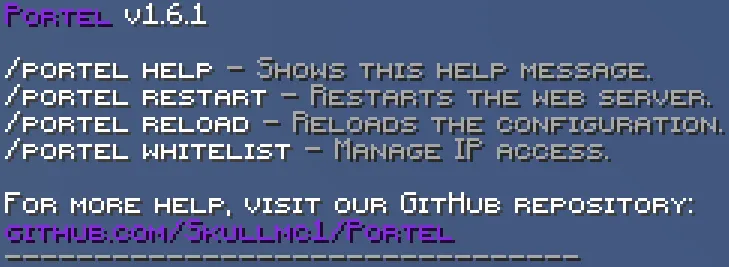
Portel is a Minecraft plugin that allows you to host a website directly from your server. It starts a lightweight web server that serves files from a folder within the plugin's configuration directory.
You don't have to buy this to use Portel, its available for free on modrinth and the source code is available for free in my github. This is for donations. It's not obligatory or forced, only buy this if you want to.
Why use Portel?
- Simplicity: Portel is drag and drop. Only thing you have to change is the port if you only have some ports available.
- Performance: Portel is built to be lightweight and efficient. It uses Java's built-in HTTP server to minimize resource usage, ensuring that your server's performance is not affected.
- Customization: Portel gives you full control over your website. You can create your own HTML, CSS, and JavaScript files to build a unique website that reflects your server's identity. You can also create custom error pages for 403, 404, and 429 errors.
- Security: Portel includes a whitelist/blacklist system to control access to your website. It also has a rate-limiting feature to prevent DoS attacks.
- Real-time updates: Changes to your website files are reflected in real-time with the /reload command and Hot reloading will be in the future.
- No external hosting required: Host your website directly on your Minecraft server, eliminating the need for a separate web hosting service.
- Websocket support: Connect things from you're minecraft server like the chat to you're website without the help of any other plugin. Example of this is done in the demo site.
- PlaceholderAPI support: Use placeholder's from placeholderAPI plugin in you're website to display values from the serevr. Example in demo site
- HTTPS/SSL support: You can get you're portel site ssl verified using our guide on github.
- Extensive Guides: Use the guides in the github repo to understand more about this plugin.


